
Social Buttons
Contact Buttons for Messengers and Social Networks is an OkayCMS module that adds a convenient quick-contact widget to your website.
Visitors can open a preferred messenger or social network, make a phone call, or send an email with a single click. This helps customers ask questions, receive assistance, read reviews, or view the store’s social media content more quickly.
Available Contact Methods
- Phone;
- Telegram;
- Messenger;
- Instagram;
- Viber;
- Email;
- Skype;
- WhatsApp.
Main Features
- add a quick-contact widget to the storefront;
- connect popular messengers and social networks;
- configure contact information for each button;
- open the selected messenger or social network directly;
- allow visitors to make a phone call or send an email;
- provide convenient access to contact channels without searching through the website.
Admin Panel Configuration
To add and configure the contact buttons:
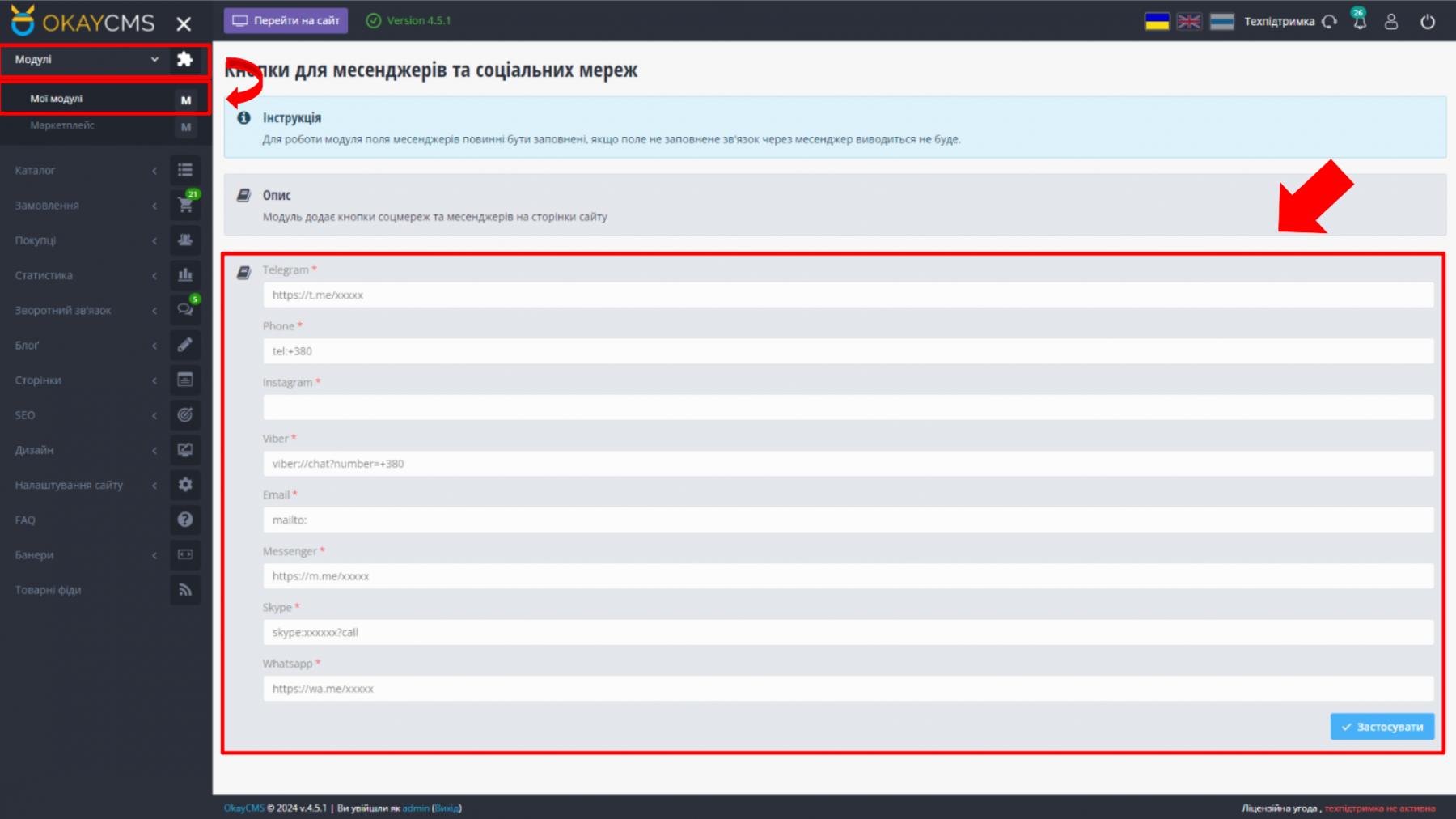
- go to Modules → My Modules;
- open the SimplaMarket/SocialButtons module;
- enter the contact information for the required messengers and social networks;
- save the changes.
Storefront Display
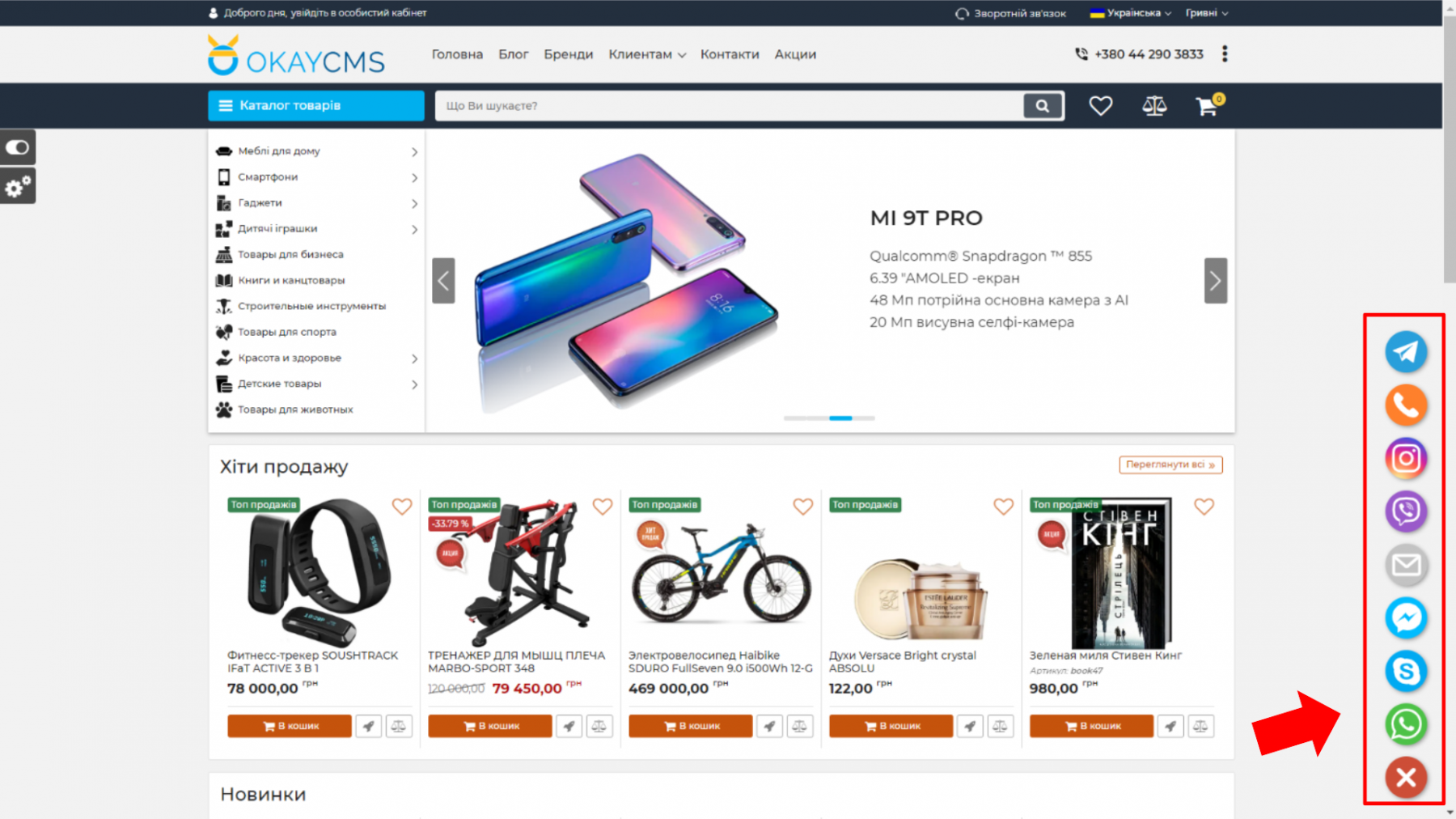
After configuration, the buttons are displayed in the website menu widget. Visitors can select a convenient contact method and immediately open the corresponding application or social media page.
Who Is This Module For?
The module is suitable for online stores that communicate with customers through different messengers and social networks.
It makes contacting the store easier, helps managers respond to customer questions more quickly, and improves the overall usability of the website.

-
Quality checked by OkayCMS
-
Does not require adaptation for other templates



Чи можна запросити доопрацювання даного модулю під версію 4.3.0?