
Timed Discounts
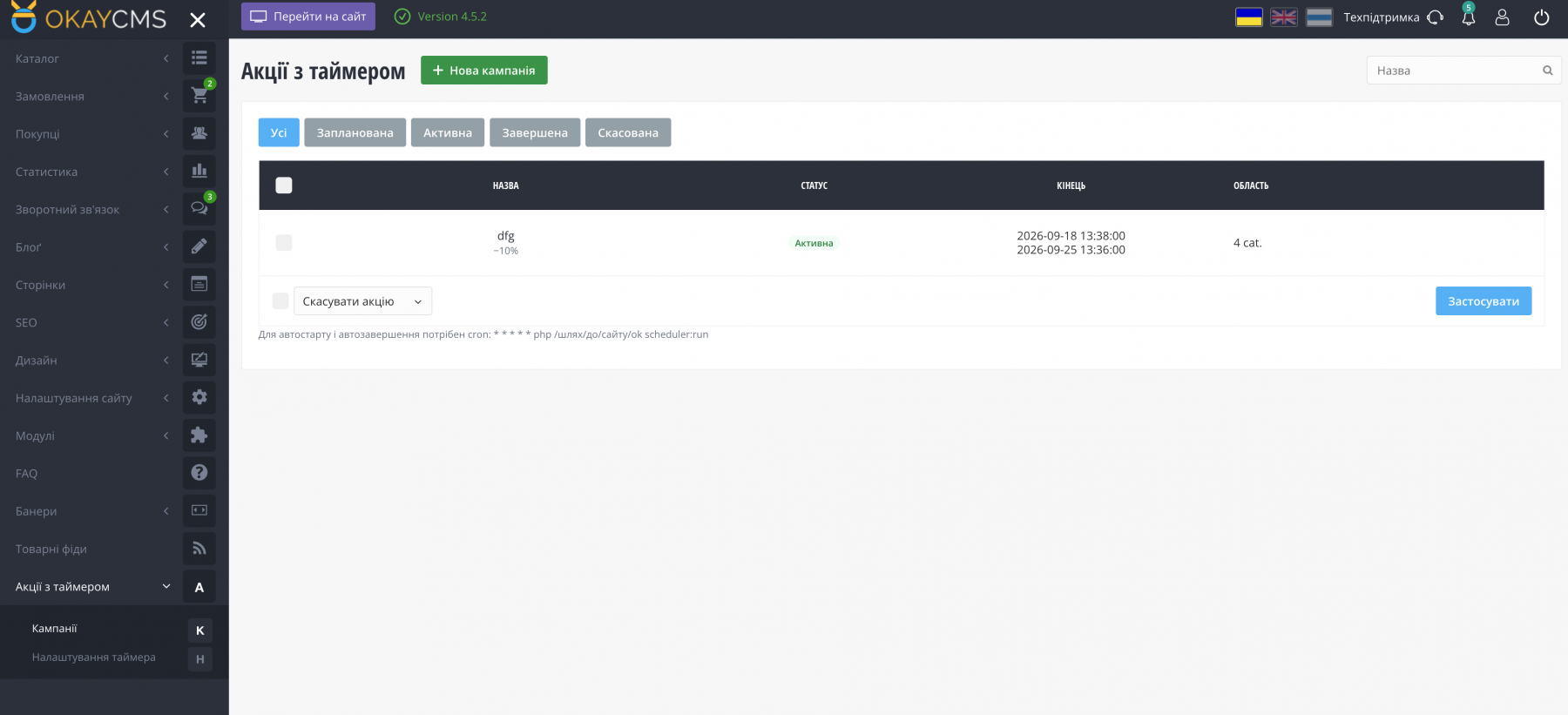
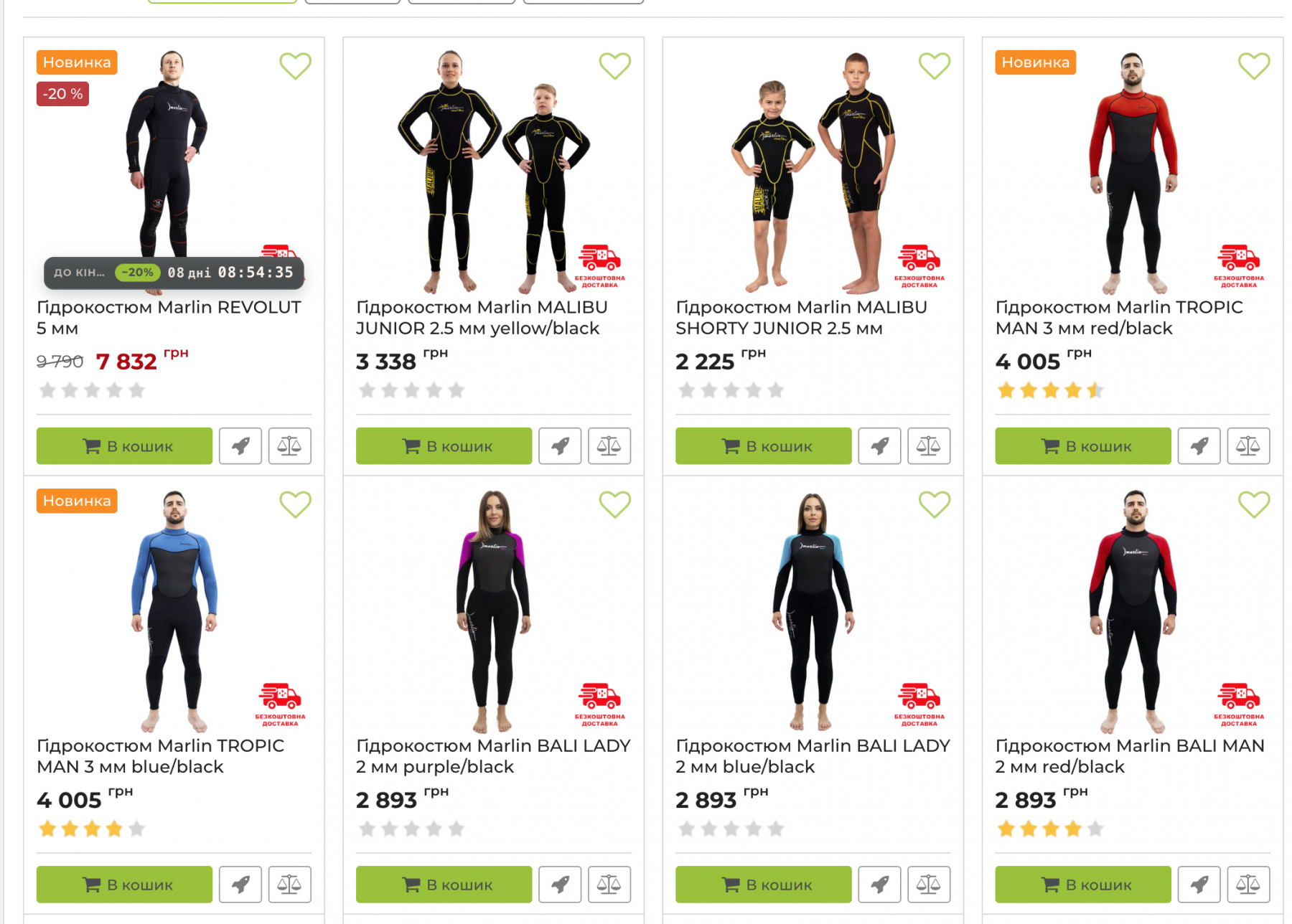
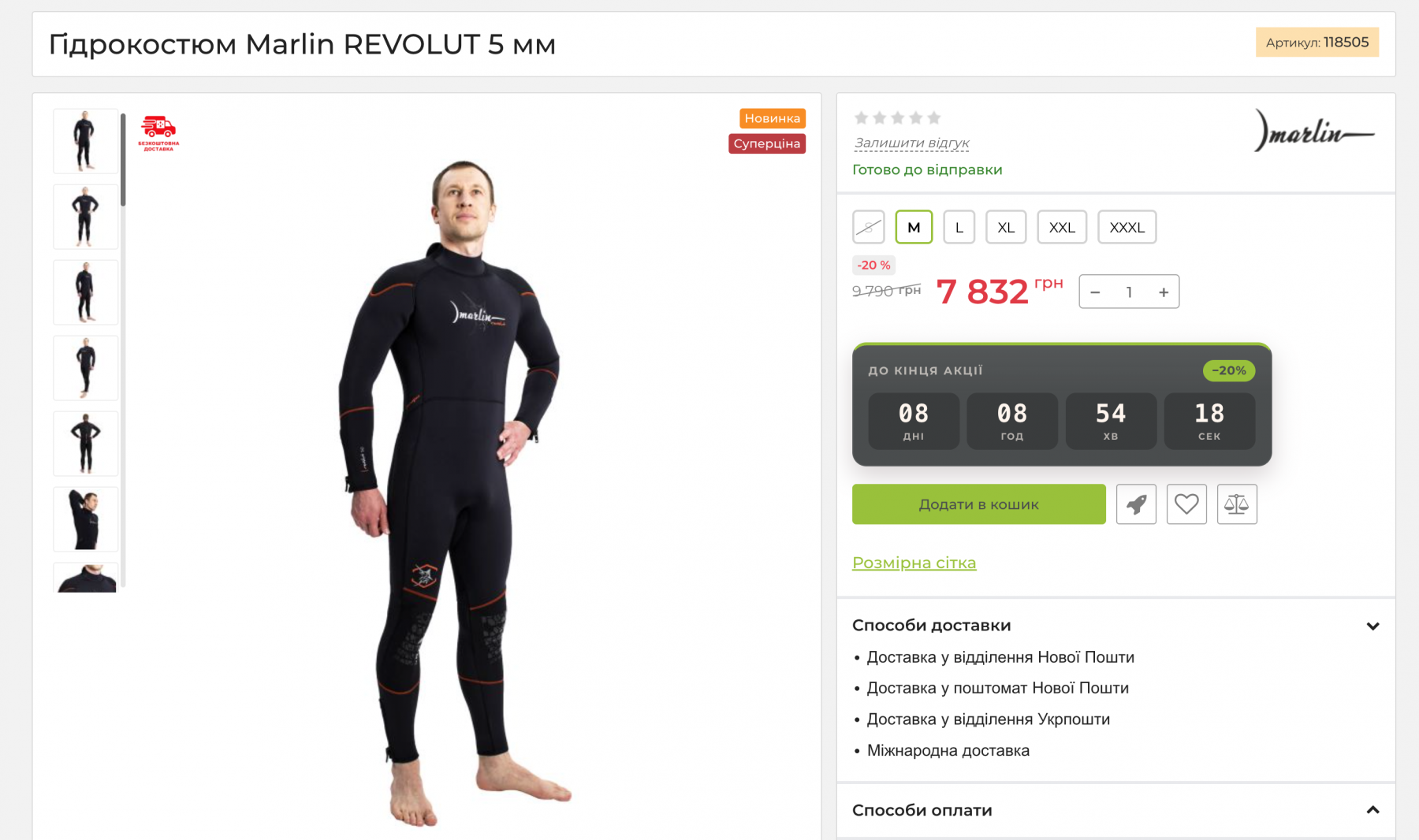
The module allows you to create discount campaigns for a specified period. The discount is applied using the standard OkayCMS “price” and “old price” fields — customers see the crossed-out old price together with the new discounted price.
Campaign Management in the Admin Panel
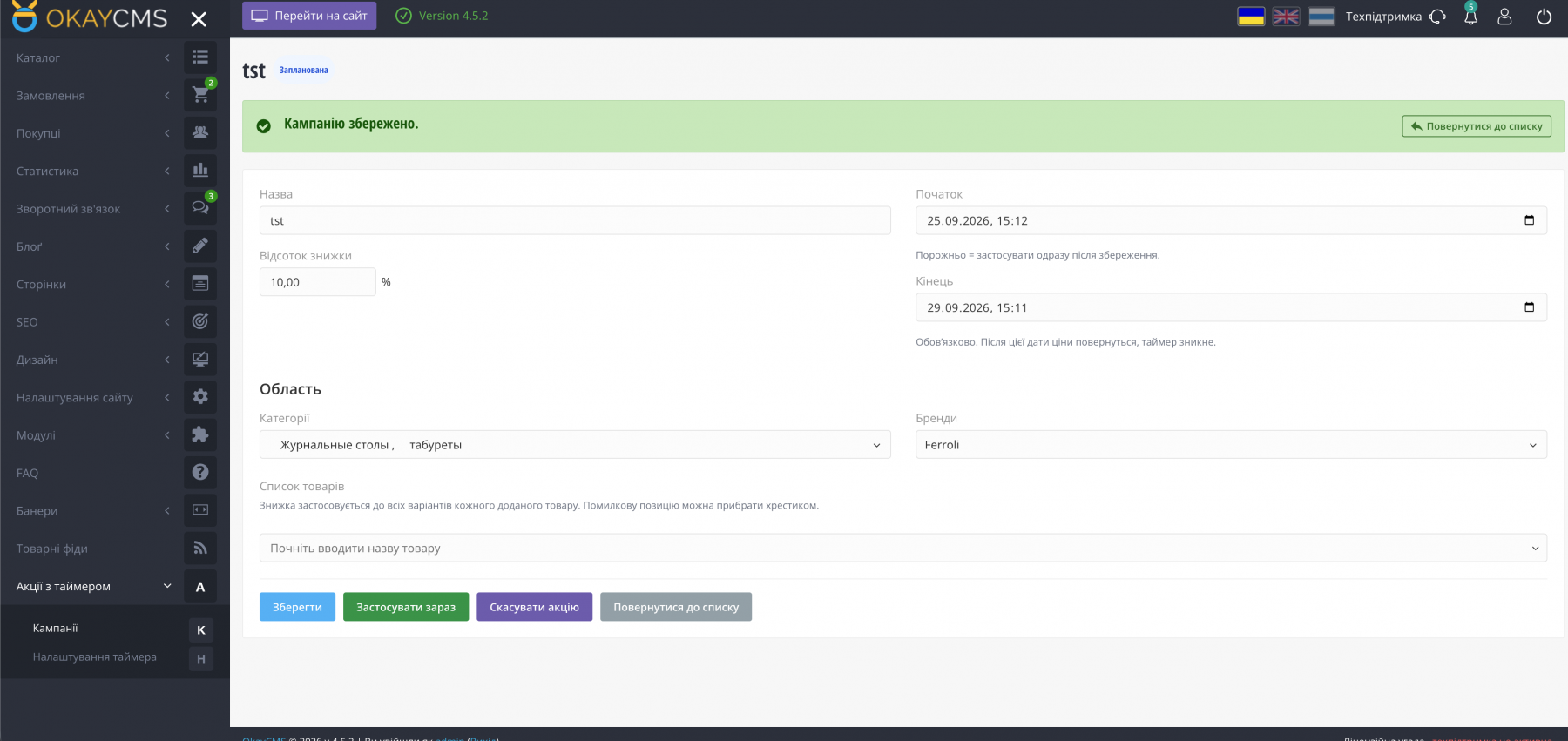
- Campaign name, discount percentage (0.01–99.99%), start date, and required end date.
- If the start date is left empty, the discount is applied immediately. If a future date is specified, the campaign receives the “Scheduled” status, and products can already display a “Until the promotion starts” countdown.
- Scope: multiple categories (including subcategories), multiple brands, and/or a custom list of products.
- An active campaign cannot be edited. Cancelling a campaign restores only the prices affected by that specific campaign.
- The same category or brand cannot be assigned to two scheduled or active campaigns at the same time.
Storefront Countdown Timer
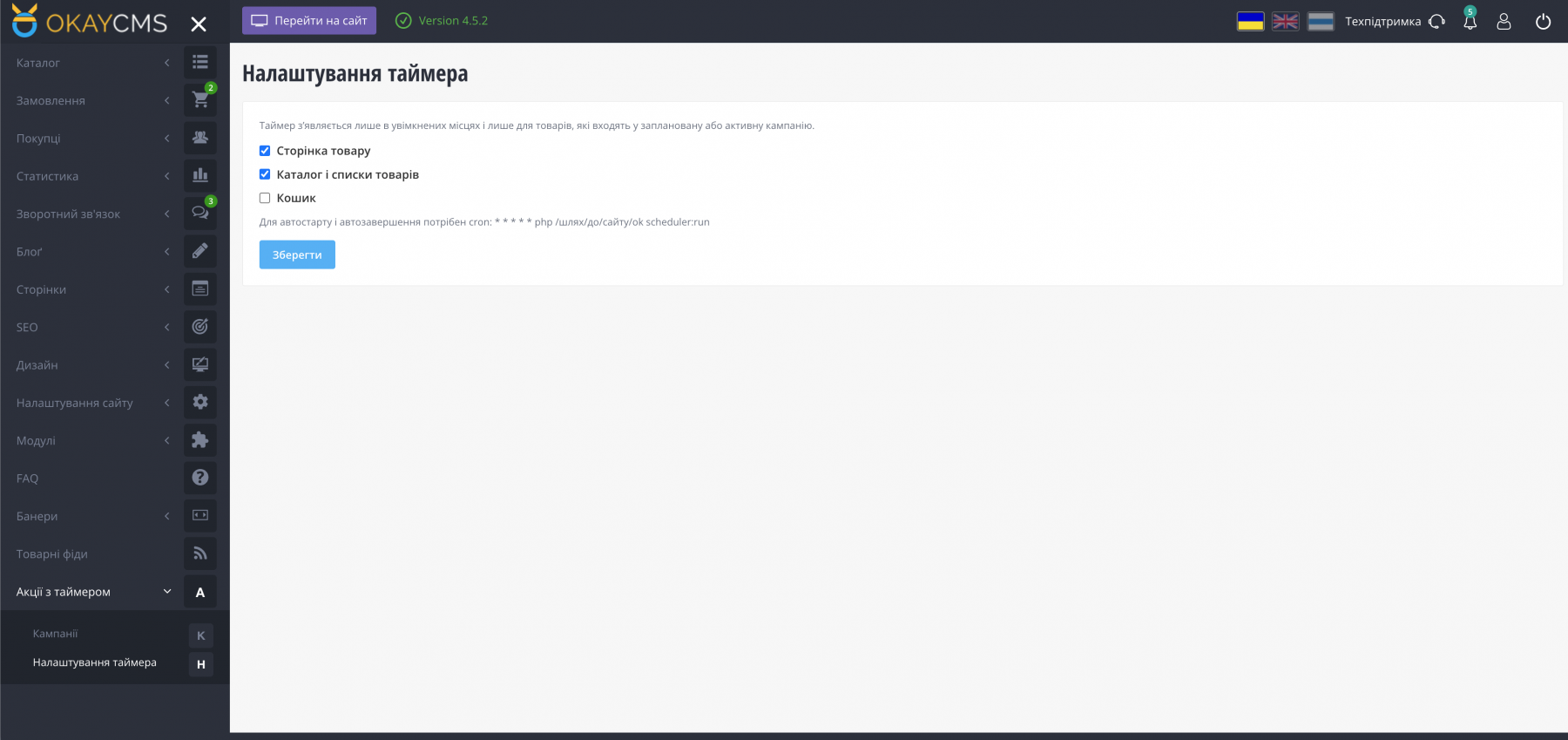
- In the module settings, choose where to display the countdown: product pages, catalog / product listings, and the shopping cart.
- Scheduled campaign: “Until the promotion starts.” Active campaign: “Until the promotion ends.” The timer disappears after the campaign ends.
- On the product page, a full countdown timer is displayed next to the price. In the catalog, a compact countdown is displayed over the product image, keeping the product grid layout unchanged.
- No template modifications are required.
Automatic Start and End
OkayCMS cron is required for automatic campaign start and completion:
* * * * * php /path/to/site/ok scheduler:run
Without cron, campaigns can still start and end when website pages are opened, but the status will not be checked every minute.
How Prices Are Updated
- Variant without an old price: the current price is saved as the “old price,” while the “price” is reduced by the specified percentage.
- Variants that already have an old price are skipped — discounts are not stacked.
- When a campaign ends or is cancelled, the saved original price is restored. If the price was manually changed after the discount was applied, that variant is skipped.

-
Partner OkayCMS
-
Support is provided by a partner
-
Requires adaptation for other templates
Recommend

A module for manual and automatic generation of product review texts using OpenAI, Google Gemini, Anthropic Claude, and xAI Grok.

A module for managing product and store reviews with pre-moderation, customer photos and videos, helpfulness voting, SEO, Google Customer Reviews, and automation.