
Images for product variants
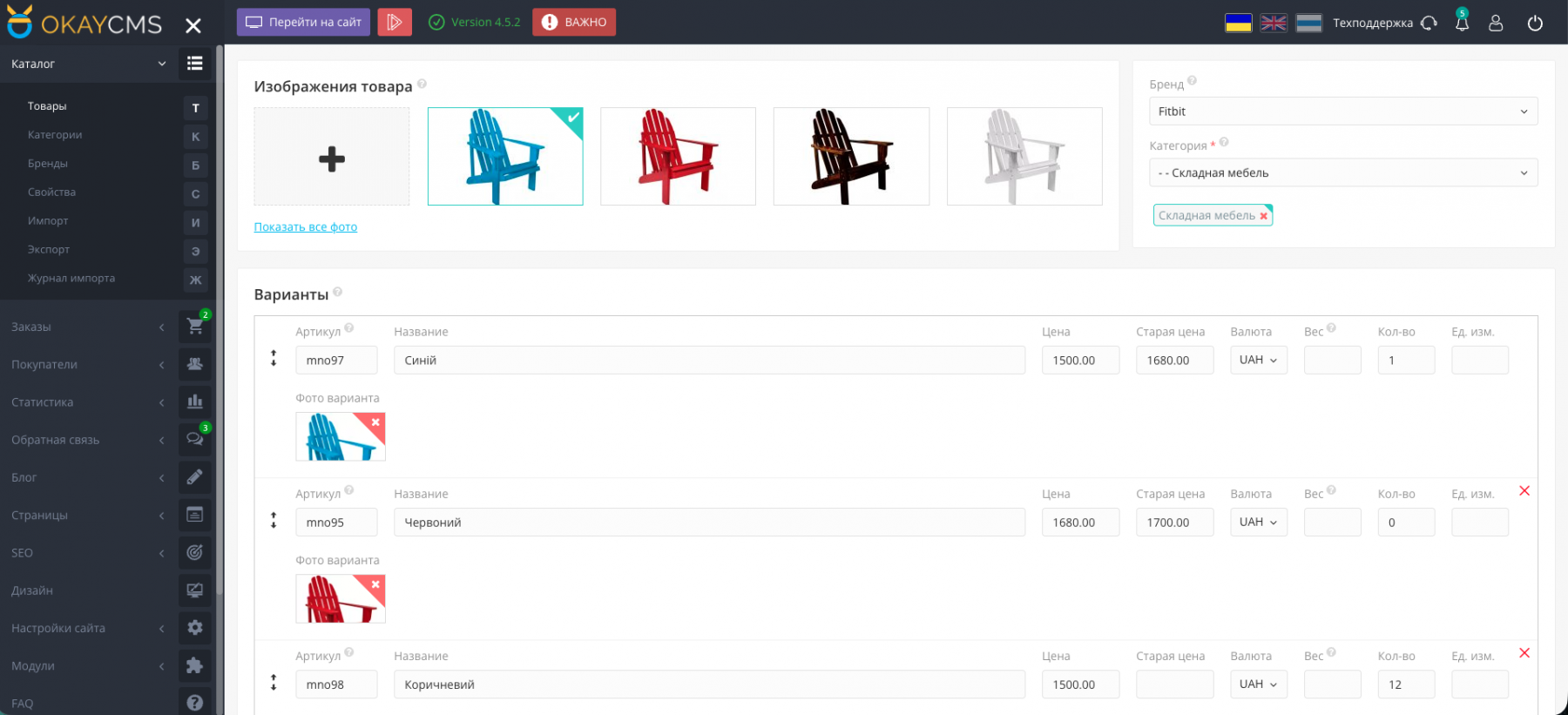
Images for Product Variants — a module for OkayCMS that allows you to assign an individual image to each product variant.
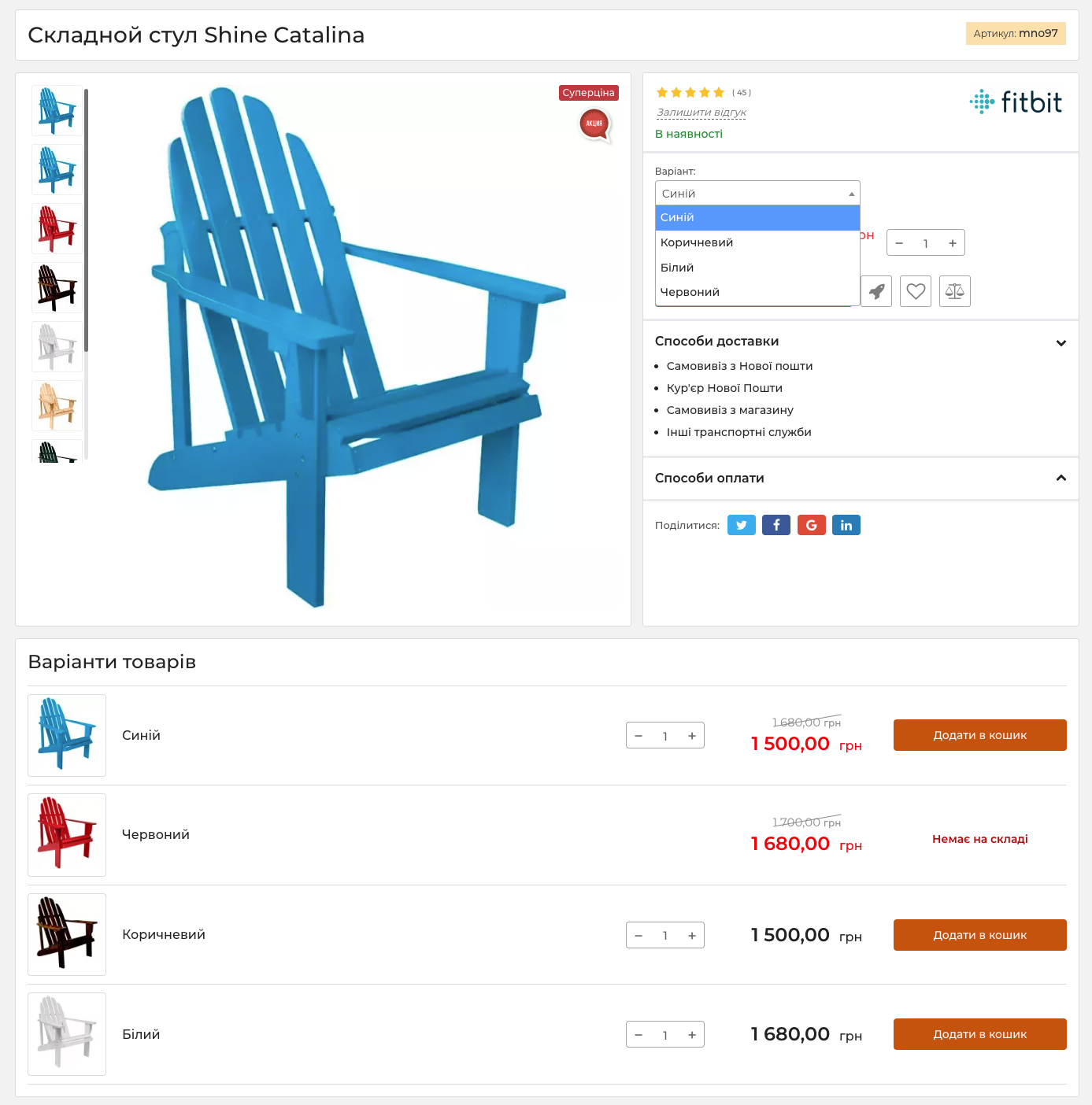
Images are assigned directly to variants in the product card in the admin panel. On the storefront, customers see the photo corresponding to the selected variant, such as a specific color, model, or configuration.
Main features
- assigning an individual image to each product variant;
- managing variant images in the product card;
- automatically changing the main photo when a variant is selected;
- displaying variants in a separate block below the main product image;
- support for the standard variant dropdown list;
- including the specific variant image in export feeds instead of the general product images.
Admin panel settings
To add images for product variants:
- go to Catalog → Products;
- open the required product card;
- add an individual image for each variant;
- select the preferred variant display mode;
- save the changes.
Display modes
When the checkbox is enabled, product variants are displayed in a separate block below the main image. Customers can select the required variant using its photo.
When the checkbox is disabled, the standard variant dropdown list is used. After a variant is selected, the main product image automatically changes to the photo assigned to that variant.
Images in export feeds
When a product feed is generated, the individual image assigned to each variant is exported instead of the general product images.
This allows advertising services, marketplaces, and other sales channels to display the photo corresponding to the specific product variant.
Who this module is for
The module is suitable for online stores where variants of the same product differ in color, design, model, configuration, or other visual characteristics.
It helps customers immediately see the selected variant, makes product pages more informative, and improves the accuracy of product data in export feeds.

-
VIP Partner OkayCMS
-
Quality checked by OkayCMS
-
Requires adaptation for other templates




Снизил версию PHP до 7.4. Переустановил модуль.
Модуль заработал. Спасибо огромное за подсказку)))
Купил модуль
При установке модуля Индивидуальные фото для вариантов товара - сайт показывает 500 ошибку.
Версия цмс OkayCMS v4.5.2.
Дизайн стандартный.
Модули стандпртные + оплата Paysera + Дополнительные поля у способов доставки
Помогите решить проблему и понять в чем причина ошибки.
После установки модуля SimplaMarket/IndividualVariantPhoto возникла проблема.
Заметили, что изображения товаров (не вариантов, не превью, не больших (увеличенных) а основные изображения товаров) частично перестали отображаться, а именно -
фото товаров, которые изначально были загружены в формате webp. При отключении модуля проблема пропадает, изображения отображаются.
Помогите решить проблему или исправить работу модуля, т.к. он нам необходим. Версия системы 4.4.0, модуля 1.2.9 Спасибо.