
ClearCache - quick cache clearing
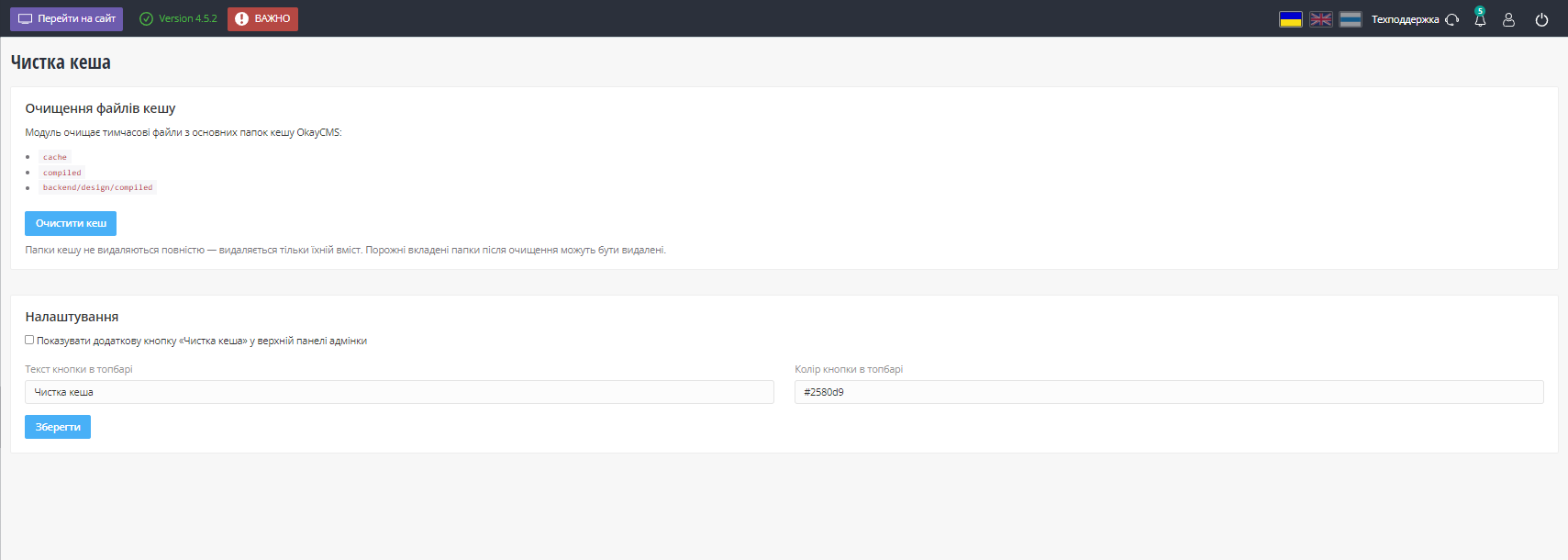
Quick Website Cache Cleanup is a module for OkayCMS that allows you to clear the system cache and compiled templates directly from the admin panel.
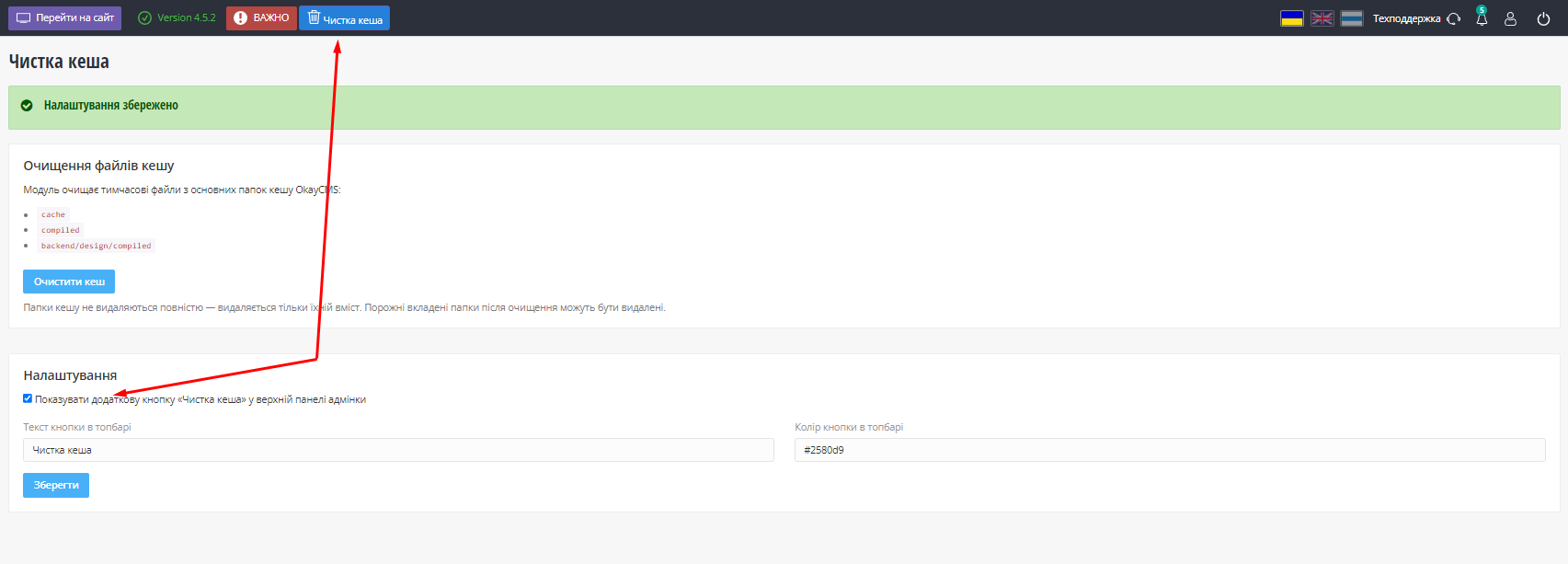
The module adds a separate settings page and a quick cleanup button to the top admin panel. This allows the cache to be cleared with a single click without opening the module page.
A confirmation window appears before the cleanup starts, helping prevent accidental actions. The cache is cleared without reloading the page, and a detailed result is displayed when the process is complete:
- number of files deleted;
- number of folders deleted;
- total amount of data cleared;
- information about deleted empty folders.
The information block can be closed manually. If it is not closed, it will disappear automatically after 20 seconds.
Main features
- clearing OkayCMS cache files;
- clearing compiled templates;
- deleting empty folders after cleanup;
- quick cleanup button in the top admin panel;
- clearing the cache without opening the module page;
- customizing the button text;
- customizing the button color;
- action confirmation in a pop-up window;
- performing cleanup without reloading the page;
- displaying detailed cleanup results;
- manually closing the information block;
- automatically closing the result after 20 seconds;
- enabling and disabling the module.
Safe cleanup
The module deletes only cache files and related temporary data. System files required for OkayCMS to operate are preserved.
In particular, the module does not delete:
.htaccess;index.php;index.html.
Who is this module for?
The module is useful for administrators, developers, and owners of OkayCMS online stores who need to clear the cache quickly after changing settings, templates, or website content.
It simplifies store maintenance and allows cache cleanup to be performed directly from the admin panel without working with files on the server.

-
New Partner OkayCMS
-
Support is provided by a partner
-
Does not require adaptation for other templates
Recommend

This OkayCMS module helps organize product properties, property values, and their display order. It allows store administrators to merge similar properties, reassign values, split combined values into separate values, find duplicates, and control the display order of properties in categories and product cards.

Module that automatically displays additional product blocks on the product page with relevant items from the same category.

The module allows the administrator to define the phone number format, apply the mask to selected pages and specific input fields

The module adds the ability to quickly create a copy of an existing order in OkayCMS