
Quick Selection Buttons
Quick Selection Buttons is an OkayCMS module that adds compact product-selection buttons to category pages.
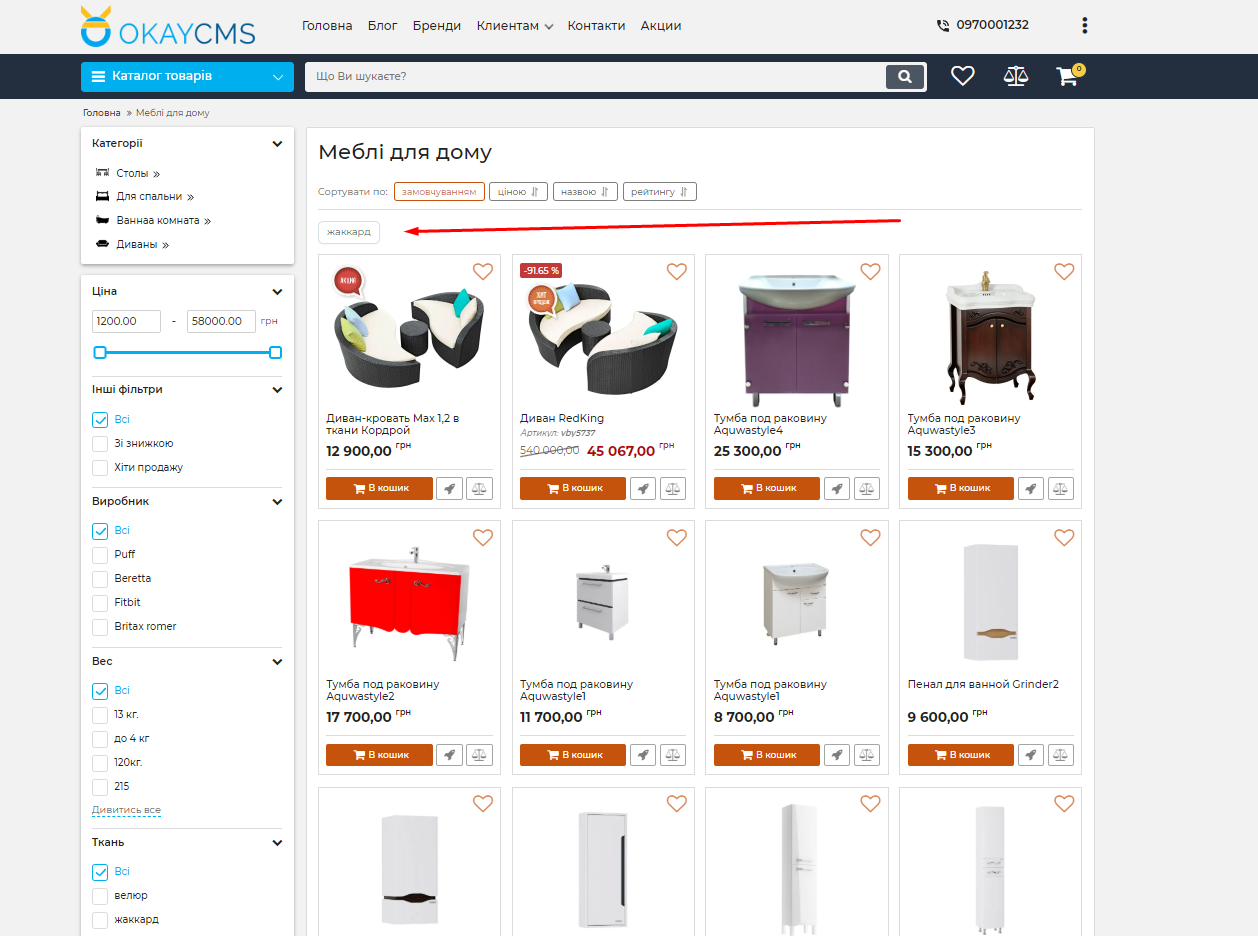
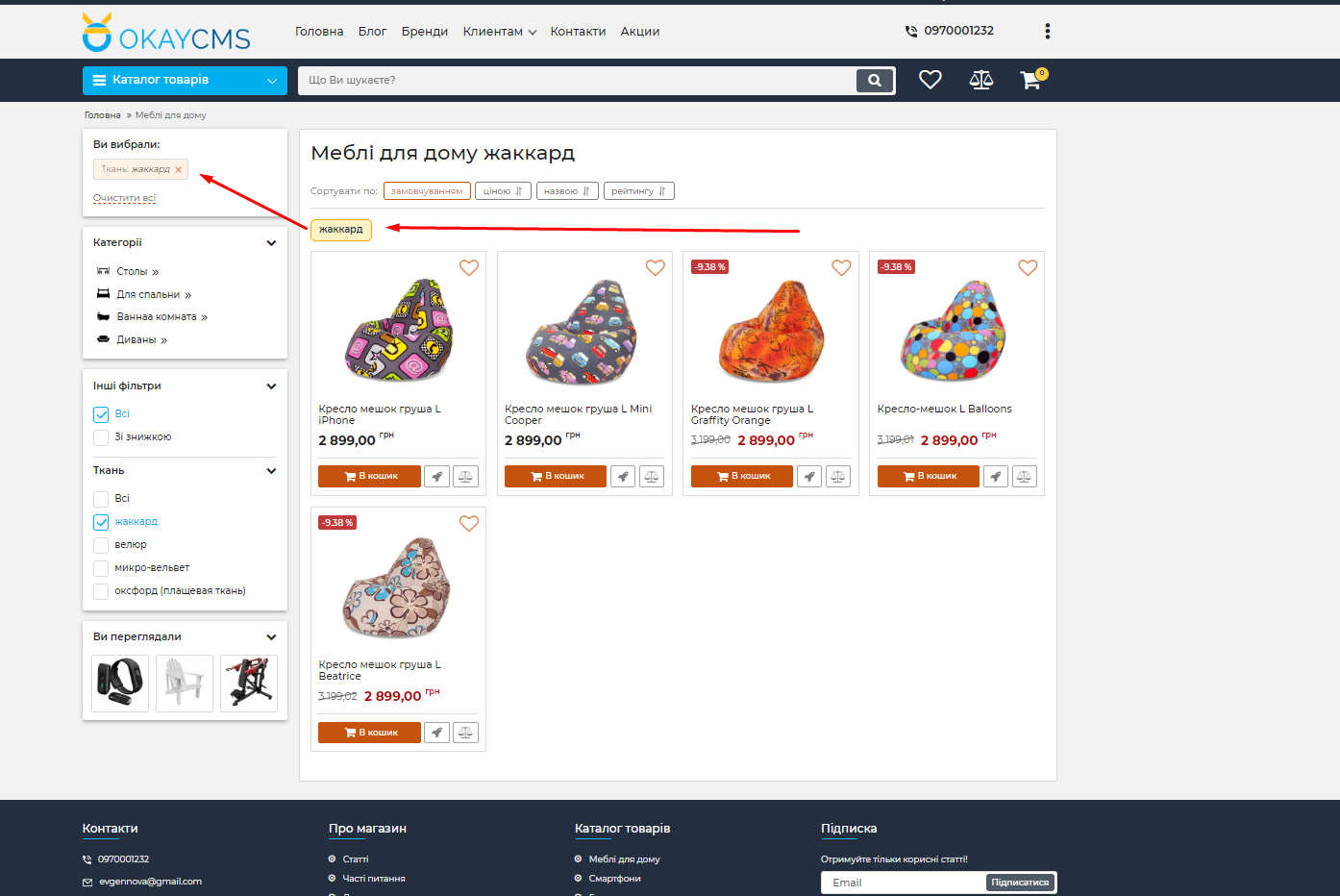
With a single click, customers can apply a predefined filter or open a manually specified URL. This makes catalog navigation easier and helps visitors find the required products more quickly.
Quick Product Selection
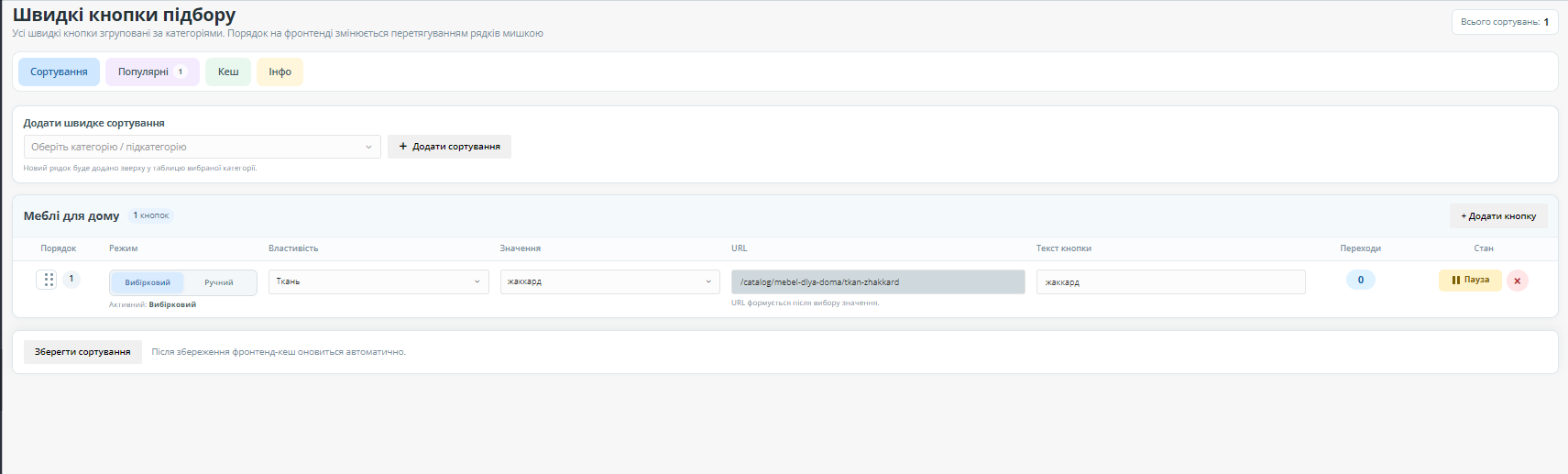
Each button can be connected to a category, product feature, and feature value. For example, you can create separate buttons for a specific color, size, brand, material, or another product characteristic.
A manual URL mode is also available, allowing a button to work as a regular link to any prepared page.
Main Features
- quick filter buttons on category pages;
- selection of a category, feature, and value;
- separate manual URL mode;
- custom text for each button;
- grouping buttons by category;
- table-based management in the admin panel;
- drag-and-drop button ordering;
- temporary pausing of individual buttons;
- deletion of unnecessary buttons;
- highlighting the active button without adding a duplicate link;
- SEO and accessibility attributes;
- file-based caching for fast storefront output.
Admin Panel Configuration
All buttons are grouped by category and displayed in a convenient table. For each button, you can:
- select a catalog category;
- specify a feature and filter value;
- enter custom button text;
- set a URL manually;
- pause its display;
- change its position using drag and drop;
- delete the button.
Popular Filter Statistics
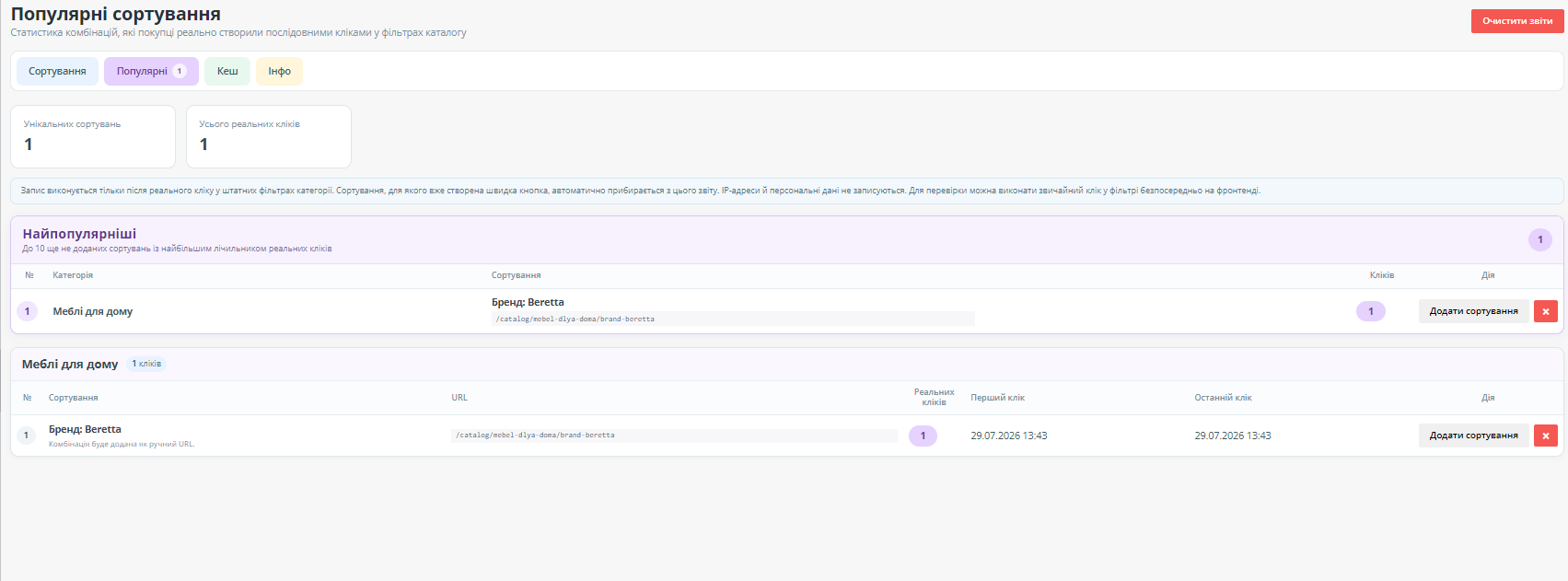
The module collects anonymous statistics about real customer interactions with the standard catalog filters. Identical combinations are grouped together and receive a shared usage counter.
The Popular tab displays frequently used combinations and allows them to be quickly added as ready-made buttons. A separate block shows up to 10 of the most popular combinations.
Clicks on existing quick-selection buttons are counted separately. The module automatically excludes bots, direct visits to prepared URLs, and repeated technical events.
Module Structure
Separate tabs and components are provided for convenient management:
- Sorting — management of created buttons;
- Popular — filter usage statistics;
- Cache — file cache management;
- Info — information about the module.
Privacy
Statistics are collected anonymously. The module does not store IP addresses, names, phone numbers, or other personal customer data.
Who Is This Module For?
The module is suitable for stores with a large number of products and characteristics where customers need quick access to popular selection options.
It simplifies catalog navigation, helps use real filter-popularity data, and shortens the customer’s path to relevant products.

-
New Partner OkayCMS
-
Support is provided by a partner
-
Requires adaptation for other templates
Recommend

A loyalty bonus system for OkayCMS with flexible rules for earning, activating, and redeeming bonuses. The module supports bonus expiration, refunds for cancelled orders, phone-based customer registration, and a detailed history of all operations.

XML PRO automates product catalog loading and recurring updates from supplier XML feeds.
Apply a percentage discount to all products in a category (including subcategories) or from a selected brand with one click. Your store will display the crossed-out old price alongside the new discounted price.

The module helps customers quickly find a brand by the first letter of its name and allows the store administrator to configure the page appearance without editing the store theme templates.