
Bulk Discounts by Category and Brand
The Bulk Discounts module allows you to quickly update prices for an entire group of products without manually editing each product variant.
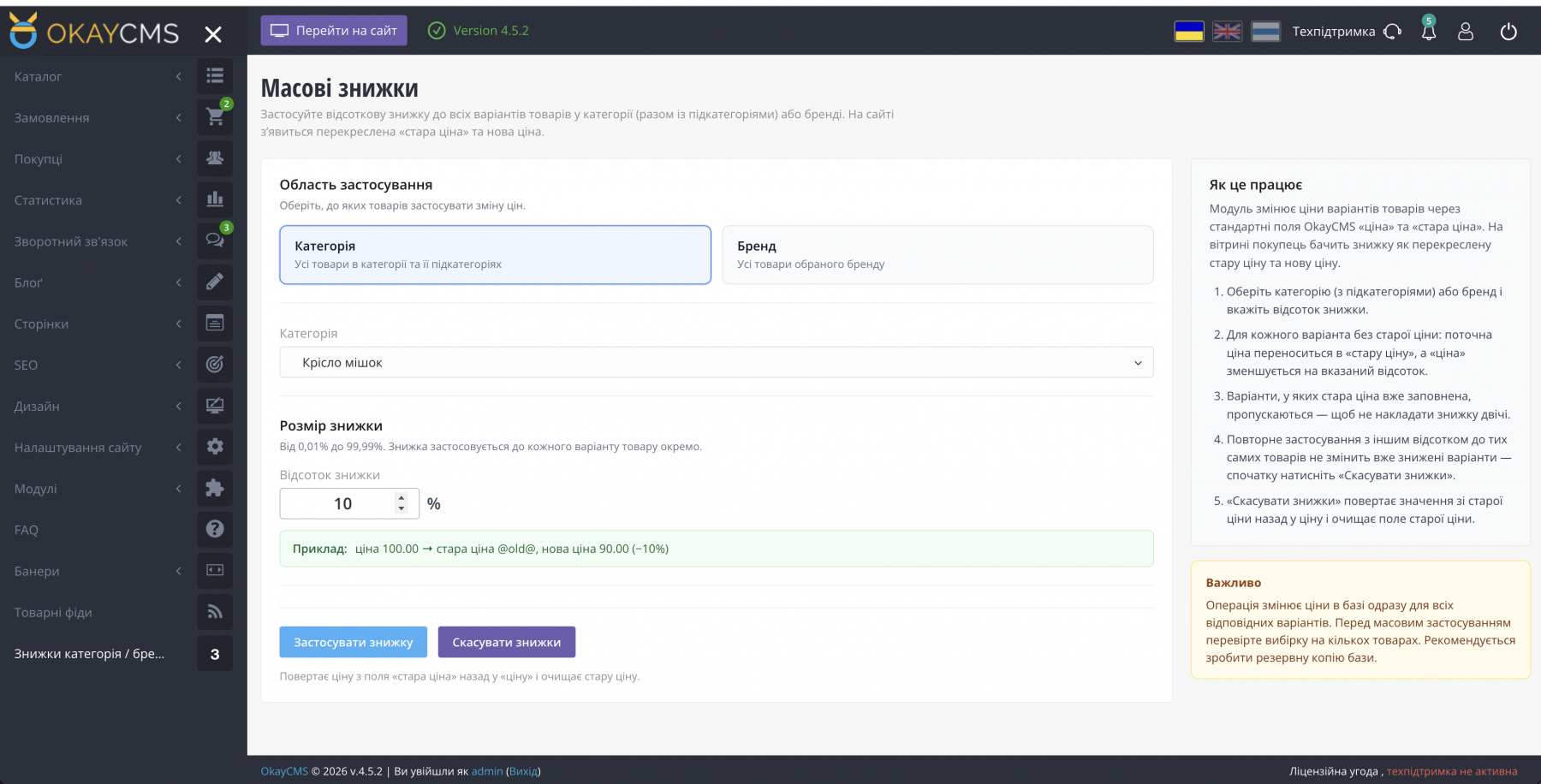
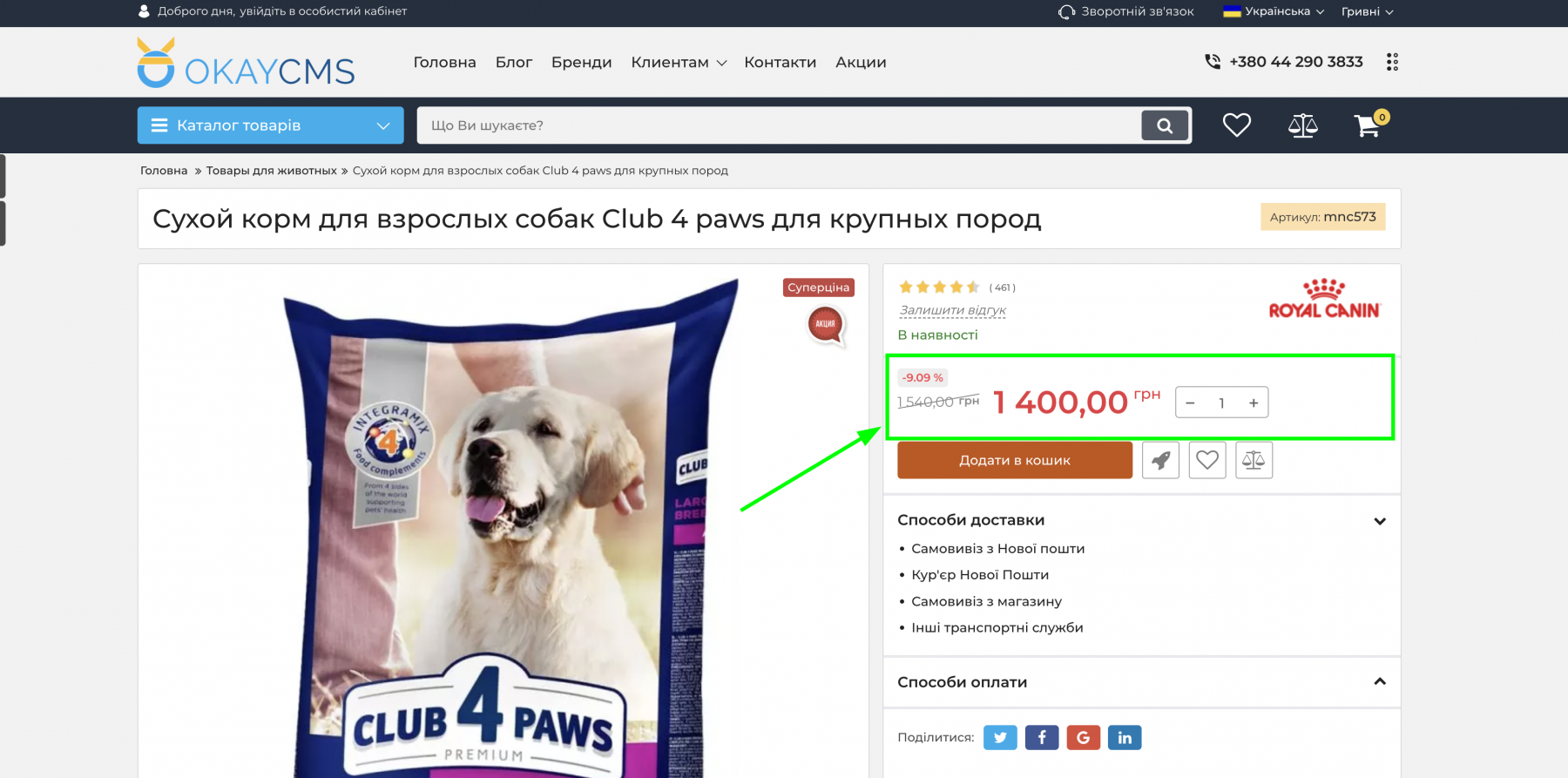
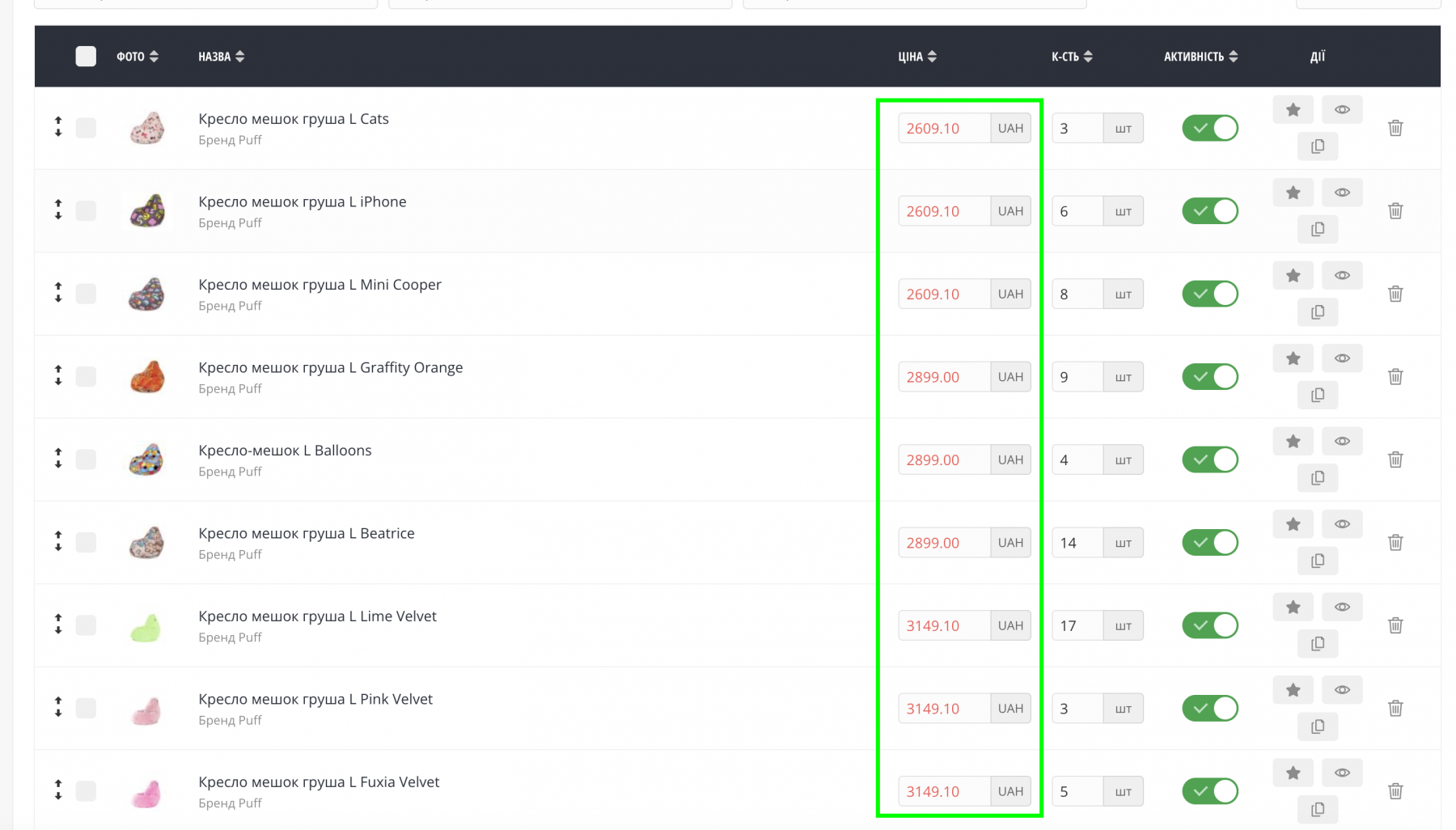
Select a category or brand, specify the discount percentage, and the module will update prices using the standard OkayCMS “price” and “old price” fields. Customers will immediately see the discount on the storefront in the familiar format: a crossed-out old price and a new promotional price.
Features:
- apply a discount to all products in a category, including its subcategories;
- apply a discount to all products from a selected brand;
- set a discount percentage from 0.01% to 99.99%;
- protection against double discounts — variants that already have an “old price” are skipped;
- cancel discounts with one click and restore previous prices;
- operation report showing the number of products selected, variants updated, and variants skipped.
How it works:
- Select where to apply the discount — a category or brand.
- Enter the discount percentage.
- Click “Apply Discount”.
- If necessary, restore the previous prices by clicking “Cancel Discounts”.
Important: the operation updates prices in the database immediately. Before applying discounts in bulk, create a backup and test the operation on a small selection of products.
Compatibility: no template modifications are required. The module uses the standard OkayCMS price fields, and the default template already supports displaying a crossed-out old price.
Ideal for promotions, seasonal sales, and quickly updating prices across entire categories or brands.

-
Partner OkayCMS
-
Support is provided by a partner
-
Does not require adaptation for other templates
Recommend

The module helps customers quickly find a brand by the first letter of its name and allows the store administrator to configure the page appearance without editing the store theme templates.
Shippo shipping module: live rates in the cart, PDF labels, returns, tracking, and product dimensions.
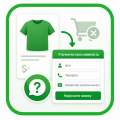
Replace the “Add to Cart” button with “Check Availability” for selected brands and categories. Customers leave their phone number instead of purchasing online. Ideal when products cannot be sold online yet, but you want to create product pages and start collecting customer inquiries.

An OkayCMS integration module for synchronizing products, prices, stock, and orders with ROZETKA through the Seller API.