
AI Server Bridge - AI content generation, SEO and translation
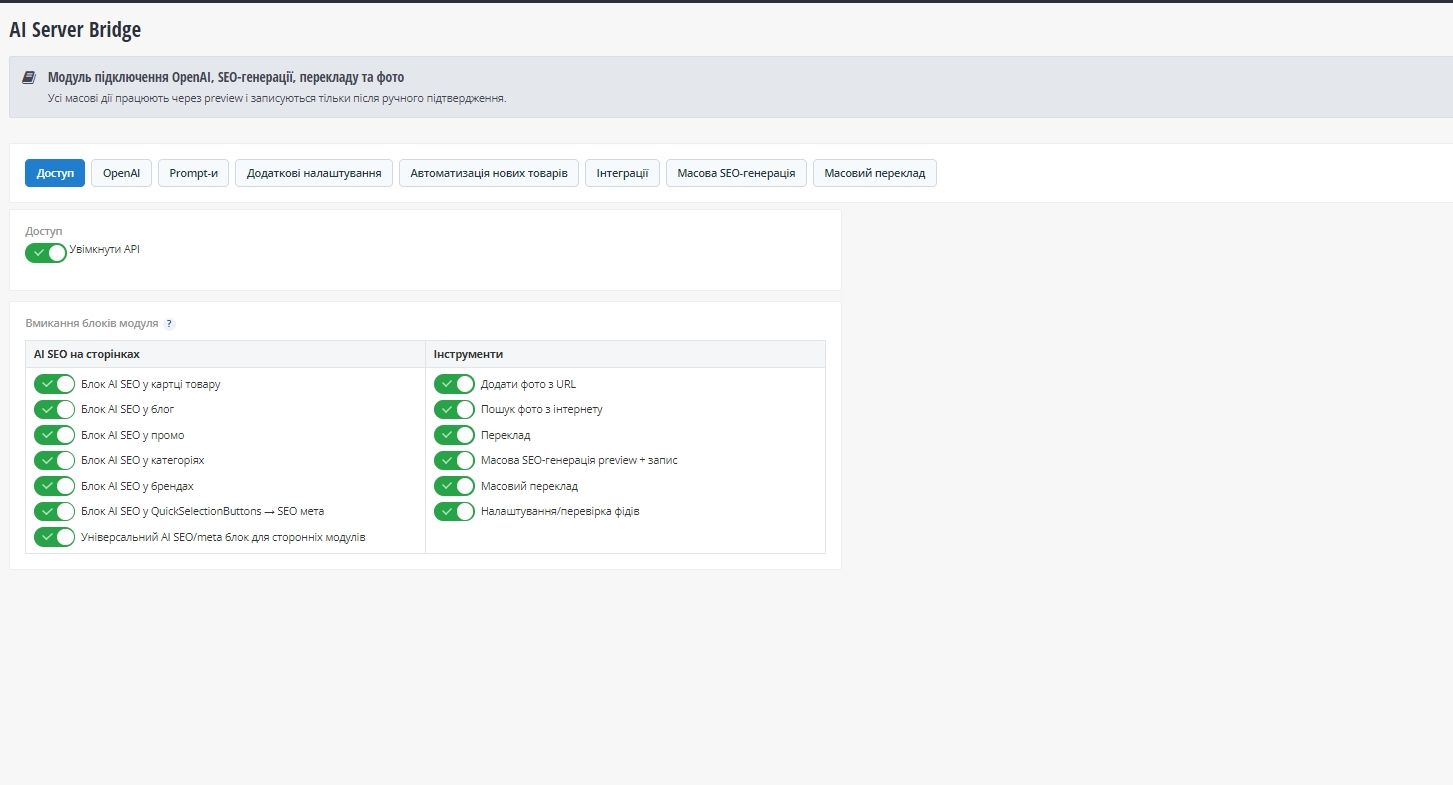
AI Server Bridge adds AI-powered content tools to the OkayCMS administration panel and allows content operations directly on product, category, brand, blog and third-party module pages.
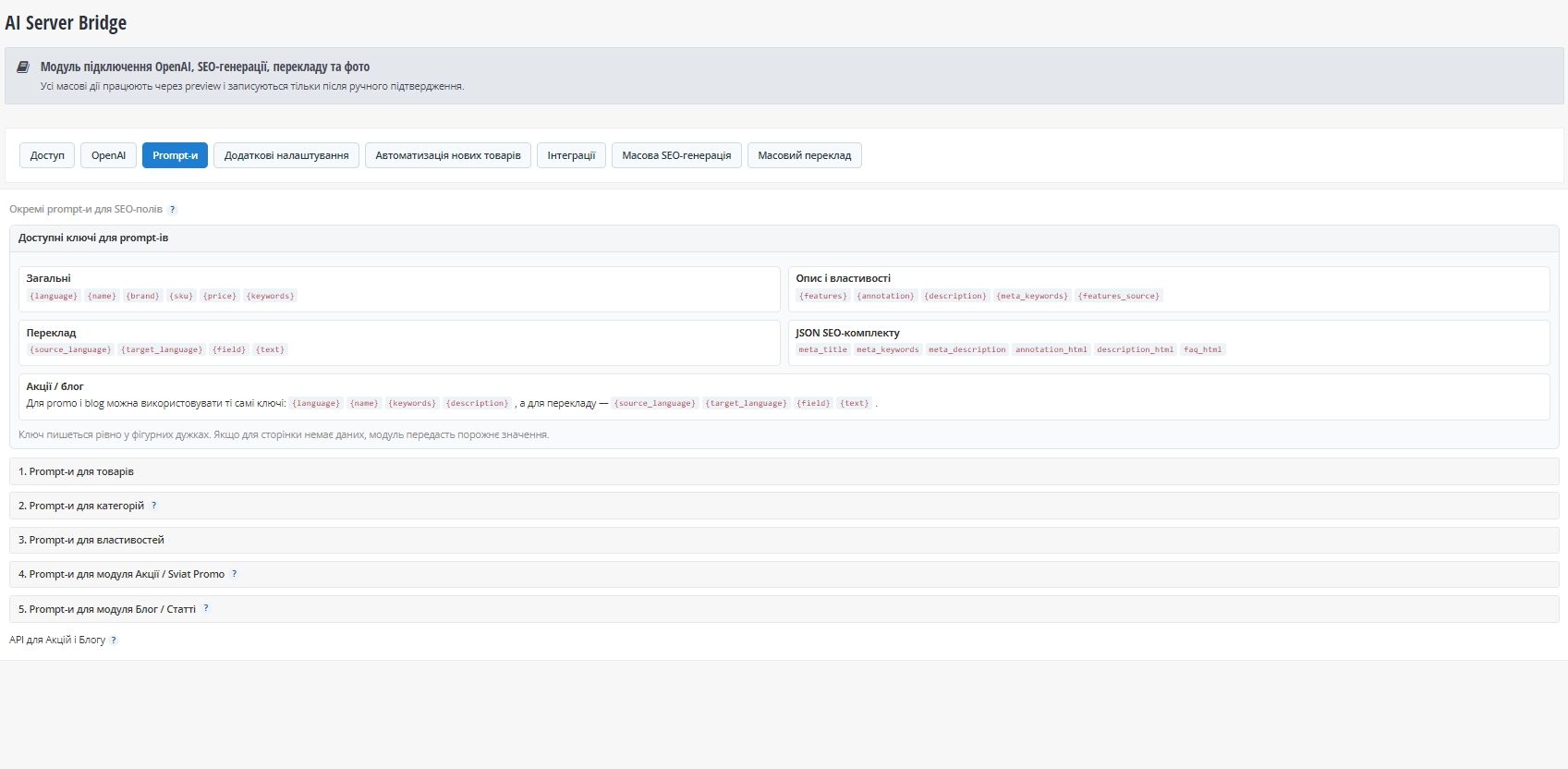
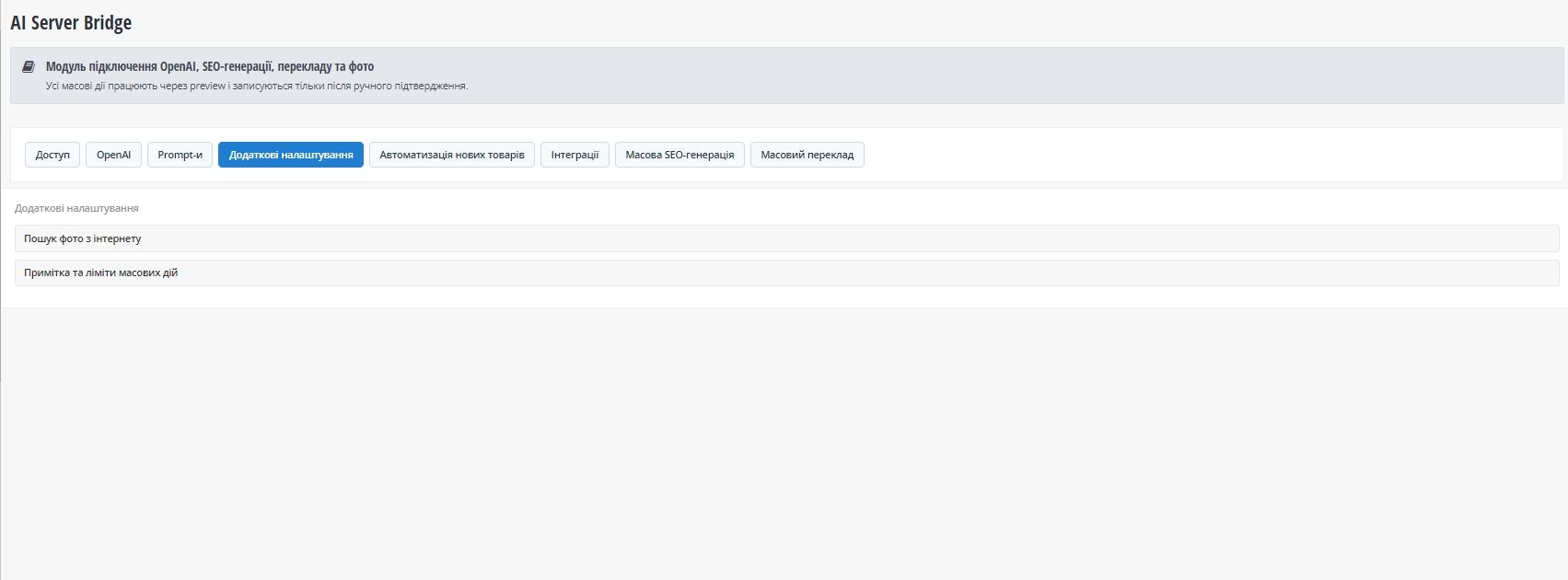
The module supports SEO field generation, multilingual translation, description rewriting, product feature autofill, image search, bulk SEO generation, bulk translation and automation of new products through the native Okay Scheduler.
Main features
- SEO generation for products, categories, brands, blog entries and integrated pages;
- generation of
H1,name,Meta-title,Meta-keywords,Meta-description, short and full descriptions; - full-description rewriting with direct database persistence;
- translation between all languages installed in OkayCMS;
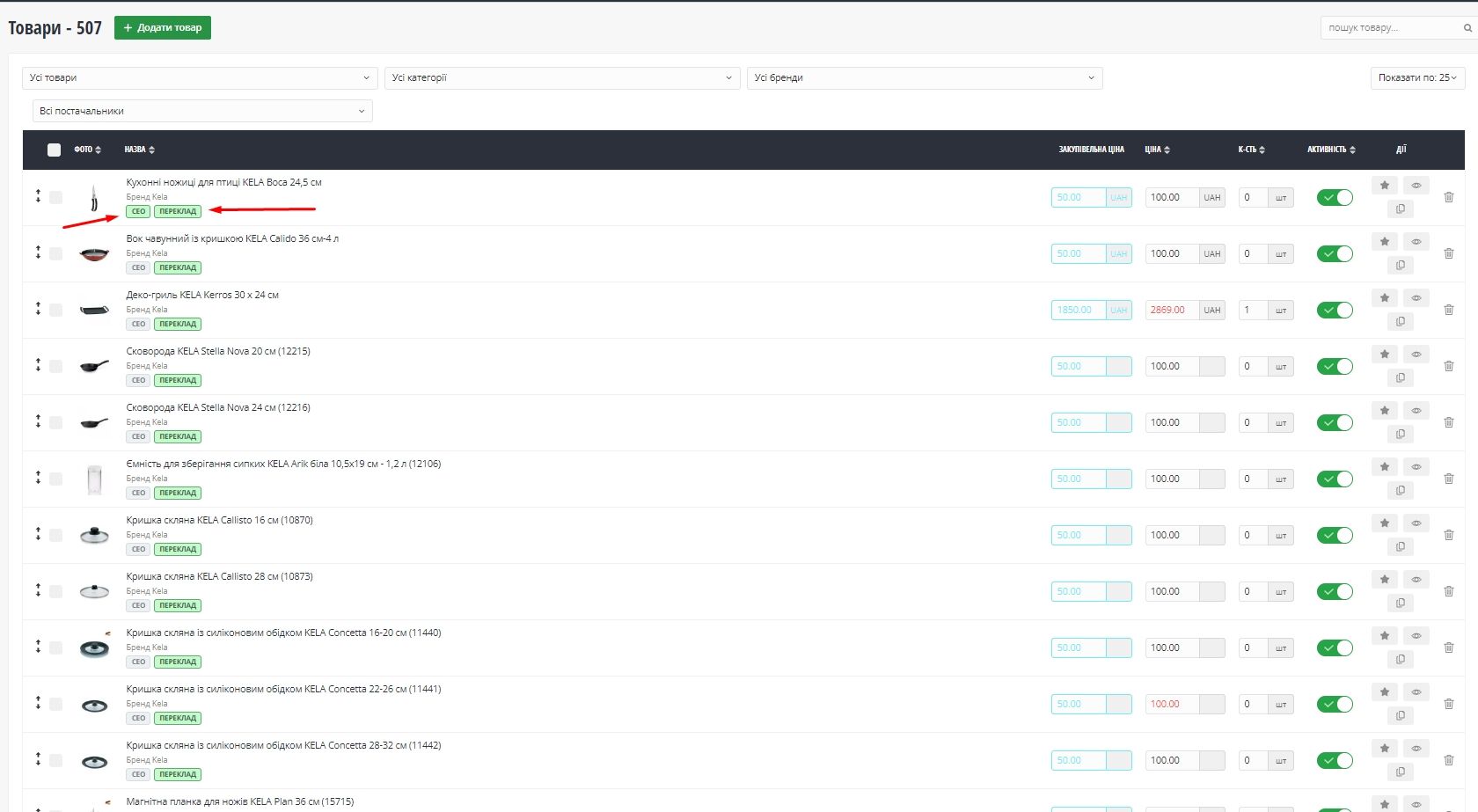
- quick SEO and quick translation popups from the product list page;
- per-field SEO-generation and translation marks;
- bulk product SEO generation;
- bulk translation of products, categories, brands, features, feature values, blog posts and articles;
- translation modes: untranslated only or forced retranslation;
- product feature autofill using existing descriptions and additional AI data;
- product image search and insertion;
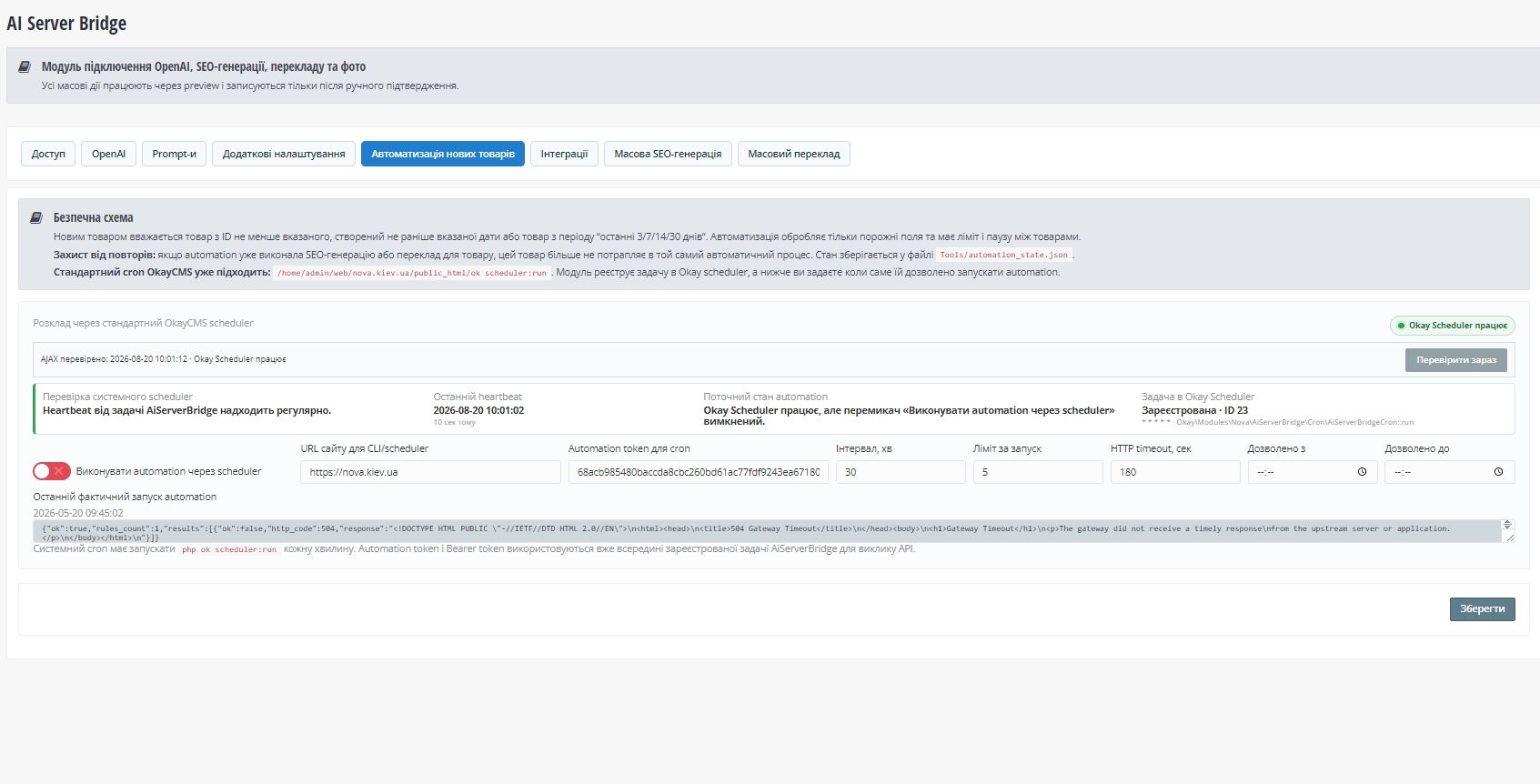
- new-product automation through the native Okay Scheduler;
- OpenAI and Google Translation provider support;
- AJAX progress indicators, spinners and operation results without full page reloads;
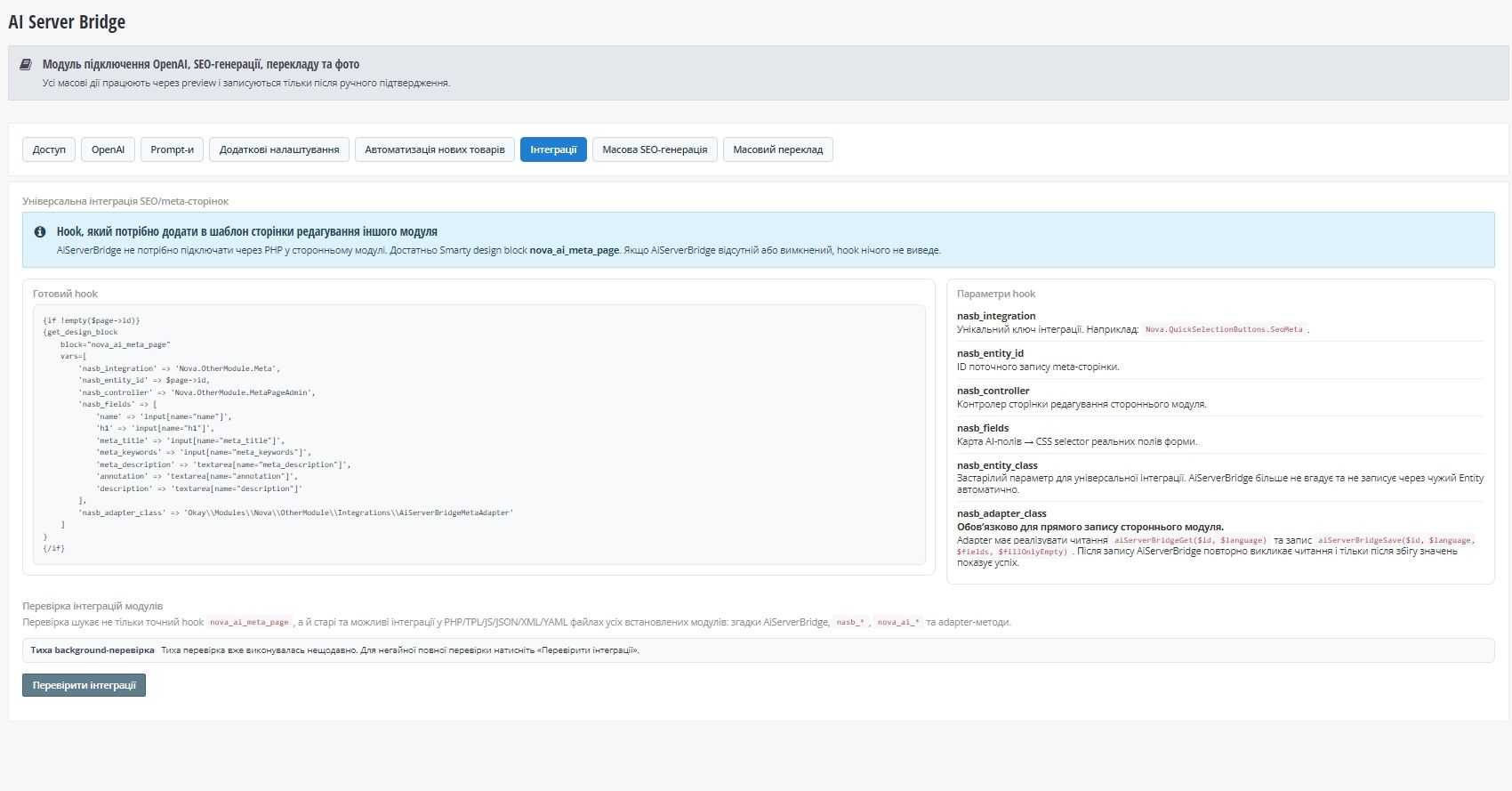
- universal integration with third-party modules through a Smarty design block;
- integration diagnostics and background scanning of installed modules for integration code.
Third-party module integration
The universal Smarty design block is:
nova_ai_meta_page
For reliable direct database writes, the recommended architecture is an adapter implemented inside the third-party module. The third-party module remains responsible for its own tables, language tables and persistence rules, while AiServerBridge provides the record ID, target language and generated/translated field values.
Recommended adapter methods:
public function aiServerBridgeGet(int $id, string $languageLabel);

public function aiServerBridgeSave(
    int $id,
    string $languageLabel,
    array $fields,
    bool $fillOnlyEmpty
): array;
A successful database-write message should only be shown after the stored values have been verified.
Requirements
- OkayCMS 4.5.2;
- PHP 8.0+;
- configured OpenAI API access for AI features;
- native Okay Scheduler running for automation tasks;
- Google Translation API configuration when that provider is used.

-
New Partner OkayCMS
-
Support is provided by a partner
-
Does not require adaptation for other templates
Recommend

A module for centralized integration of Google Tag Manager, GA4, Google Ads, Meta Pixel, Meta Conversions API, Microsoft Clarity, Merchant Center, and ecommerce events in OkayCMS.

Automatically group different colors of the same model using the standard “Recommended Products” section. On the storefront, they can be displayed as “Show Other Colors” — no template modifications or manual product linking required.

Automatically update product prices, old prices, and stock levels from supplier price lists using exact SKU matching. Supports CSV, XLSX, XML, Google Sheets, and Prom / Rozetka XML feeds.
A module for monitoring website speed, Core Web Vitals, and the technical quality of OkayCMS pages through Google PageSpeed Insights and Lighthouse, with check history, AI recommendations, and issue repair tools.