
PageSpeed Monitor - website speed, Core Web Vitals and technical audit
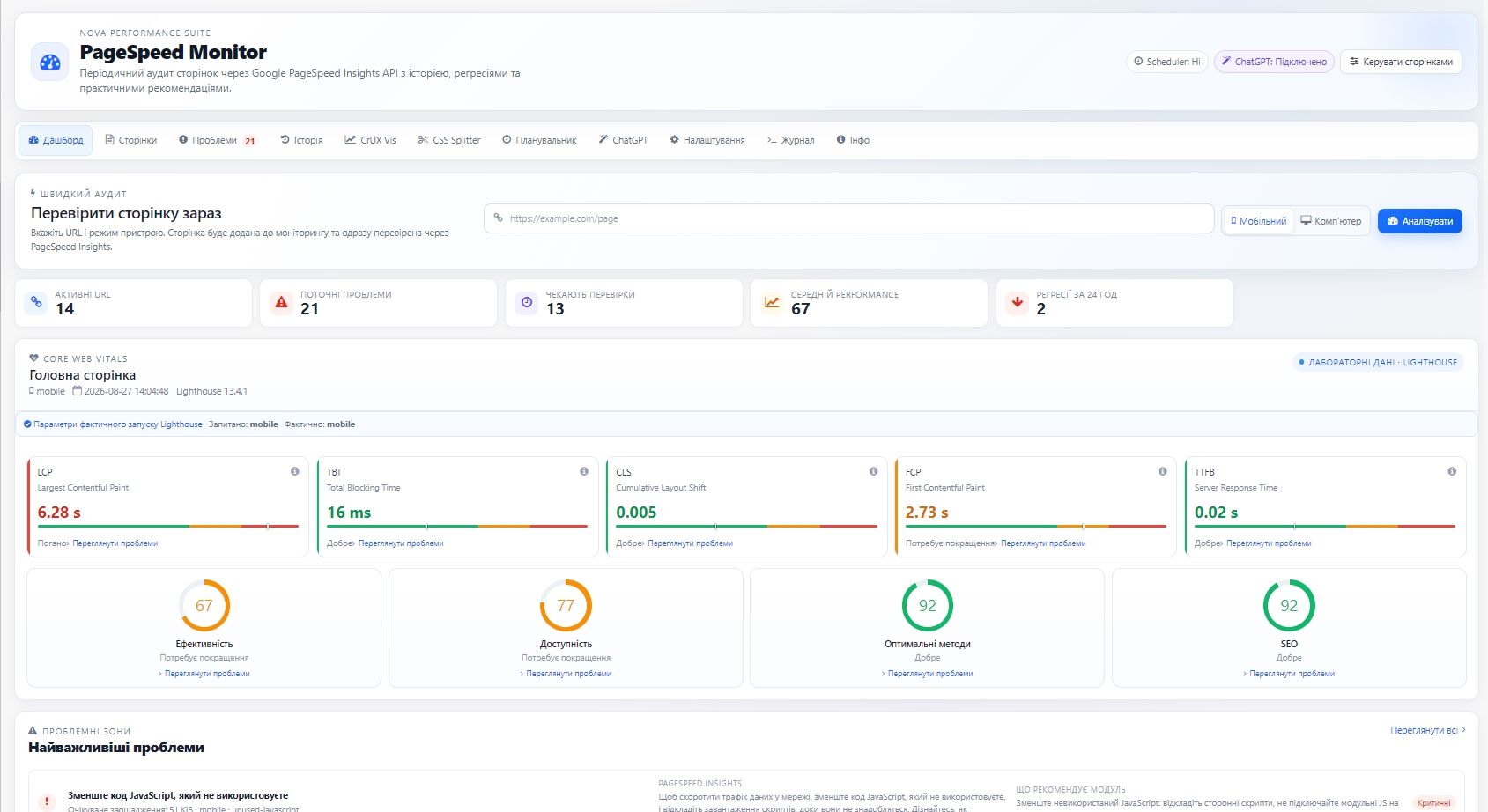
PageSpeed Monitor is a module for OkayCMS 4.5.2 that automates website speed, Core Web Vitals, and technical page quality monitoring through Google PageSpeed Insights and Lighthouse.
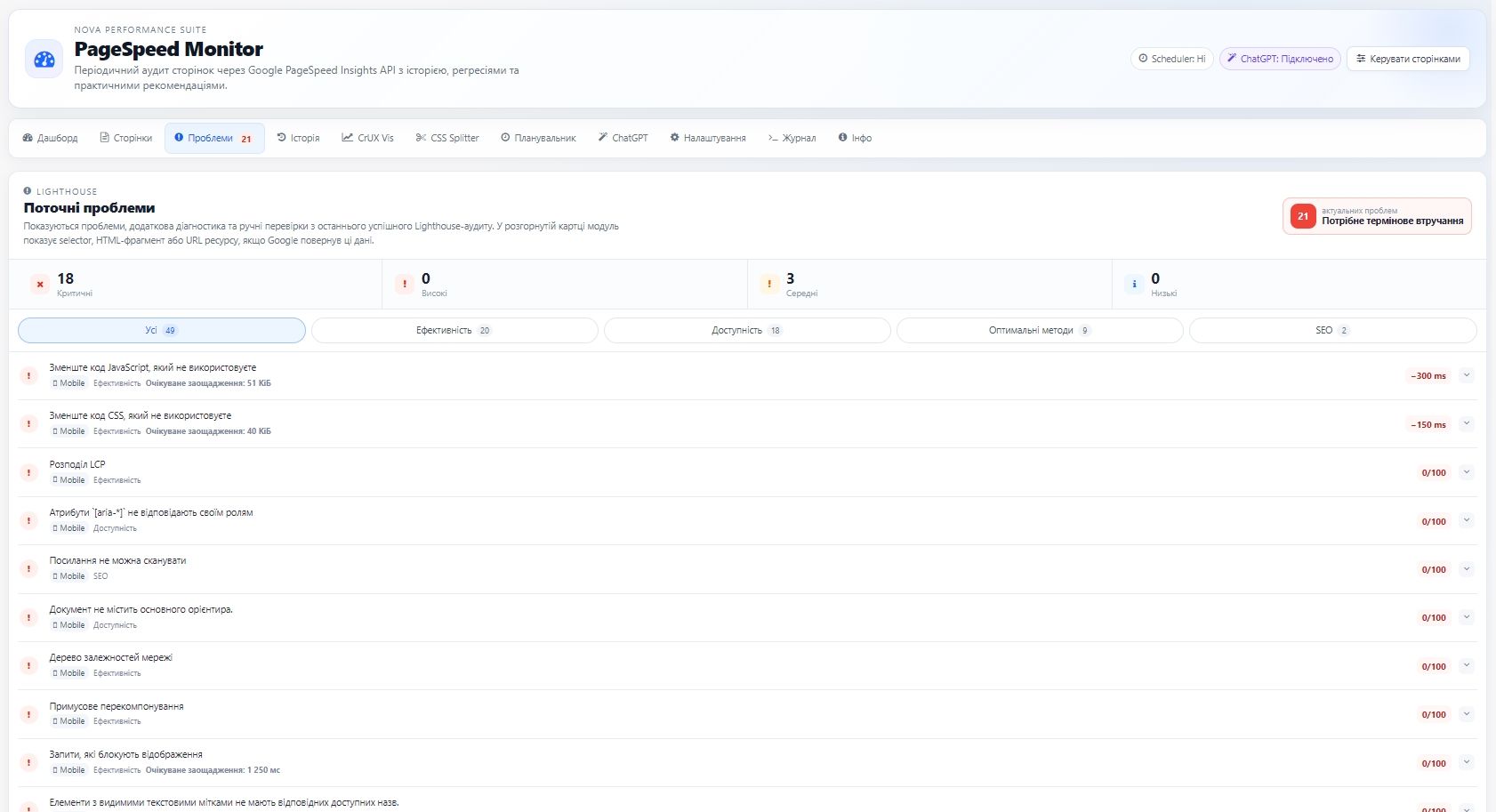
The module checks mobile and desktop versions of the website, stores result history, detects regressions, identifies specific issues, and provides practical recommendations for resolving them.
Main features
- page checks through the Google PageSpeed Insights API;
- Performance, Accessibility, Best Practices, and SEO scores;
- monitoring of LCP, INP, CLS, FCP, TBT, TTFB, and other Lighthouse metrics;
- separate Mobile and Desktop checks;
- check history and performance regression detection;
- color-coded status indicators and an issue counter in the admin menu;
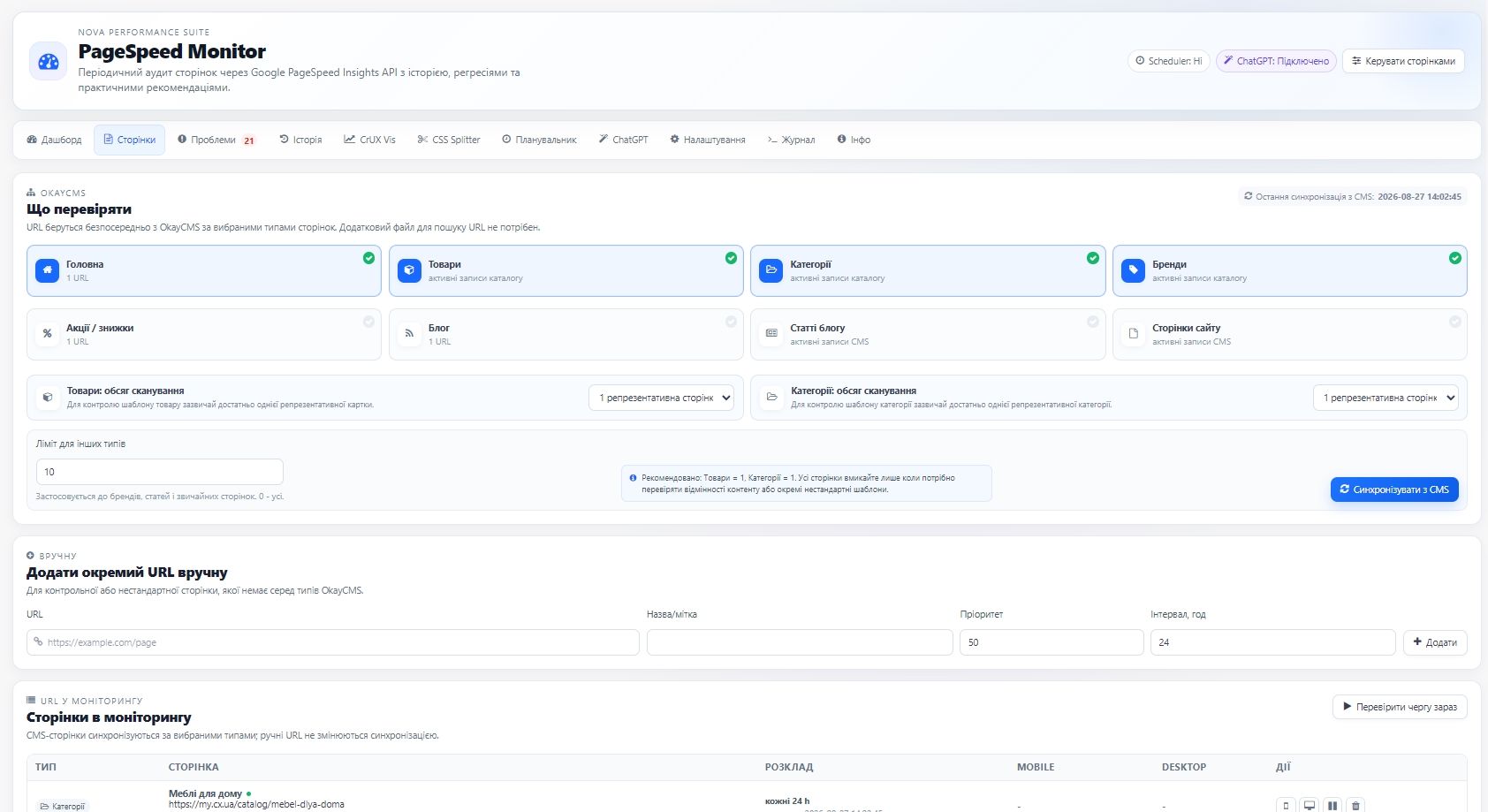
- selection of OkayCMS page types: homepage, products, categories, brands, promotions, blog, and information pages;
- checking one representative page or all pages of the selected type for products and categories;
- automatic checks through the standard OkayCMS Scheduler;
- a global Production URL for analyzing a production website from a local or staging copy of OkayCMS;
- a separate CrUX Vis tab for viewing field Core Web Vitals data;
- ChatGPT recommendations through Nova/AiServerBridge without a separate OpenAI API key in the module;
- operation and error logs;
- a premium backend interface with AJAX updates and no unnecessary page reloads.
Repair Bot and file editor
Repair Bot helps locate the specific file, line, and code fragment in the active frontend theme related to a Lighthouse issue. The module can prepare a specific AI-generated fix and display a “Before / After” comparison before it is applied.
- detection of the affected file, line, and code fragment;
- a built-in editor for active frontend theme files;
- AI-generated fixes with a change preview;
- manual file backups;
- automatic backup creation before writing changes;
- file version validation before modification;
- rollback to a previous backup.
CSS Splitter
CSS Splitter analyzes CSS usage and creates separate bundle files for the homepage, category pages, and product pages.
- CSS usage analysis within the frontend theme;
- result preview before changes are applied;
- separate CSS bundle files for different page types;
- backup creation before changes;
- complete rollback support.
Security
The module does not perform mass automatic changes without administrator approval. Repair Bot first identifies the affected location and prepares a specific change. Files are modified only after explicit confirmation.
Before making a change, the module verifies that the file is still current and automatically creates a backup. Repair Bot, the file editor, and CSS Splitter operate only within the active frontend theme.

-
New Partner OkayCMS
-
Support is provided by a partner
-
Does not require adaptation for other templates
Recommend

A module for manually or automatically synchronizing customer contact details from OkayCMS orders with Google Contacts through the Google People API.

An OkayCMS integration module for automatically importing EVA Marketplace orders, synchronizing statuses, and sending tracking numbers through the Merchant API.

A module for creating stable, SEO-friendly breadcrumb navigation in OkayCMS with schema.org/BreadcrumbList support, automatic product category selection, and appearance settings.

Run time-limited discount campaigns for categories, brands, or selected products, with automatic start and end times and a countdown timer on the storefront. No template modifications required.