
Supplier Price & Stock Updates
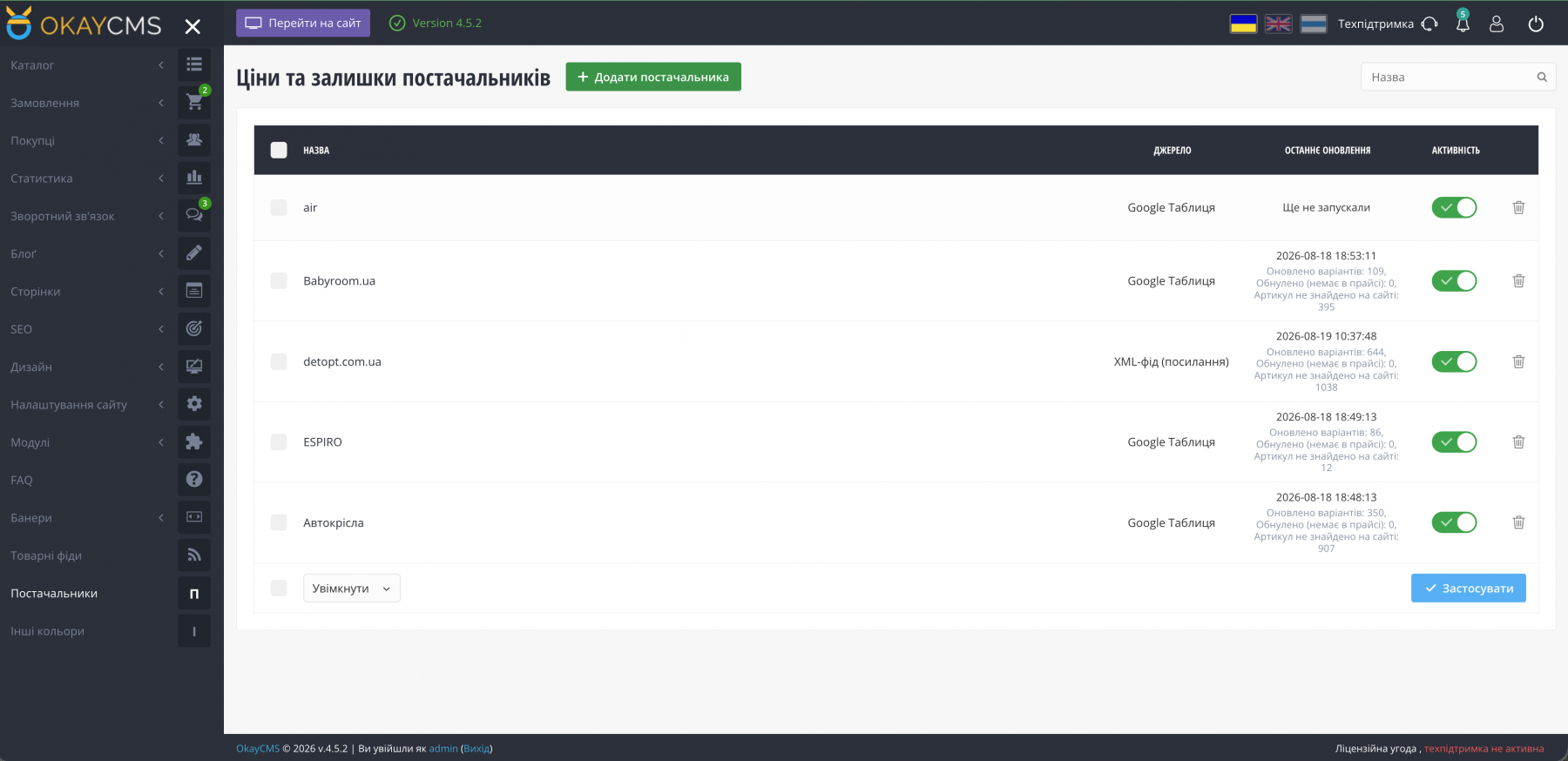
The module updates the price, old price, and stock quantity of existing product variants using exact SKU matching. It does not create new products and does not use the standard OkayCMS import functionality — no storefront template modifications are required.
Ideal for stores where the product catalog is already created and suppliers regularly provide updated price lists as files, Google Sheets, or Prom / Rozetka XML feeds.
How It Works
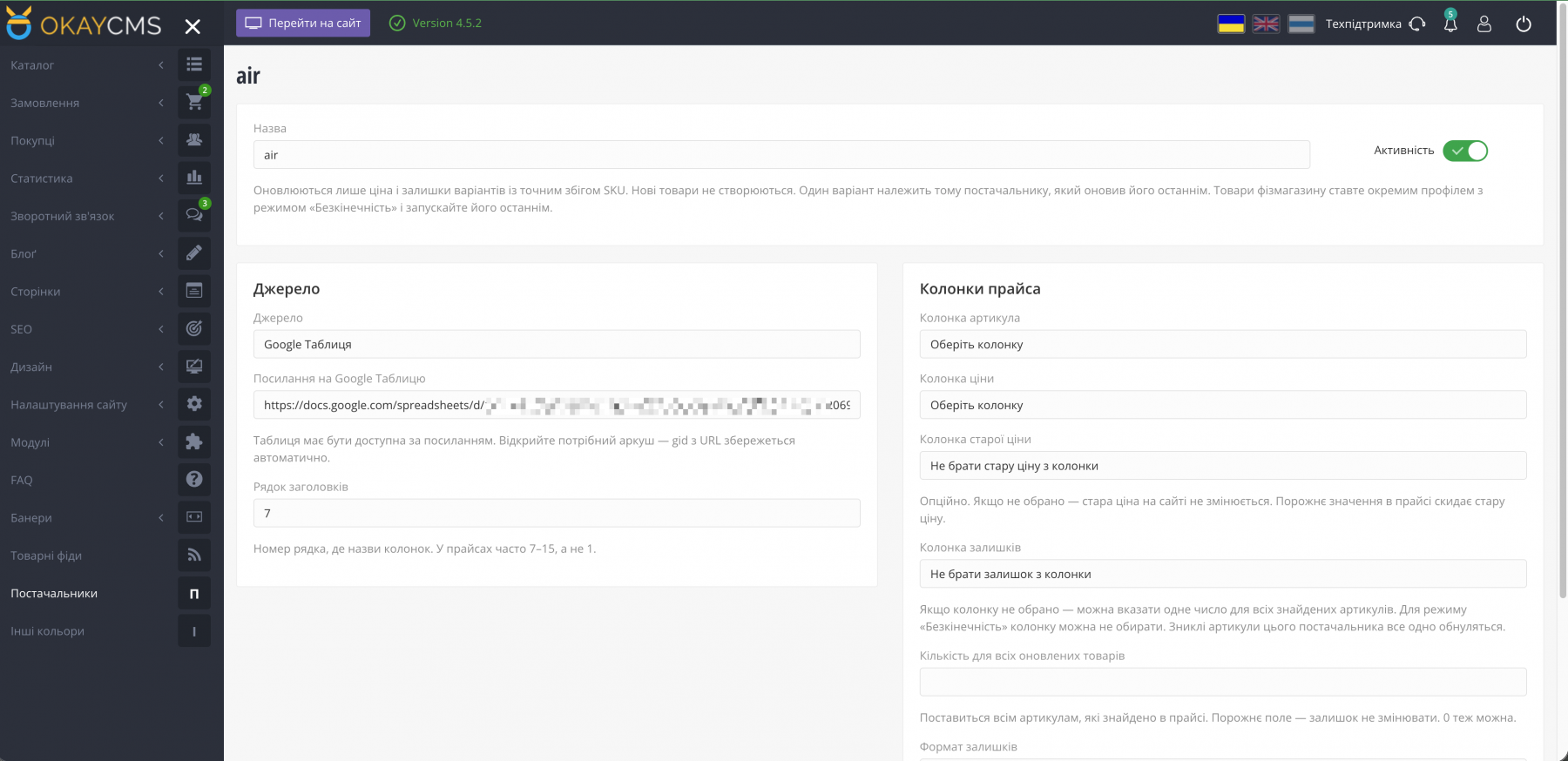
- Go to Suppliers, create a supplier profile, and select the data source: CSV / XLSX / XML file, Google Sheet (with “Anyone with the link” access), or an XML feed URL.
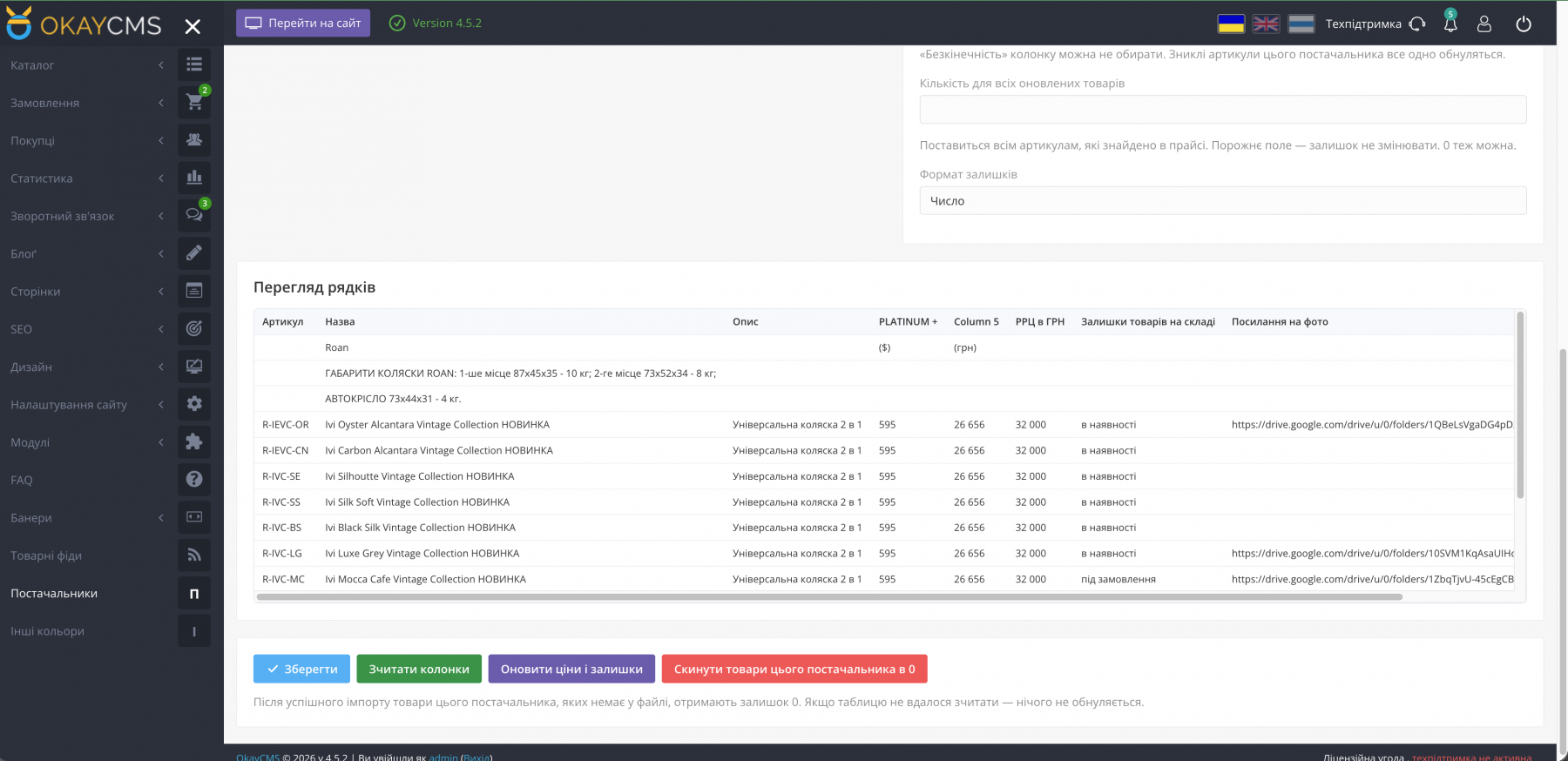
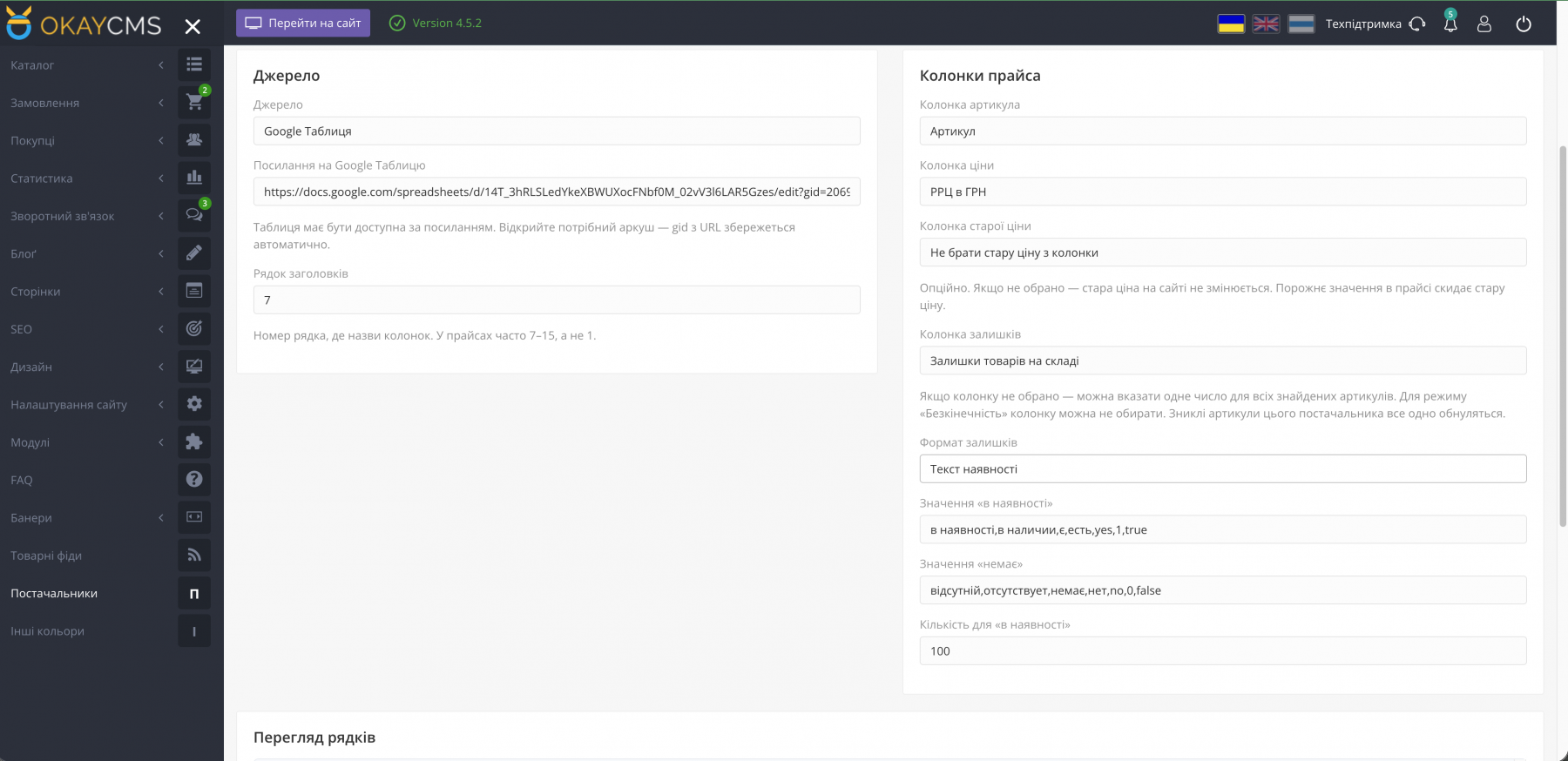
- Click Read Columns and select the SKU and price columns. Old price and stock columns are optional. You can also specify the header row if the price list does not start on the first row.
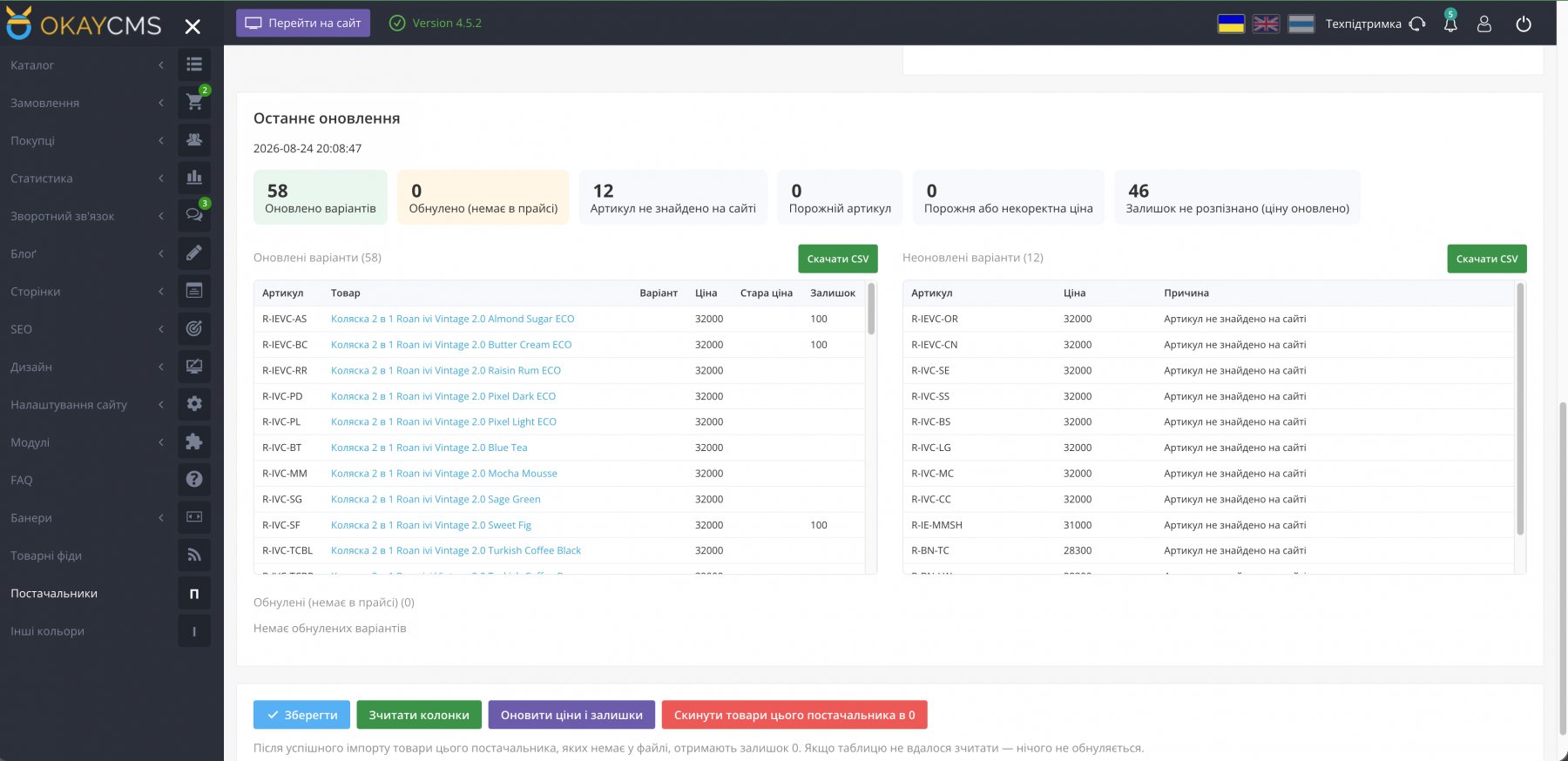
- Run Update Prices and Stock. After the update, the module generates a report showing which items were updated, which SKUs were not found on the website, and which stock quantities were reset to zero. The lists can be downloaded as CSV files.
- A product variant belongs to the supplier that updated it most recently. After a successful import, SKUs assigned to that supplier but missing from the current price list will have their stock quantity set to 0. If the file or feed cannot be read, no stock quantities are reset.
Stock
- Number — the stock quantity is taken directly from the selected column.
- Availability text — configure values representing “in stock” / “out of stock”.
- Unlimited — suitable for your own store warehouse / 1C inventory. Create a separate profile for this source and run it last to prevent other suppliers from resetting your physical store stock.
- If there is no stock column, you can assign a single quantity to all matched SKUs, including 0. Leave the field empty if stock quantities should not be changed.
Old Price
If no old price column is selected, existing old prices on the website remain unchanged. An empty value in the supplier price list clears the old price, removing the crossed-out price from the storefront.
Catalog
The product list includes a supplier filter, as well as supplier labels for products and variants.
Important
- Products are updated only by exact SKU match.
- The module does not create new products.

-
Partner OkayCMS
-
Support is provided by a partner
-
Does not require adaptation for other templates
Recommend

A module for monitoring website speed, Core Web Vitals, and the technical quality of OkayCMS pages through Google PageSpeed Insights and Lighthouse, with check history, AI recommendations, and issue repair tools.

A module for manually or automatically synchronizing customer contact details from OkayCMS orders with Google Contacts through the Google People API.
An OkayCMS integration module for automatically importing EVA Marketplace orders, synchronizing statuses, and sending tracking numbers through the Merchant API.

A module for creating stable, SEO-friendly breadcrumb navigation in OkayCMS with schema.org/BreadcrumbList support, automatic product category selection, and appearance settings.