
OrderMarkers - visual order markers and filtering
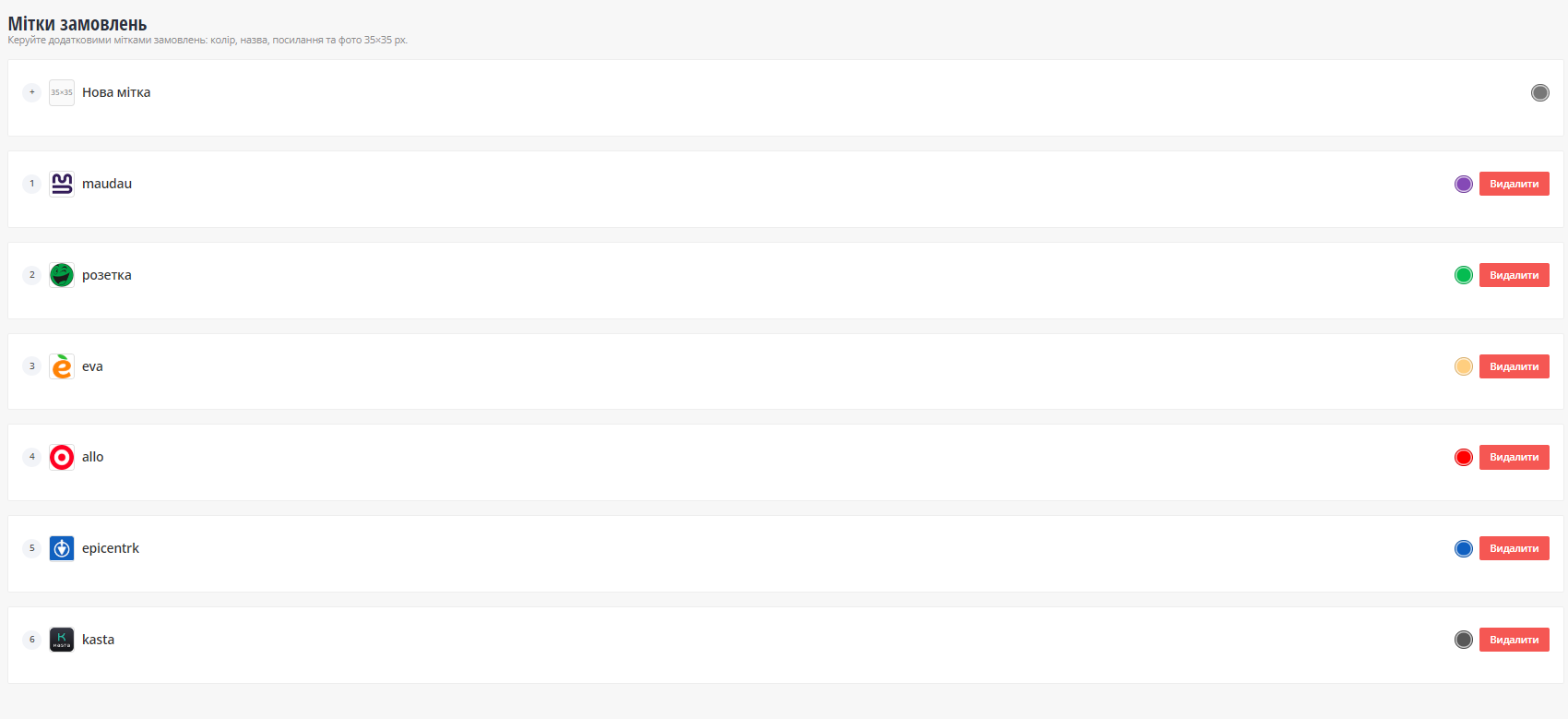
Order Markers is an OkayCMS module that extends the standard order label system in the admin panel. The module allows administrators to create visual order markers with a name, color, link, and image, and display them directly in the order list and on the order editing page.
The module uses the native OkayCMS order label logic and does not replace the standard label selection mechanism. Additional marker data is stored separately and linked to the native OkayCMS labels.
Key features
- adds the Order Markers menu item to the Orders section of the admin panel;
- creates and edits markers as accordion blocks;
- settings for each marker:
- name;
- color;
- link;
- image;
- sorting position;
- displays the selected marker image:
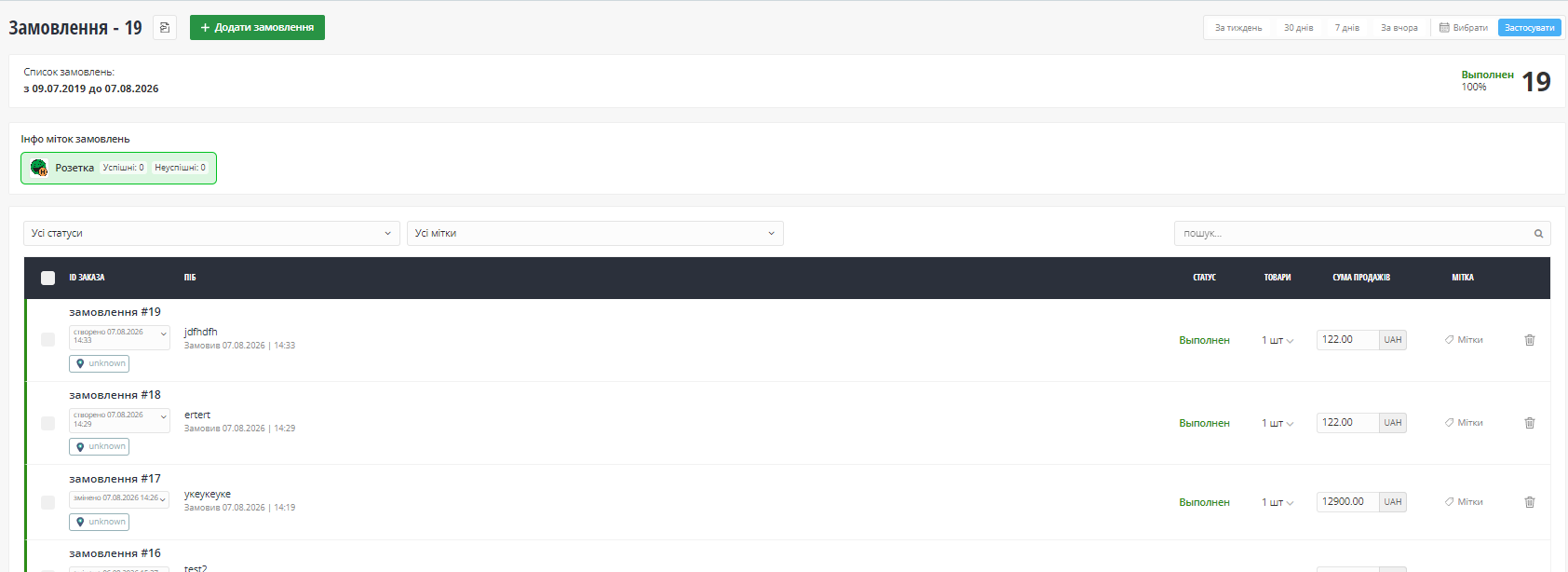
- on the order list page;
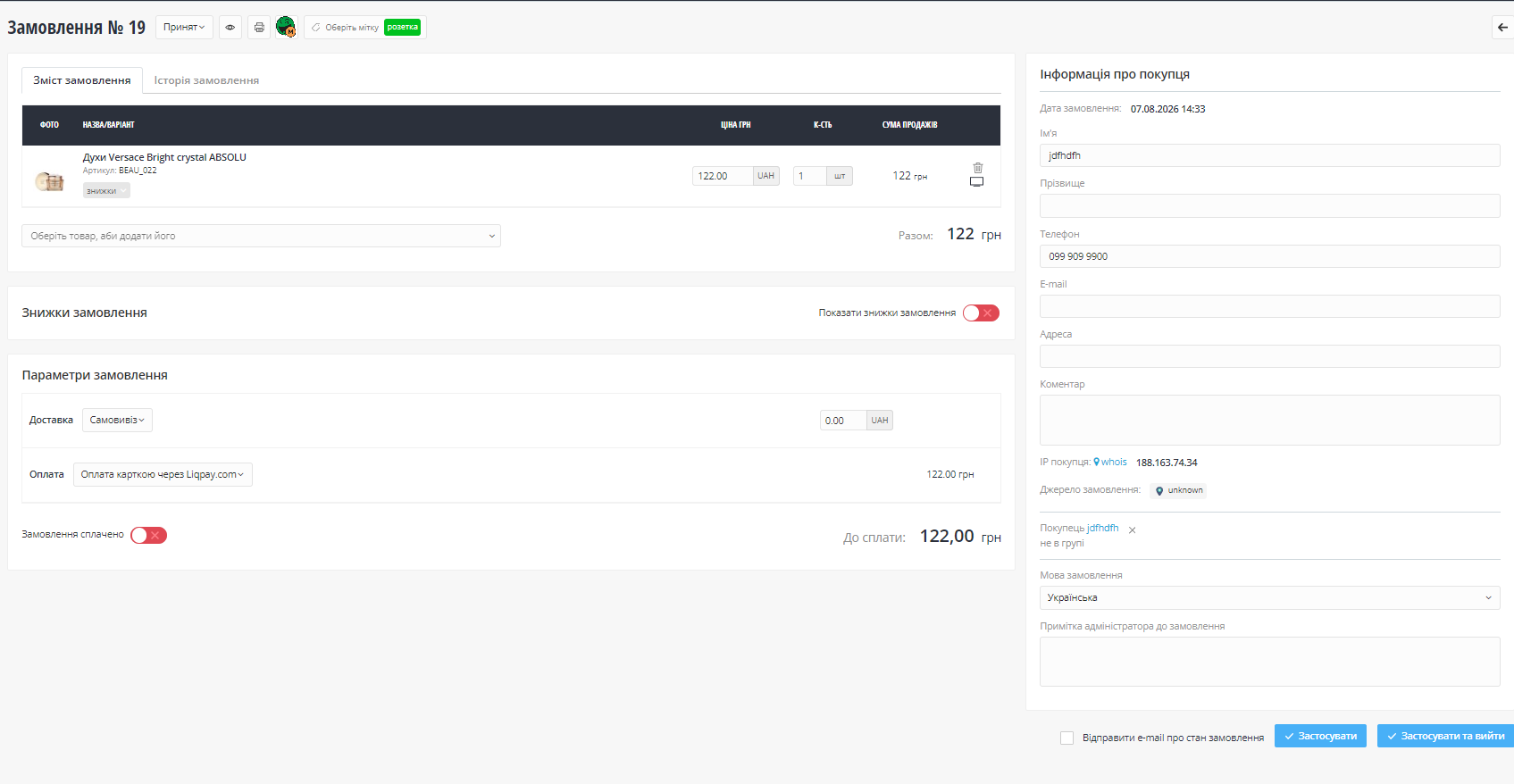
- on the single order editing page;
- the marker image can be clickable if the Link field is filled in;
- supports link placeholders:
{order_id}— order ID;{admin_note}— administrator note for the order;
- adds a quick marker filter block to the order list page;
- shows successful and unsuccessful order counts for each marker;
- the filter button background uses a light shade of the marker color; on hover, it changes to the main marker color.
Purpose
The module is useful for stores that need to quickly classify orders by type, priority, service status, or internal workflow: verification, problematic order, special delivery, marketplace order, VIP customer, repeated contact, and similar use cases.

-
New Partner OkayCMS
-
Support is provided by a partner
-
Does not require adaptation for other templates
Recommend

EXCEL AI is an OkayCMS module designed to automate receiving, validating, matching and importing supplier price lists in XLS, XLSX and CSV formats.

A monitoring module for OkayCMS that helps detect problems in the storefront and admin panel without manually checking log files.

The module adds AI generation, SEO optimization, content translation, product feature autofill, image search, and bulk product processing tools to OkayCMS.

A module for centralized integration of Google Tag Manager, GA4, Google Ads, Meta Pixel, Meta Conversions API, Microsoft Clarity, Merchant Center, and ecommerce events in OkayCMS.