
“Check Availability” Button Instead of “Add to Cart”
The Availability Requests module disables online purchasing for selected parts of your catalog and allows you to collect customer inquiries and contact details.
It is useful when a brand has temporarily restricted online sales, you need permission before selling its products, or you want to manually confirm product availability before accepting an order. At the same time, product SEO pages remain available on your website and can continue attracting potential customers.
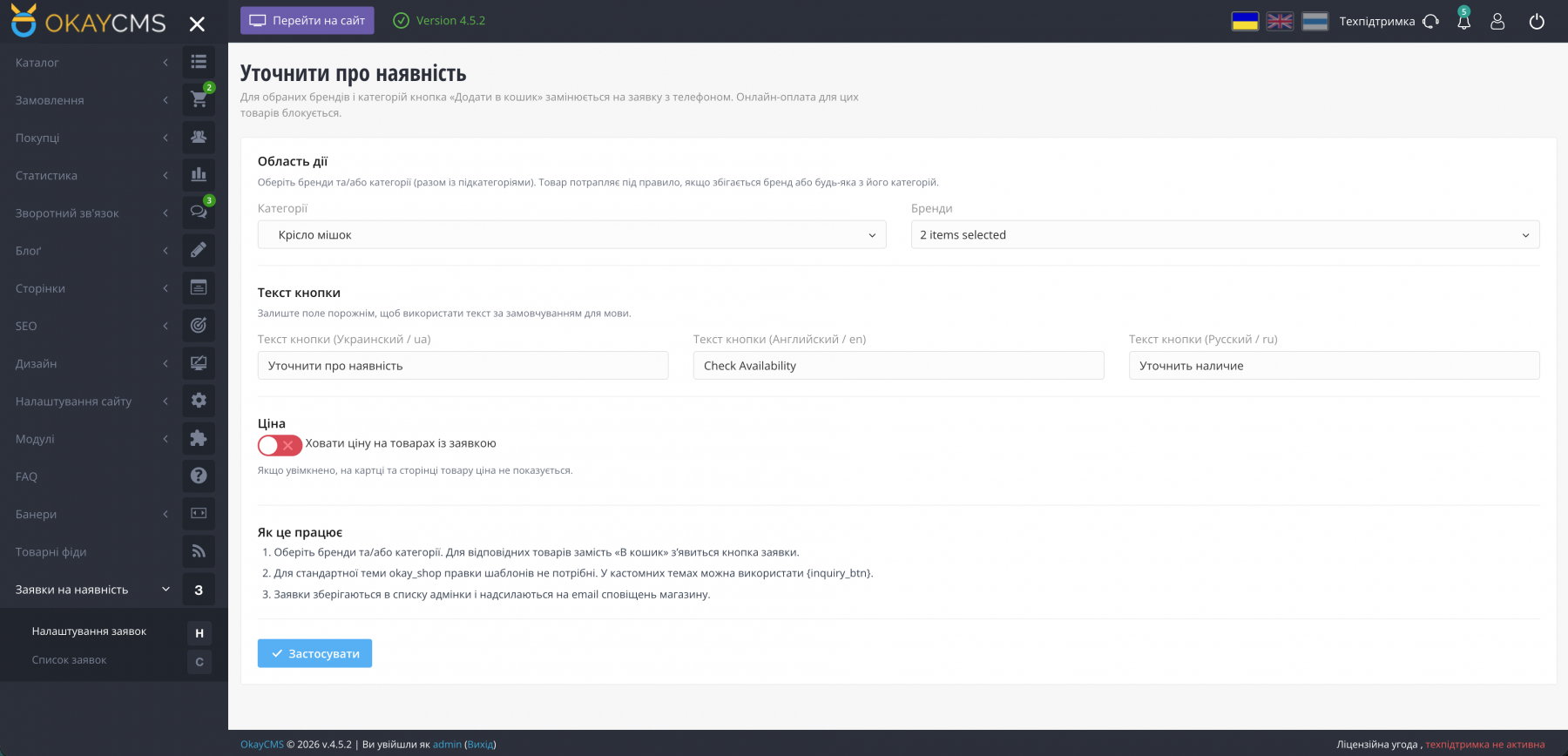
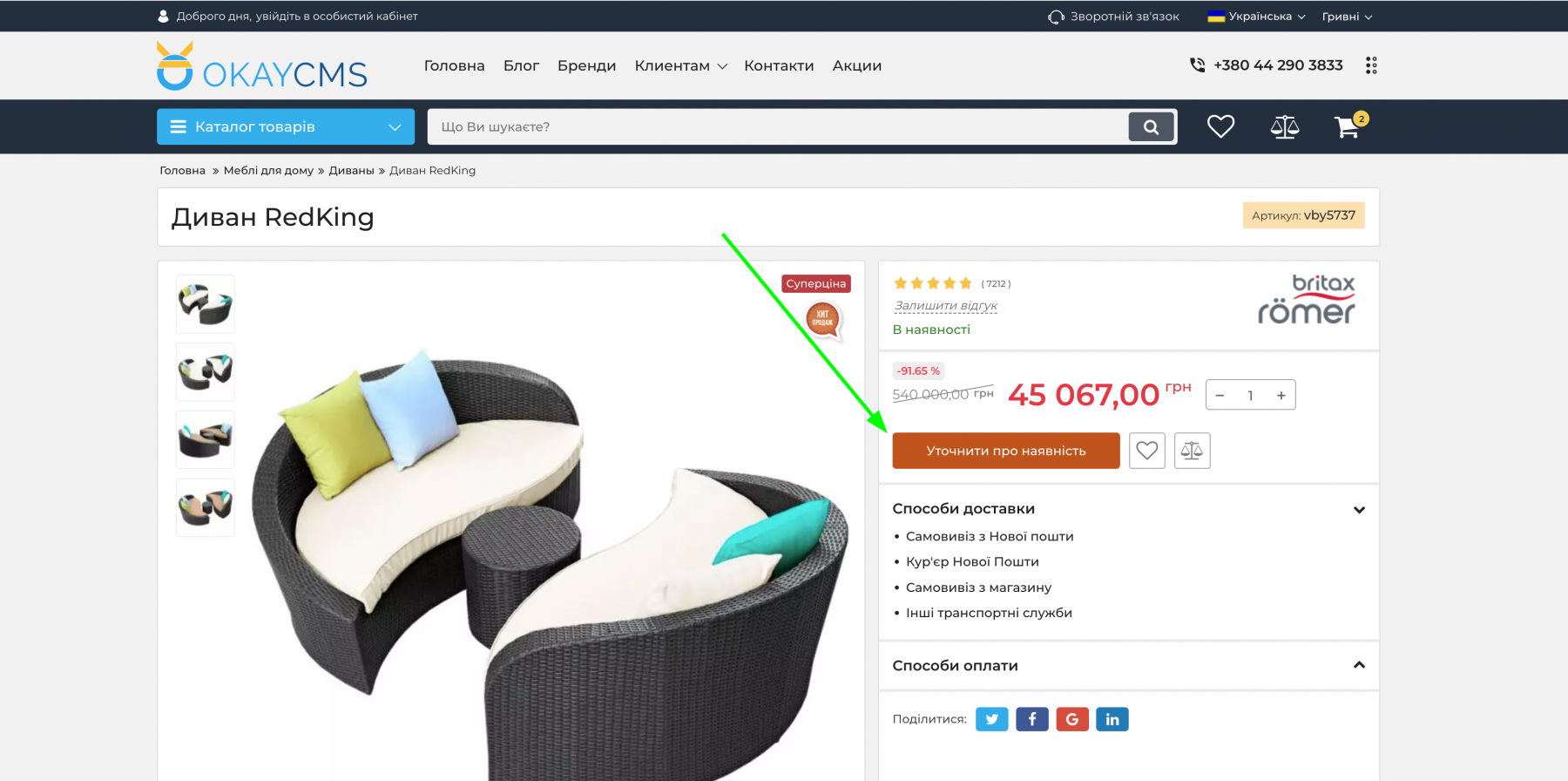
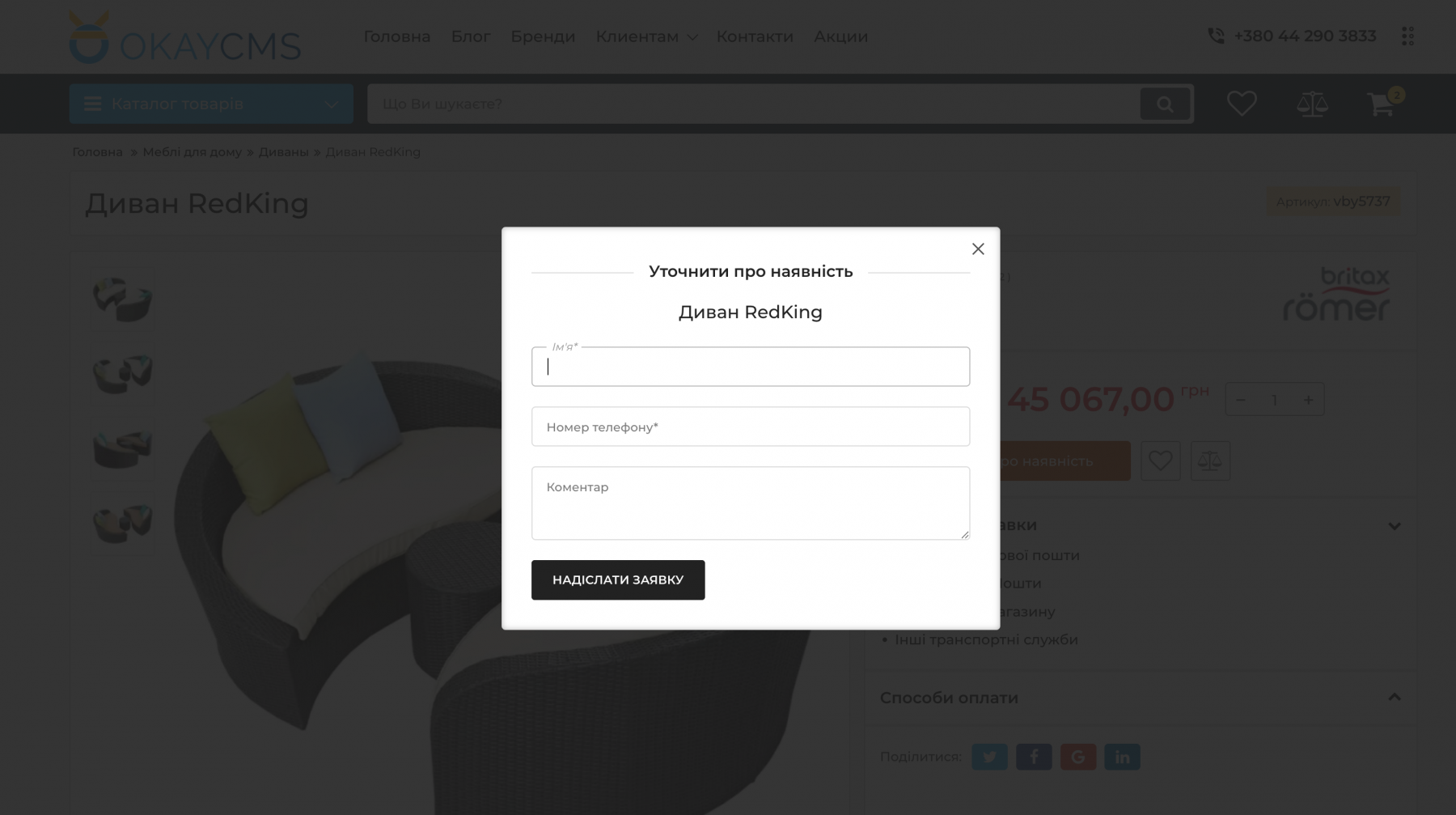
Select brands and/or categories, including their subcategories. For matching products, the “Add to Cart” button is replaced with a “Check Availability” button. Customers can submit their name, phone number, and a comment. The request is saved in the admin panel and sent to the store’s email address. These products also cannot be added to the cart by bypassing the storefront interface.
Features:
- apply the module to selected brands and/or categories, including subcategories;
- custom button text for each website language;
- option to hide prices for affected products;
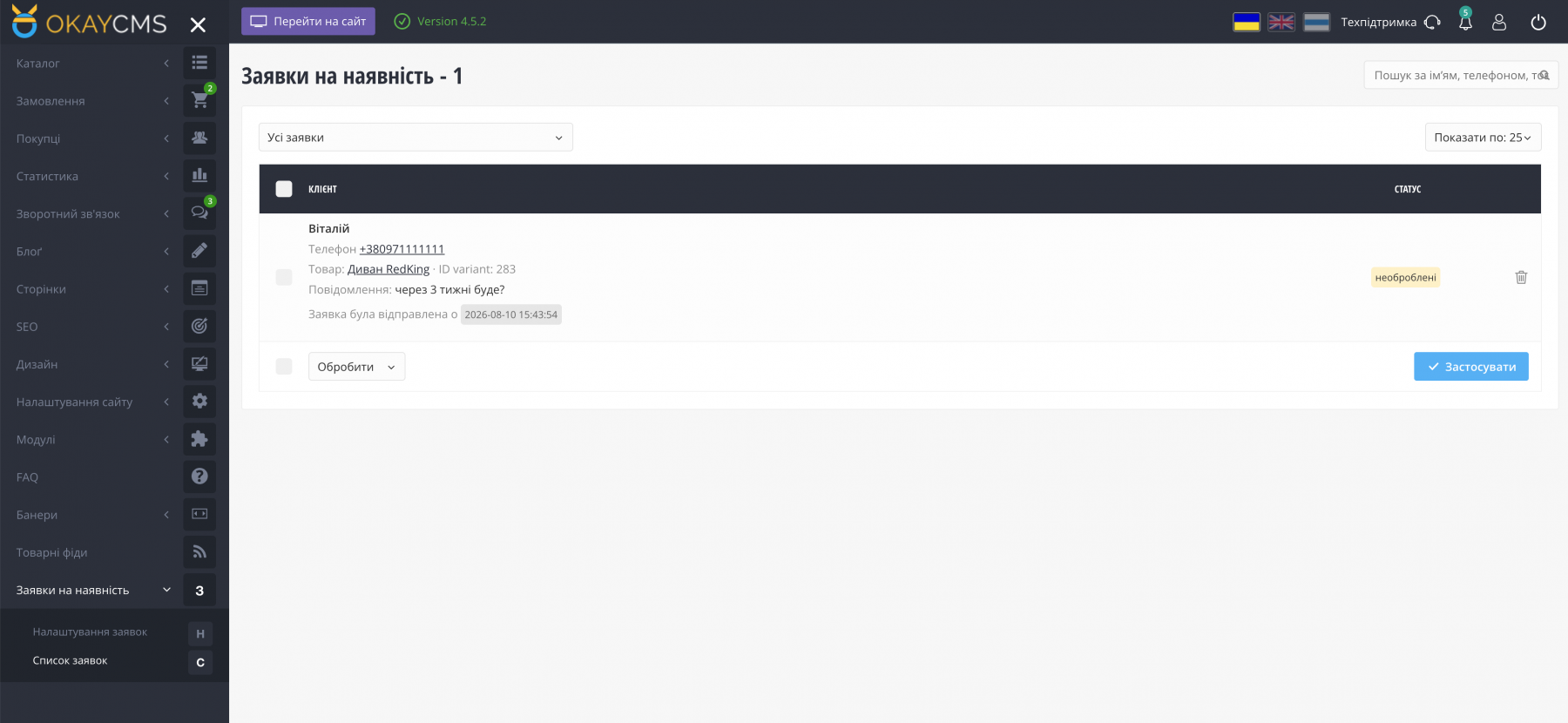
- request management in the admin panel: processed / unprocessed requests, search, and bulk actions;
- email notifications for new requests;
- no template modifications required for the standard okay_shop theme.
How It Works:
- Install and enable the module and grant the required permissions to your store manager.
- Go to Availability Requests → Settings and select the required brands and/or categories.
- If necessary, customize the button text and enable the “Hide Price” option.
- Customers submit availability requests — you can manage them in the admin panel and receive them by email.

-
Partner OkayCMS
-
Support is provided by a partner
-
Requires adaptation for other templates
Recommend

An OkayCMS integration module for synchronizing products, prices, stock, and orders with ROZETKA through the Seller API.
An OkayCMS integration module for synchronizing orders, statuses, tracking numbers, prices, and product availability with MAUDAU through the Public Merchant API.
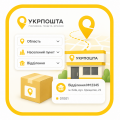
Adds a convenient selection of region, city/locality, and Ukrposhta branch to checkout. No API key or live shipping rate calculation is required — the shipping price is taken from the OkayCMS delivery settings.
The module extends the standard OkayCMS order label system and allows administrators to add colors, links, and images to order markers.