
Integration with Shippo Shipping Service for the USA — Live Shipping Rates, Labels & Tracking
Shippo (Lavvod) connects your OkayCMS store to Shippo and provides a complete shipping workflow: from allowing customers to select a shipping rate to generating labels, handling returns, and tracking shipments.
What Your Store Gets
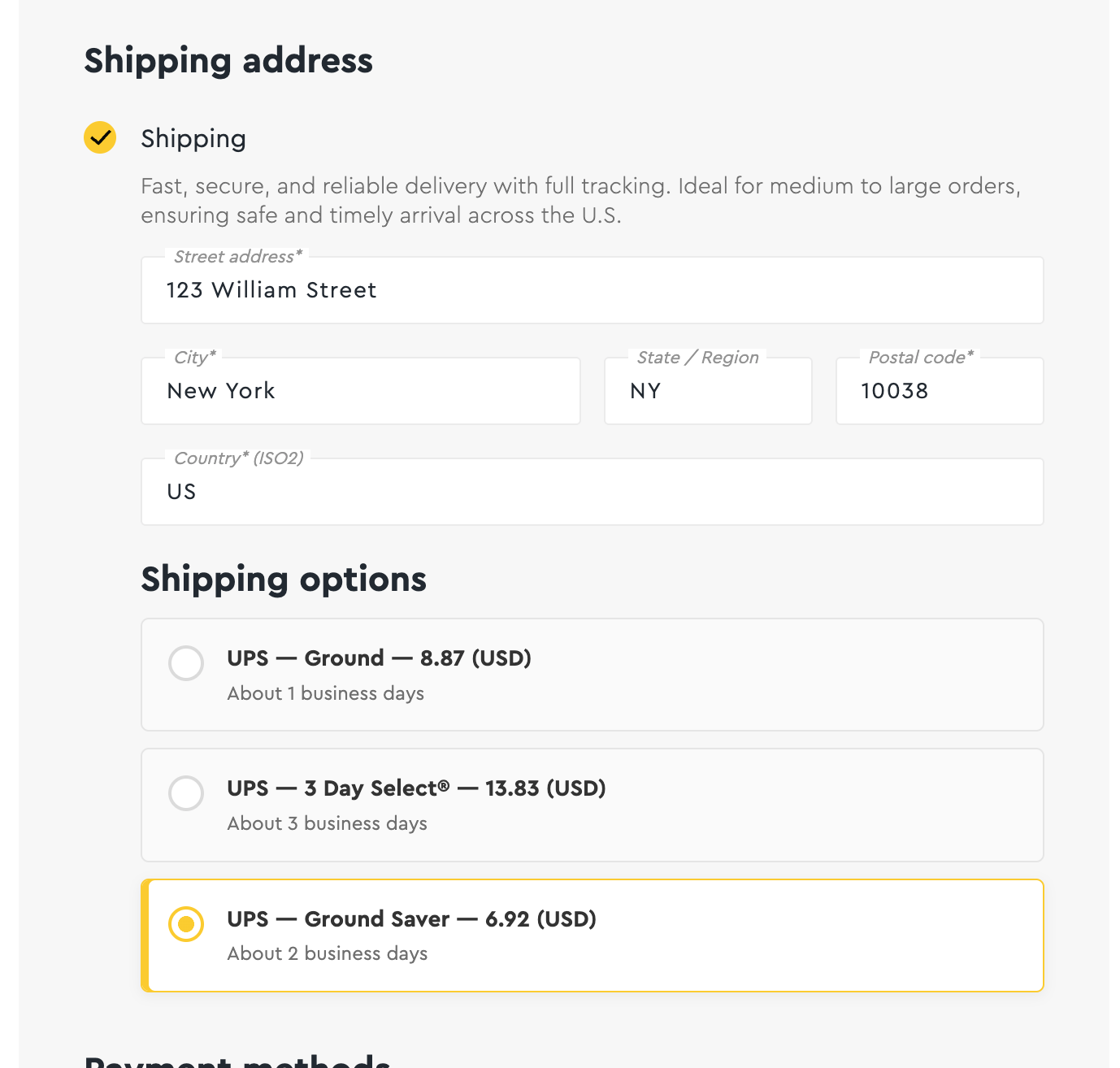
- Live shipping rates at checkout — the customer enters an address, the module sends a request to Shippo and displays available carriers and services with up-to-date prices.
- Structured shipping address — street, apartment/suite, city, state/region, postal code, and country. Convenient for shipments within the US, Canada, and other countries.
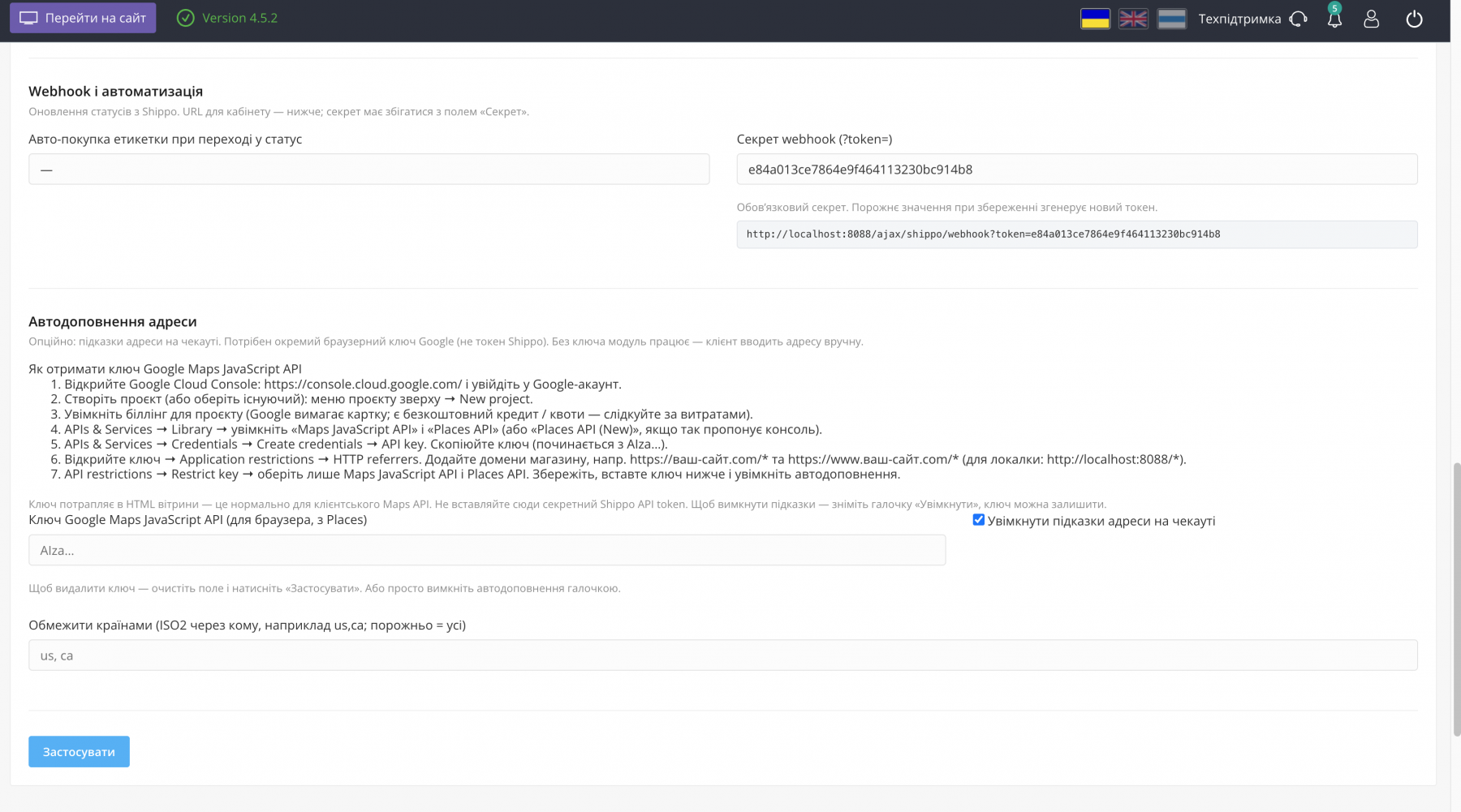
- Optional address autocomplete via Google Places — using a separate browser Maps JavaScript API key.
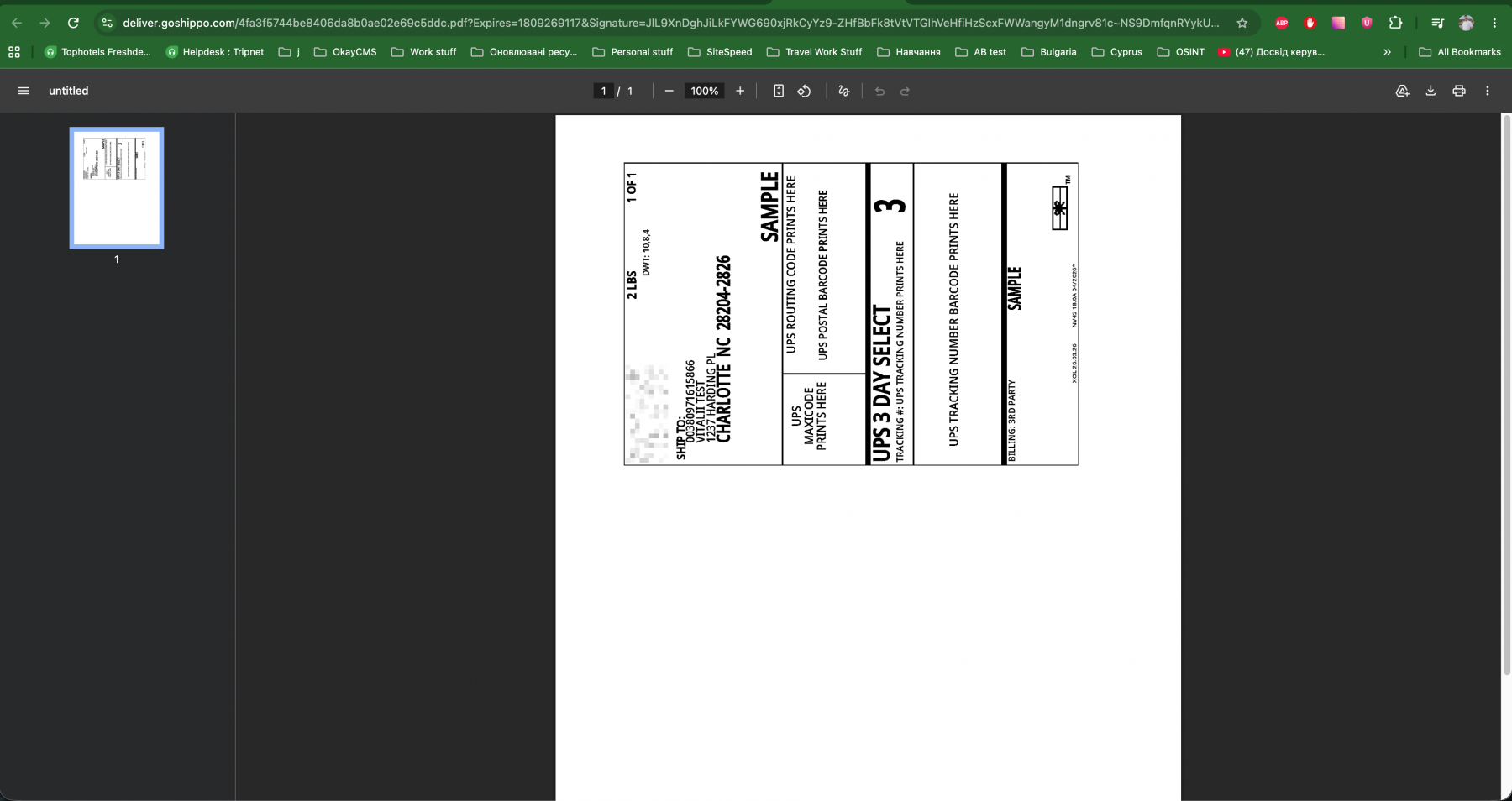
- PDF shipping label purchase directly from the order page in the admin panel. You can also enable automatic label purchasing when the order moves to a selected status.
- Return label — generation of a return shipping label and QR code when provided by Shippo.
- Shipment tracking via Shippo webhook with a fallback OkayCMS cron polling mechanism.
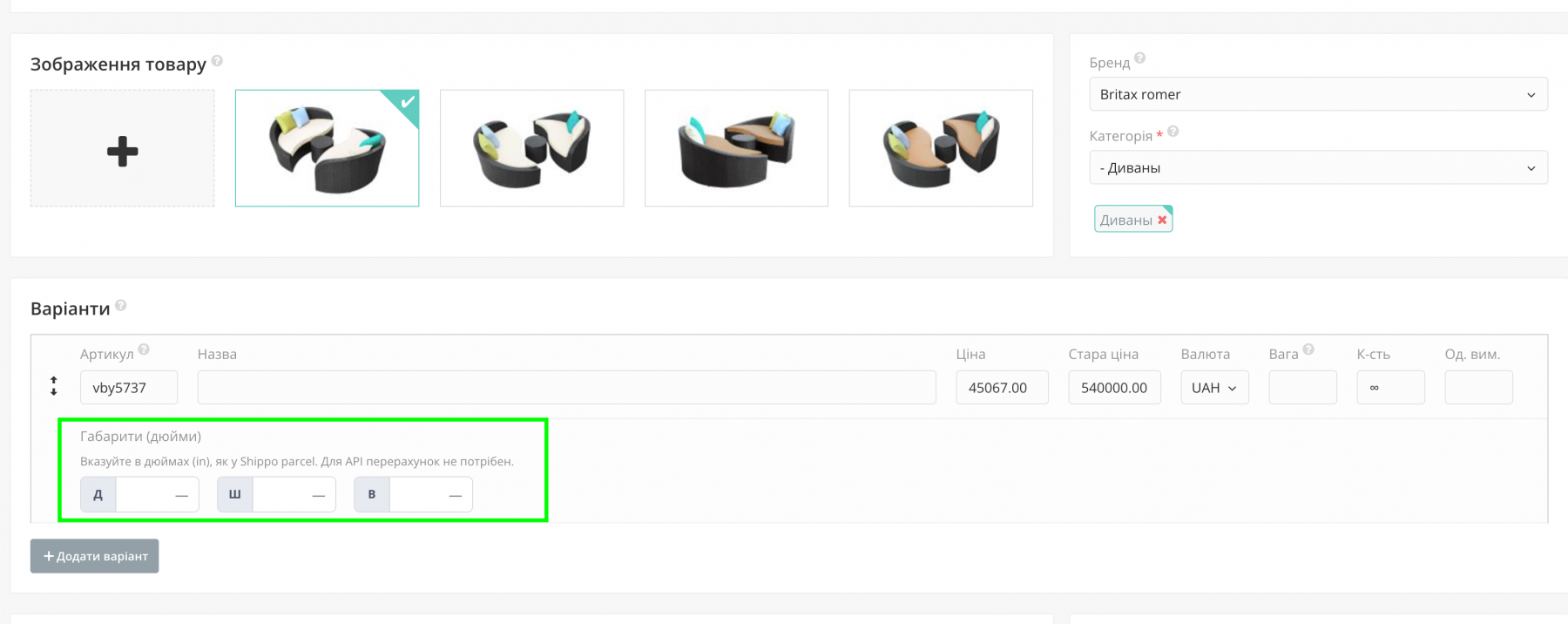
- Product variant dimensions in inches (length_in / width_in / height_in) in the product page, import, and export.
- Module interface languages: Ukrainian, Russian, and English.
How It Works
- Create a shipping method and assign the Shippo module to it.
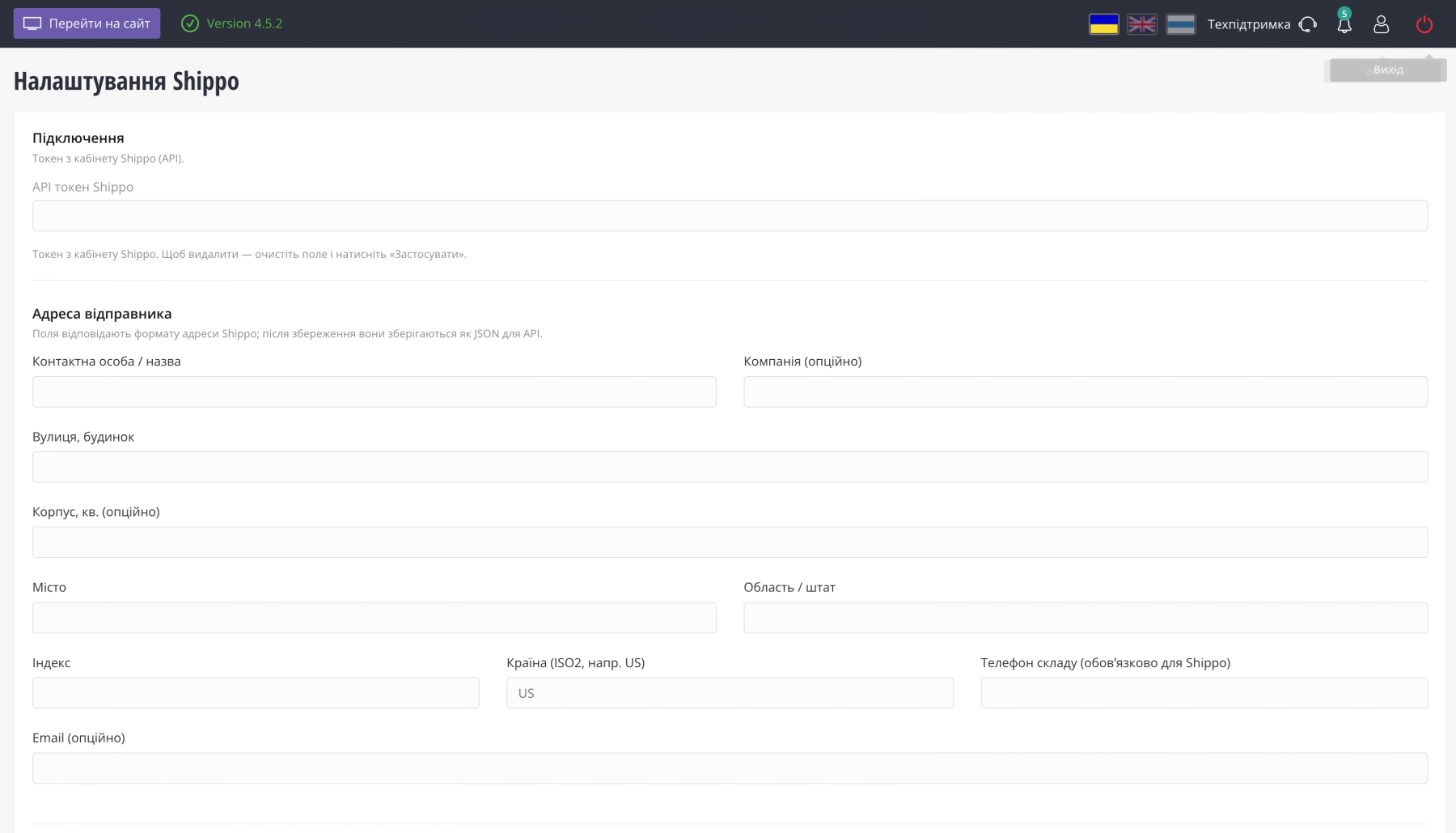
- Go to Shippo → Settings and enter your API token and warehouse address.
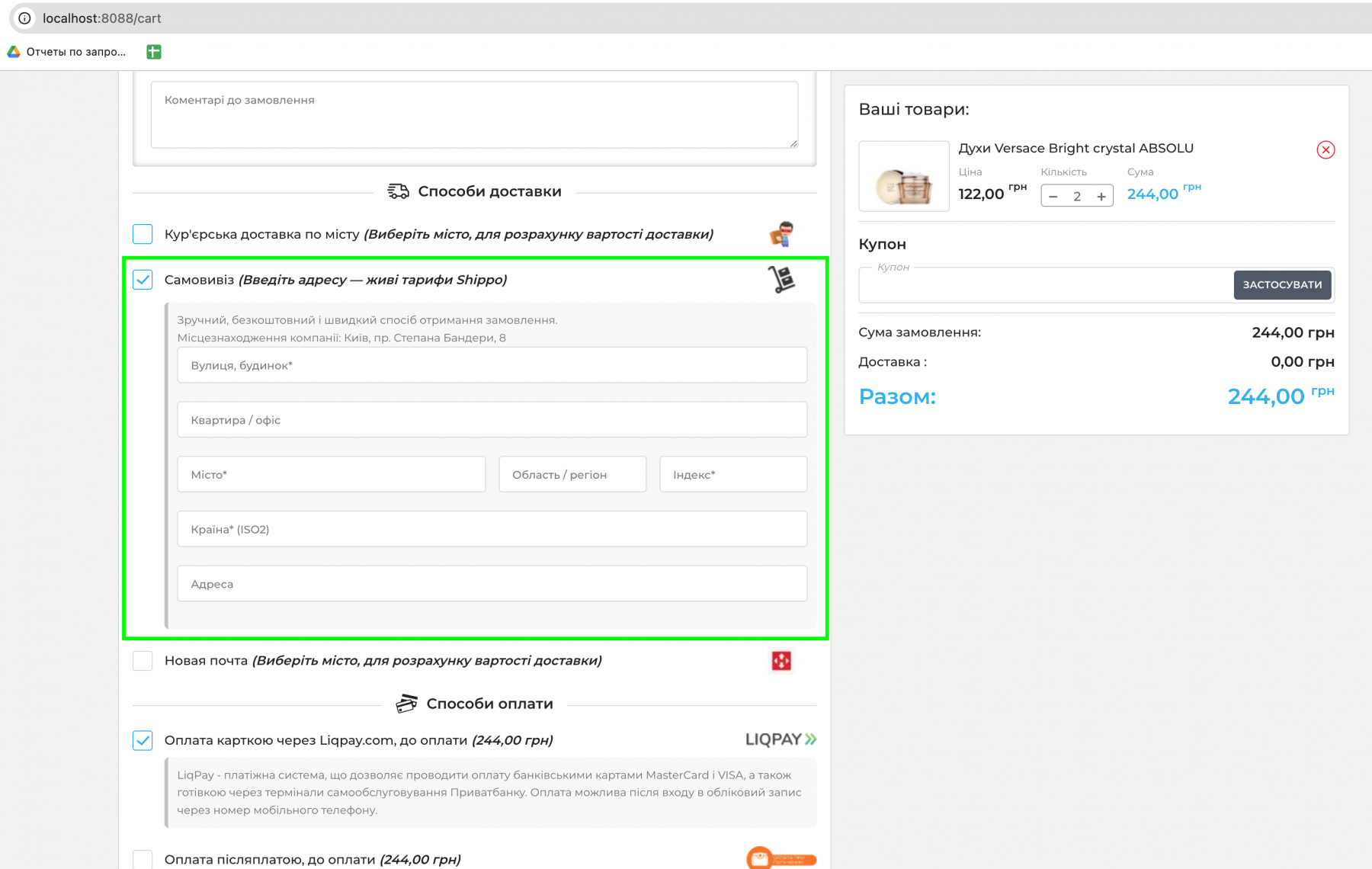
- When Shippo delivery is selected in the cart, address fields and a list of available rates appear.
- After payment or order confirmation, purchase the label from the admin panel — manually or automatically.
- Shipment status is updated via webhook and/or the scheduler.
Important Before Installation
- Product variant weight in OkayCMS must be specified in kilograms — the module automatically converts it to lb for Shippo.
- Product dimensions must be specified in inches.
- One combined parcel per order is supported — multi-parcel shipments are not supported.
- The recommended storefront theme is the standard okay_shop theme. Custom themes require the appropriate design blocks to be added according to the module documentation.
- After installation, open Shippo → Installation — it contains a short integration checklist.
Features
- Live Shippo rates in the cart (AJAX)
- Structured shipping address + optional street2
- Address autocomplete via Google Places
- Selected rate and address saved with the order
- Outbound label purchase from the admin panel
- Automatic label purchase when order status changes
- Return label / QR
- Tracking: webhook + cron fallback
- Product variant dimensions in inches in products, import, and export
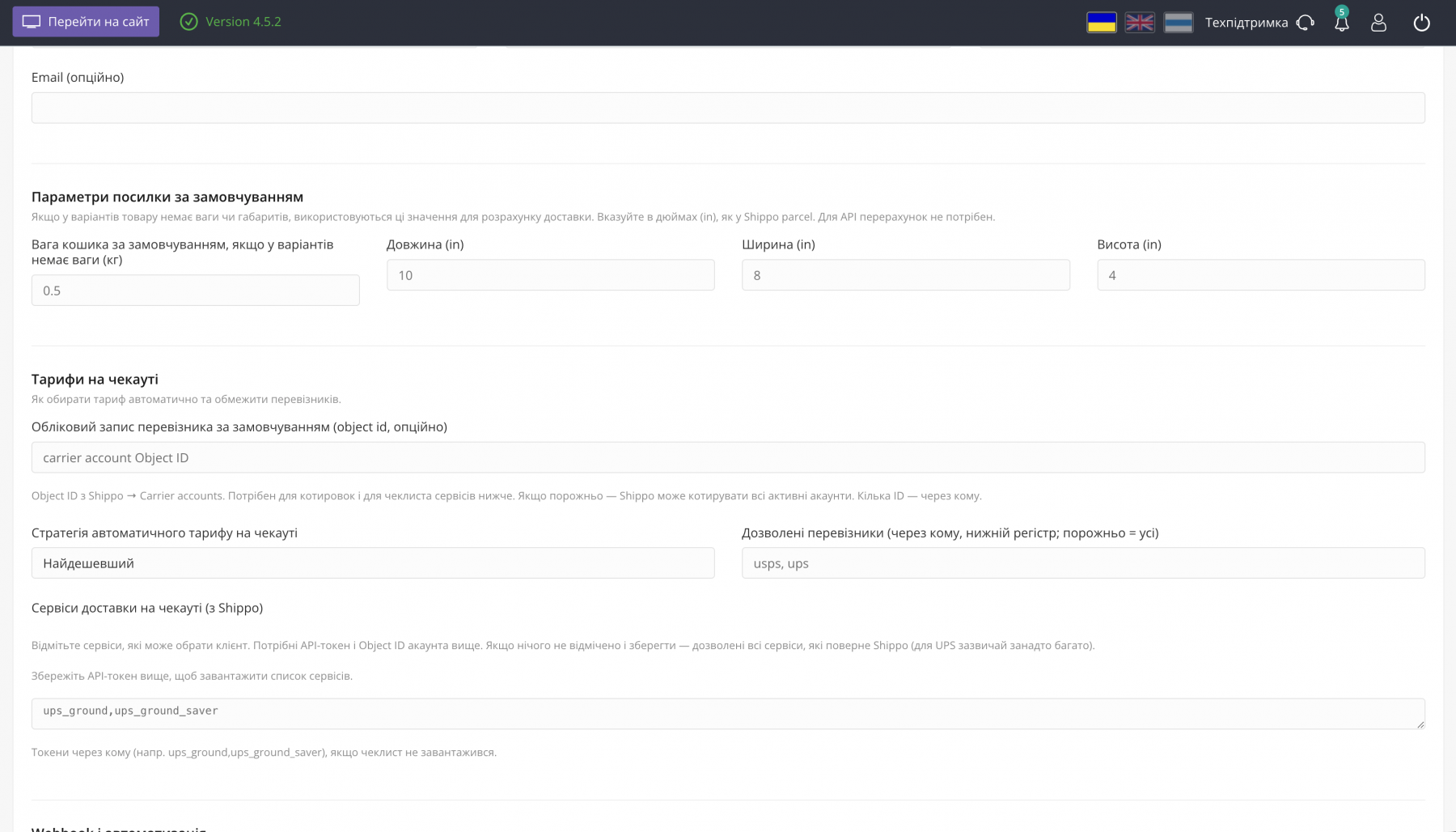
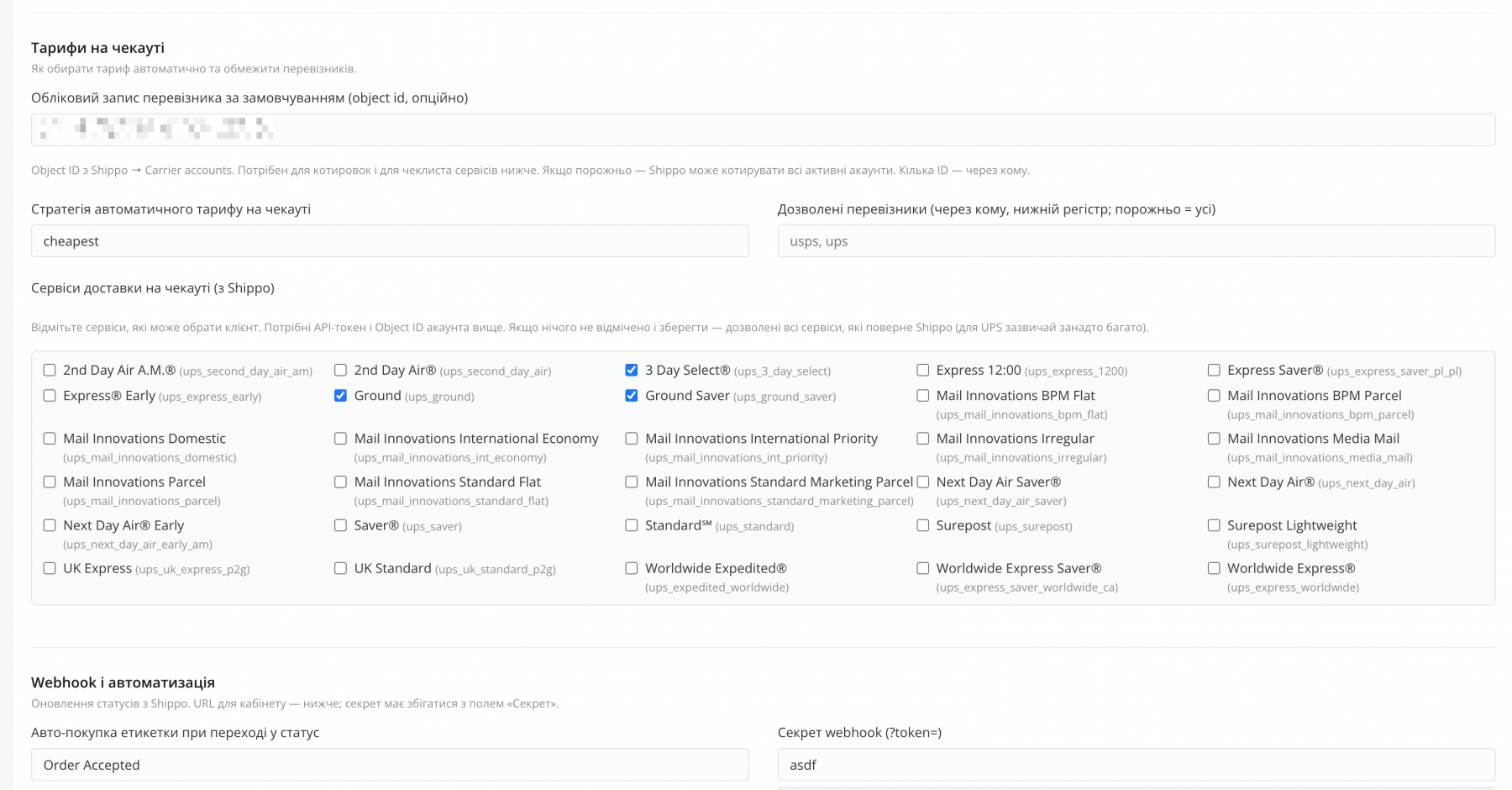
- Carrier and service level filtering
- Installation instructions in the admin panel
- UA / RU / EN interface
Where Changes Appear
On the Storefront
Cart / Checkout
When Shippo shipping is selected, an address block, a list of live rates, and automatic shipping cost updates are displayed. The block is connected through front_cart_delivery — in the standard okay_shop theme it is already included in cart_deliveries.tpl.
Successful Order Page (order.tpl)
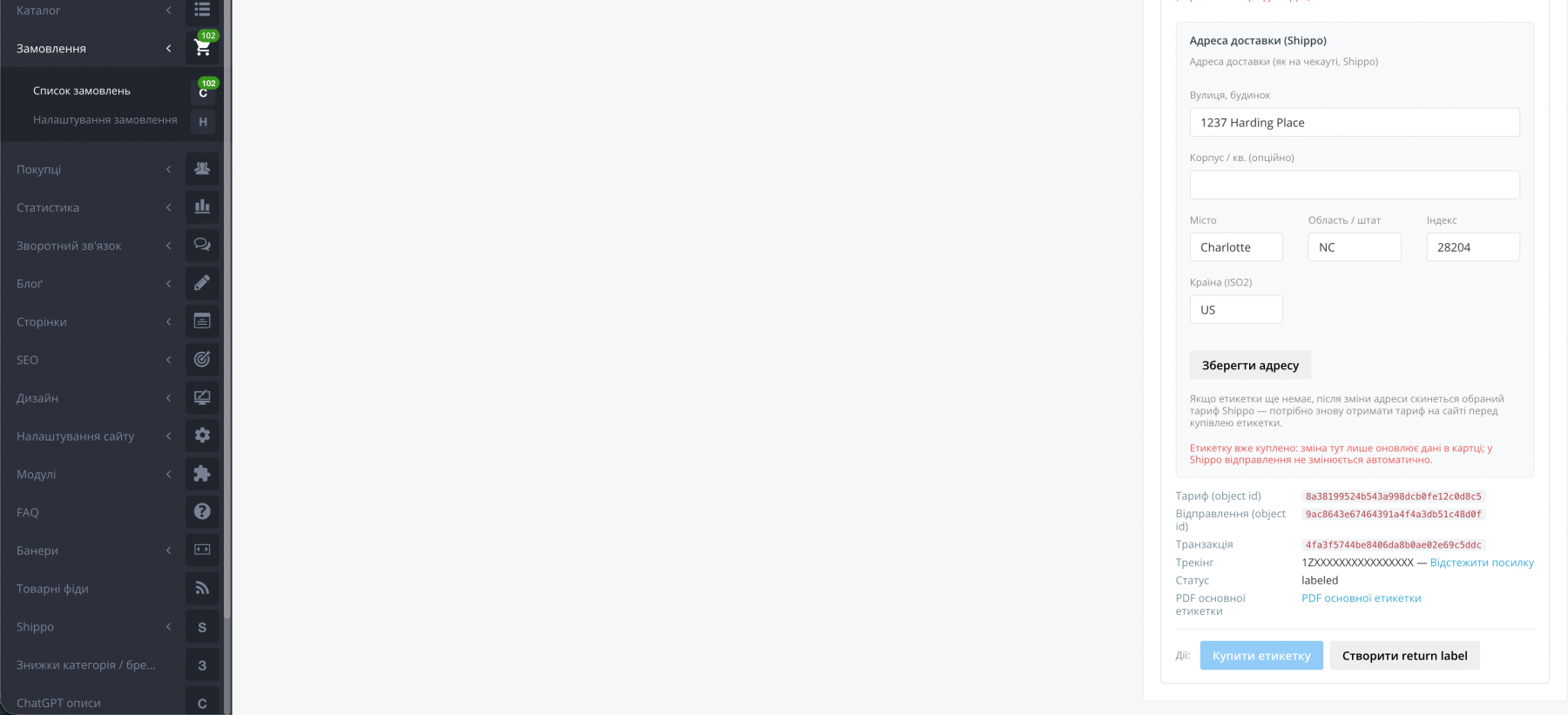
The Shippo address block (lavvod_order_shippo_address) is displayed. It can be added via TplMod from module.json or manually.
Customer Order Email
The Shippo address and/or tracking information can be displayed. The blocks front_lavvod_email_order_shippo_address and front_email_order_user_contact_info are used. A custom theme may require a get_design_block call.
If the shipping method is not linked to the Shippo module, no additional Shippo-related elements appear on the storefront.
In the Admin Panel
Shippo → Shippo Settings
API token, warehouse address, default parcel, rate strategy, carriers and services, webhook, automatic label purchase, Google Places.
Settings → Shipping
The Shippo module can be assigned to the required shipping method.
Orders → Order Details
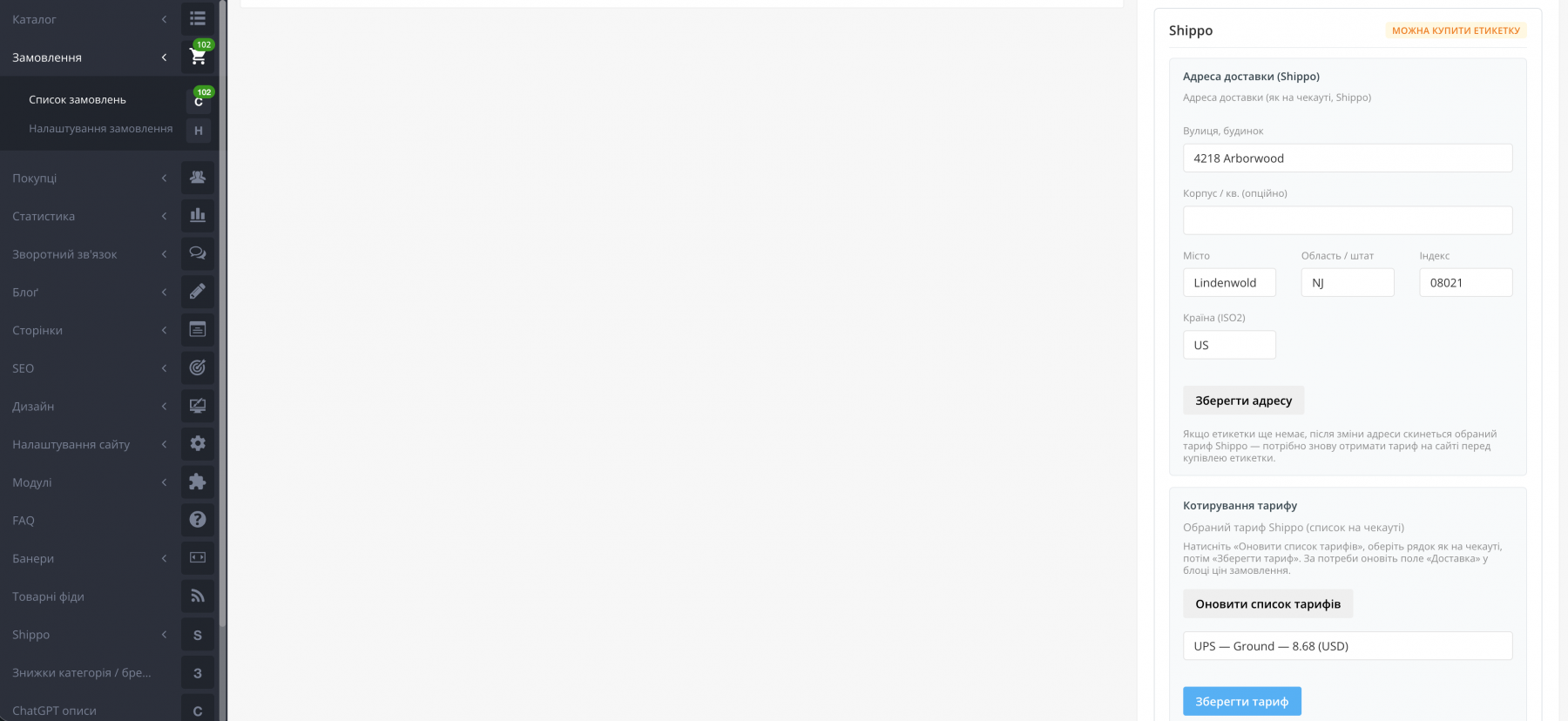
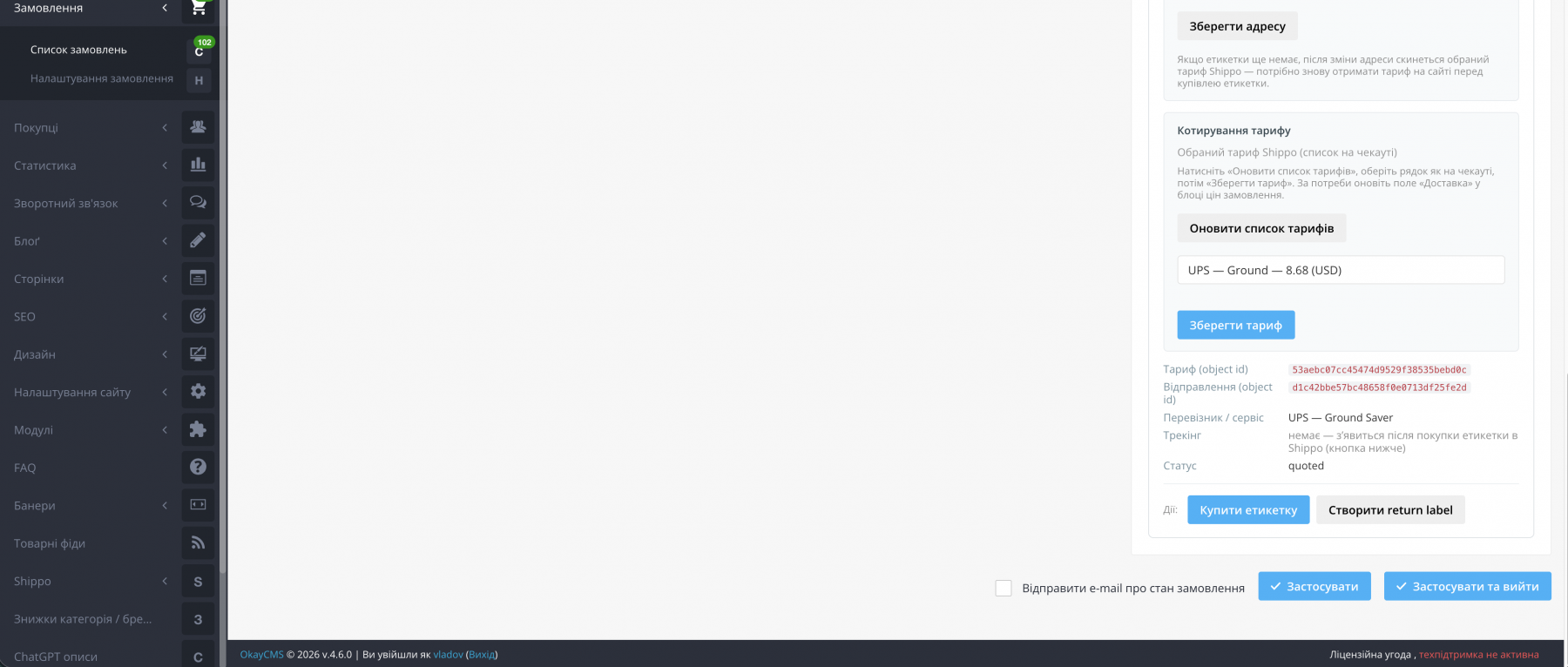
Shippo block with the address, rate quotes, label purchase, returns, and tracking. After a label is purchased, the shipping method is locked.
Catalog → Product → Variants
L×W×H dimension fields in inches are added.
Settings → Import
Additional mapping fields for length_in / width_in / height_in.
Product Export
Shippo dimension columns are added.
Order Printing
The Shippo address can be displayed if lavvod_order_print_shippo_address is connected in the print template.
Admin Order Email
The Shippo address and tracking information can be added through backend blocks.
Manager Roles
The lavvod__shippo permission controls access to the Shippo section.
What the Module Does Not Modify Automatically
Custom theme files are not overwritten automatically, except for TplMod for order.tpl if the corresponding mechanism is enabled.
For emails, order printing, and custom themes, the required blocks should be added according to the instructions in Shippo → Installation / INSTALL.md.

-
Partner OkayCMS
-
Support is provided by a partner
-
Requires adaptation for other templates
Recommend
Replace the “Add to Cart” button with “Check Availability” for selected brands and categories. Customers leave their phone number instead of purchasing online. Ideal when products cannot be sold online yet, but you want to create product pages and start collecting customer inquiries.

An OkayCMS integration module for synchronizing products, prices, stock, and orders with ROZETKA through the Seller API.

An OkayCMS integration module for synchronizing orders, statuses, tracking numbers, prices, and product availability with MAUDAU through the Public Merchant API.
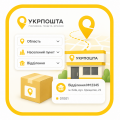
Adds a convenient selection of region, city/locality, and Ukrposhta branch to checkout. No API key or live shipping rate calculation is required — the shipping price is taken from the OkayCMS delivery settings.