
Ukrposhta: Branch Selection
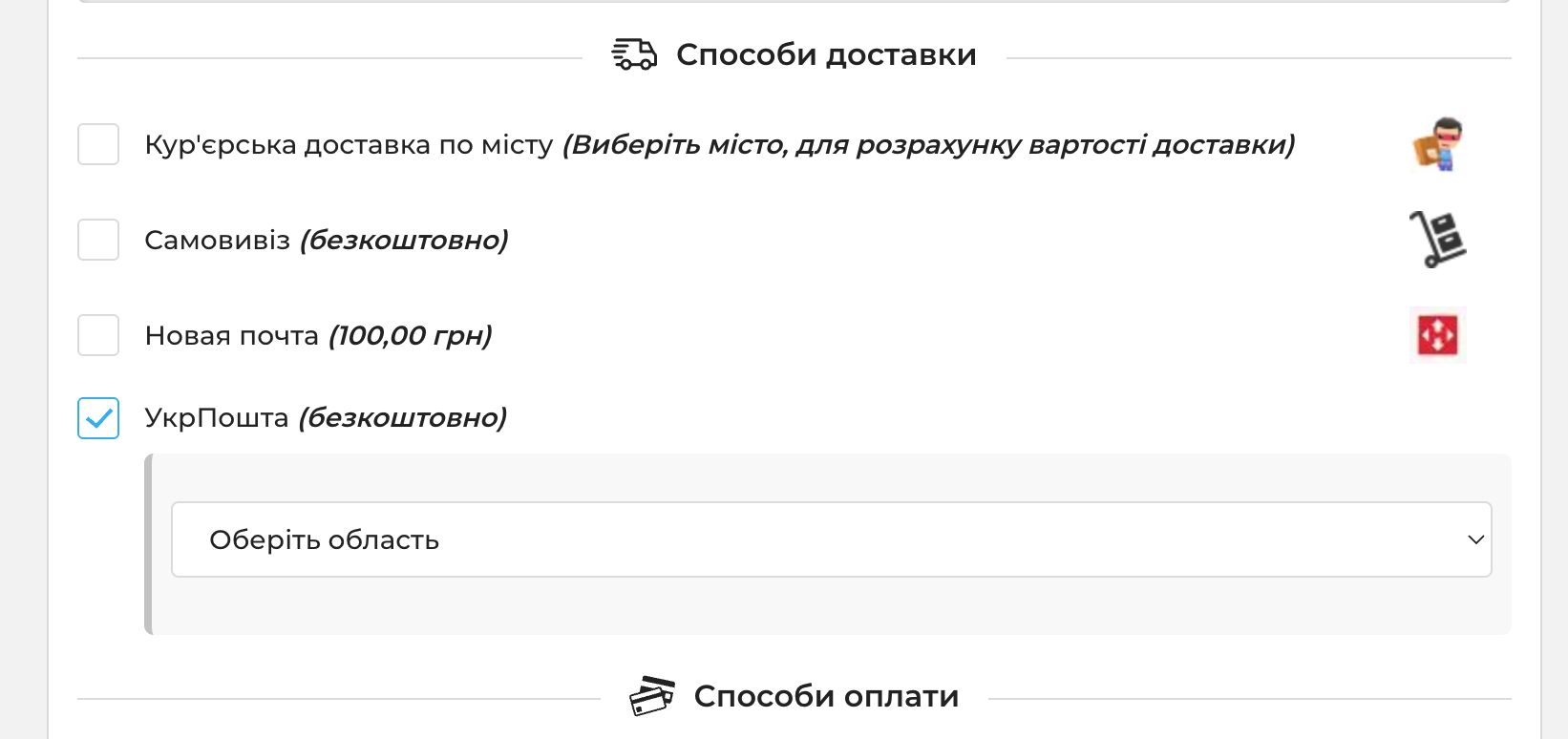
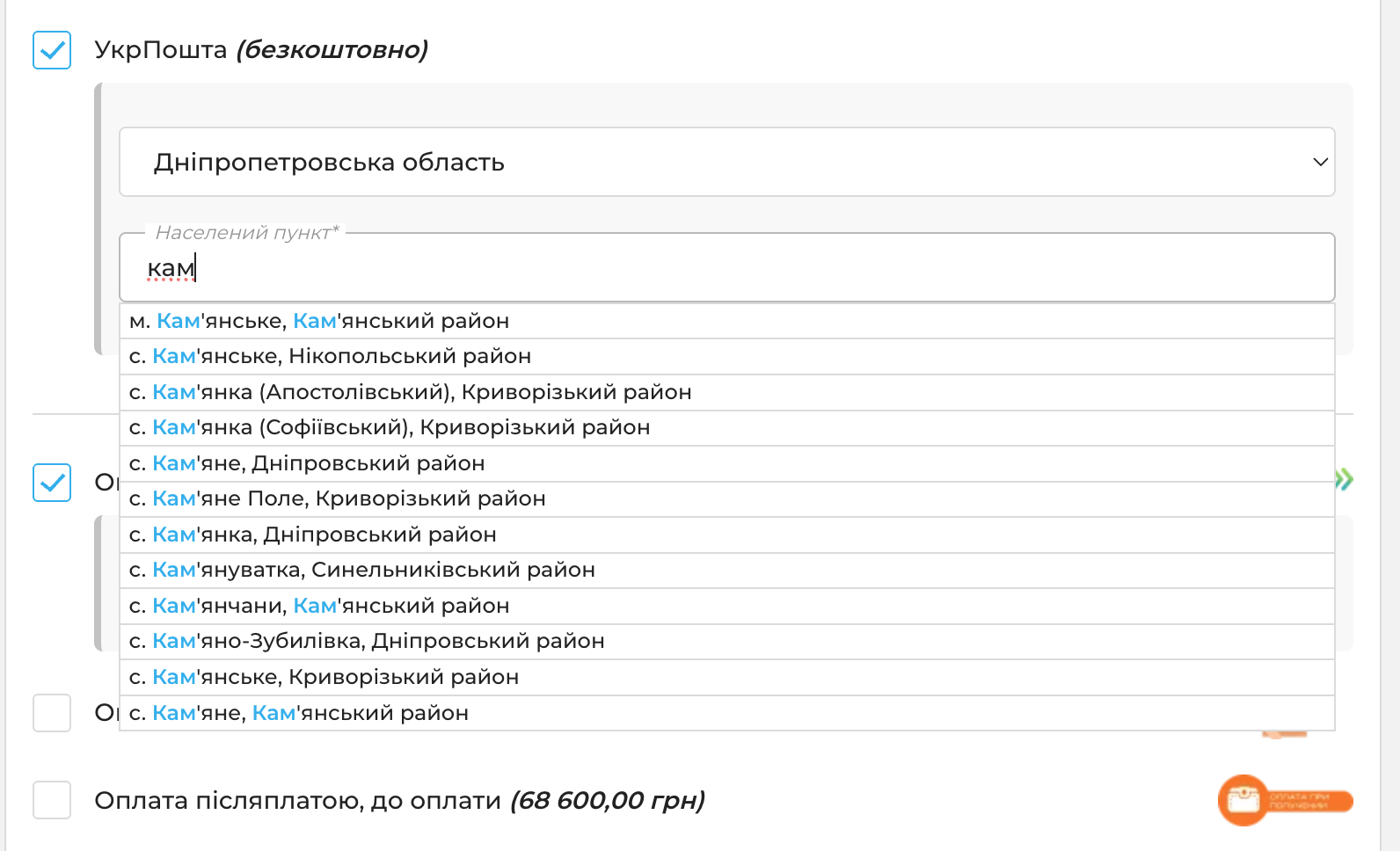
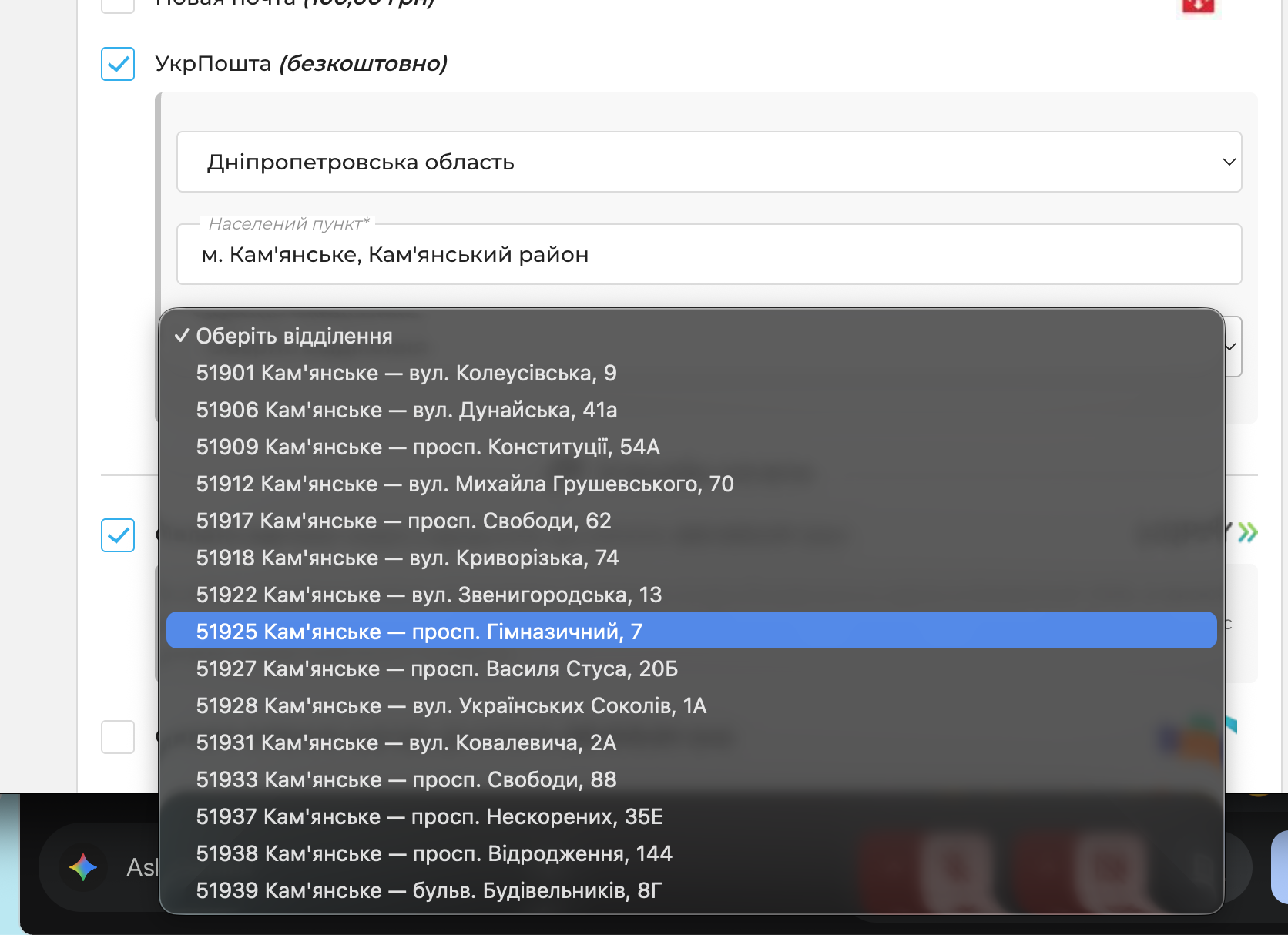
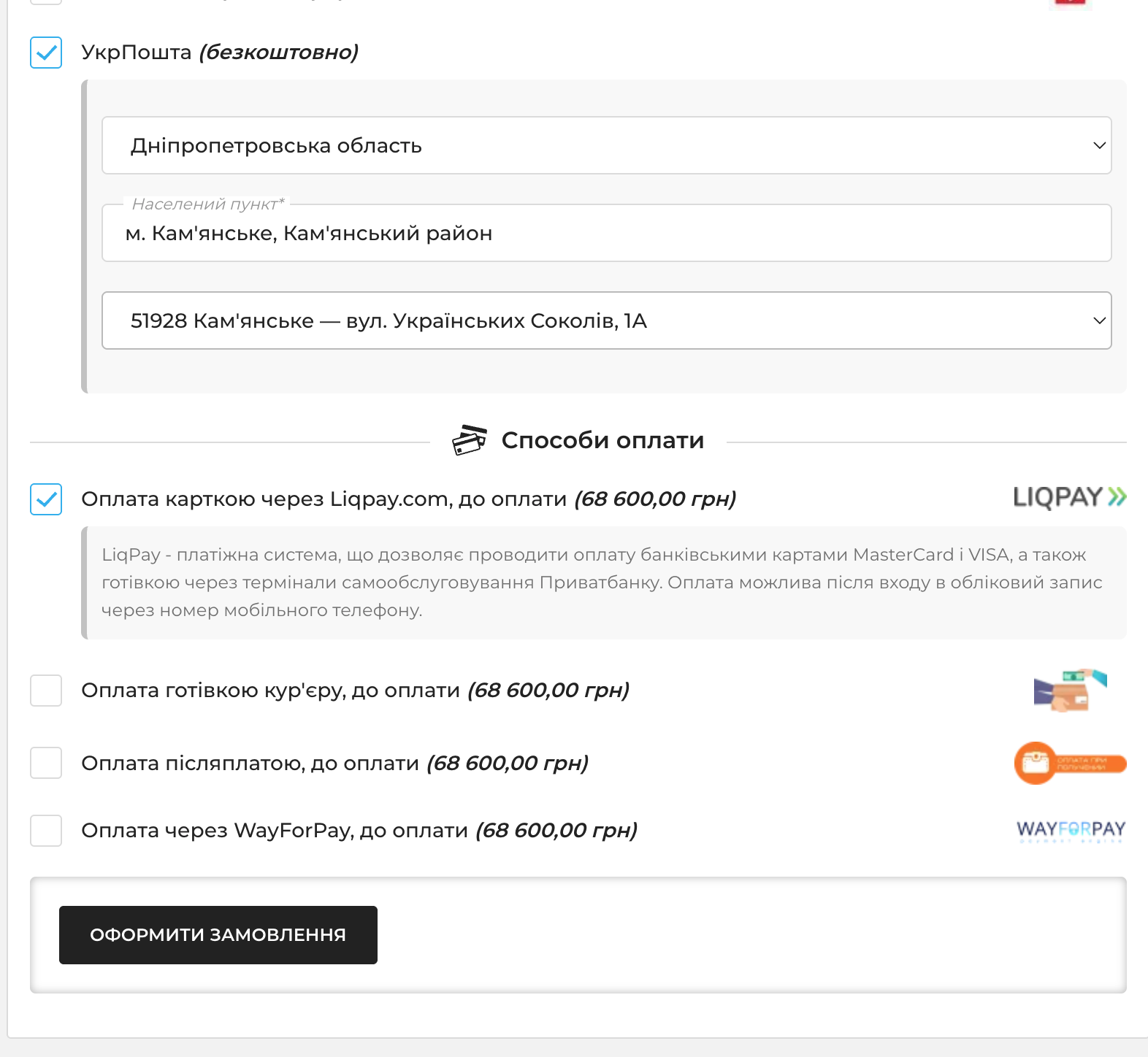
The module adds Ukrposhta branch selection directly to the shopping cart for the selected shipping method. The customer first selects a region, then searches for a city or locality within that region and chooses a branch from the available list.
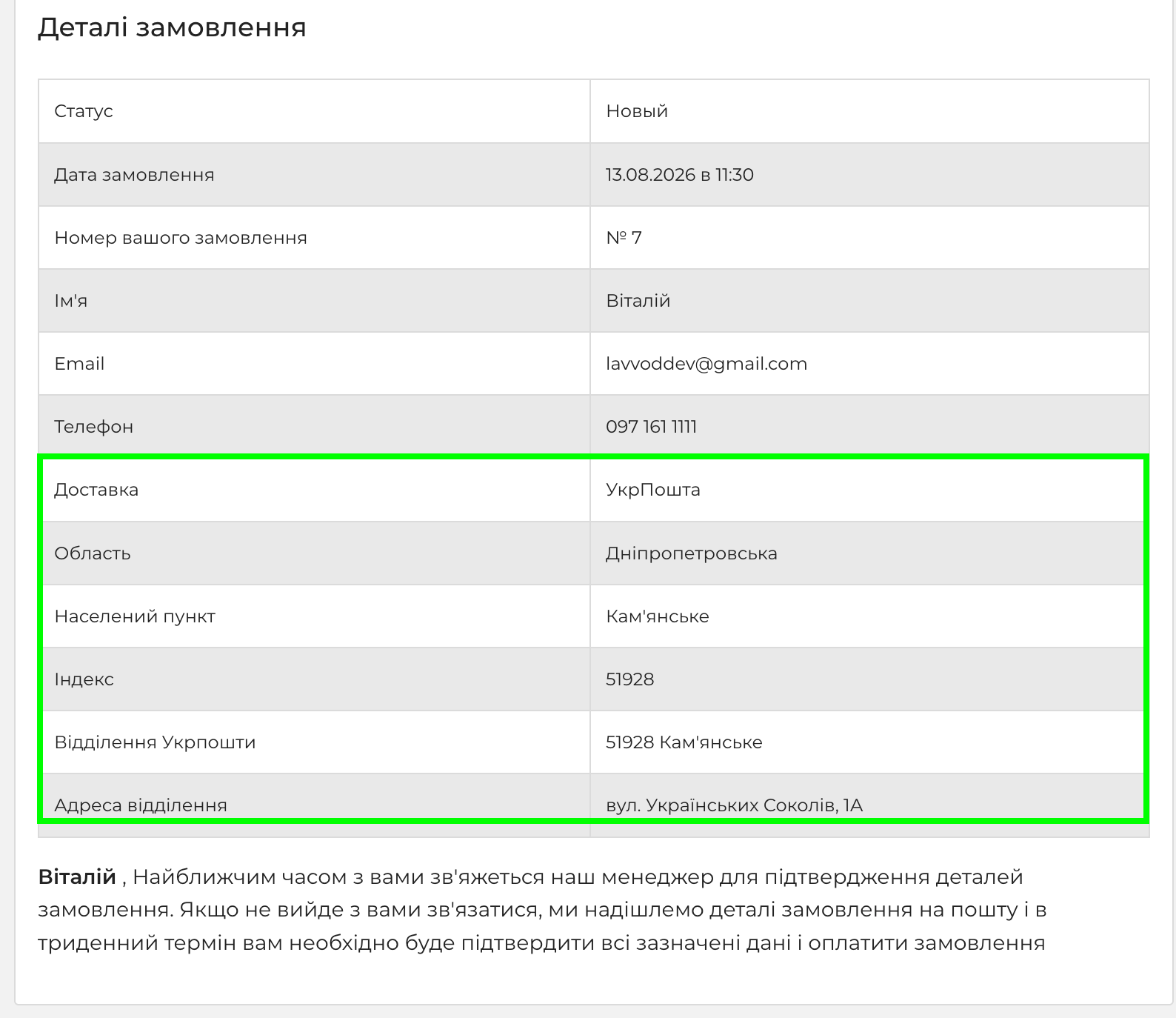
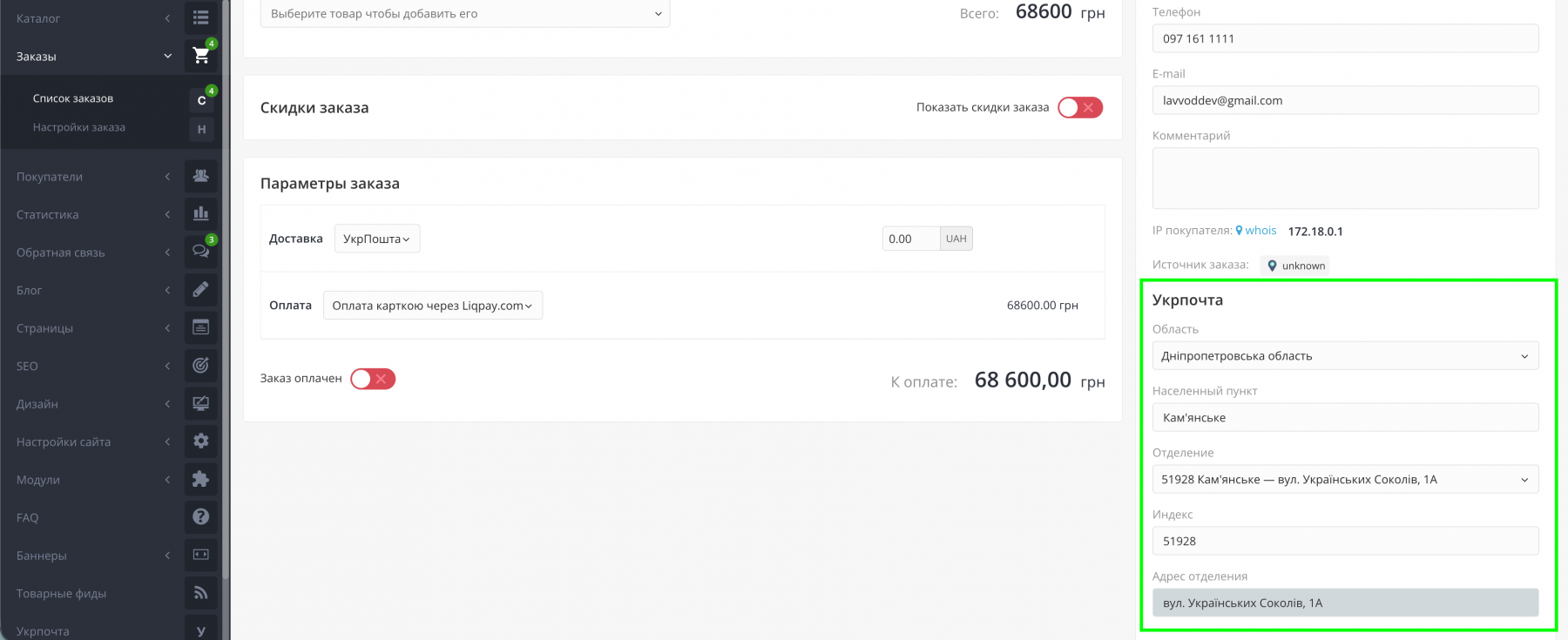
The selected data is saved with the order and displayed in the admin panel as well as in emails sent to the customer and store manager: region, city/locality, postal code, branch name, and address.
Module Features
- region selection → city/locality search → branch list;
- data from Ukrposhta’s public address directory;
- fixed shipping cost from the standard OkayCMS delivery settings;
- shipping details saved with the order and displayed in the admin panel and emails;
- no Ukrposhta API key required.
How to Configure
- Install and enable the module.
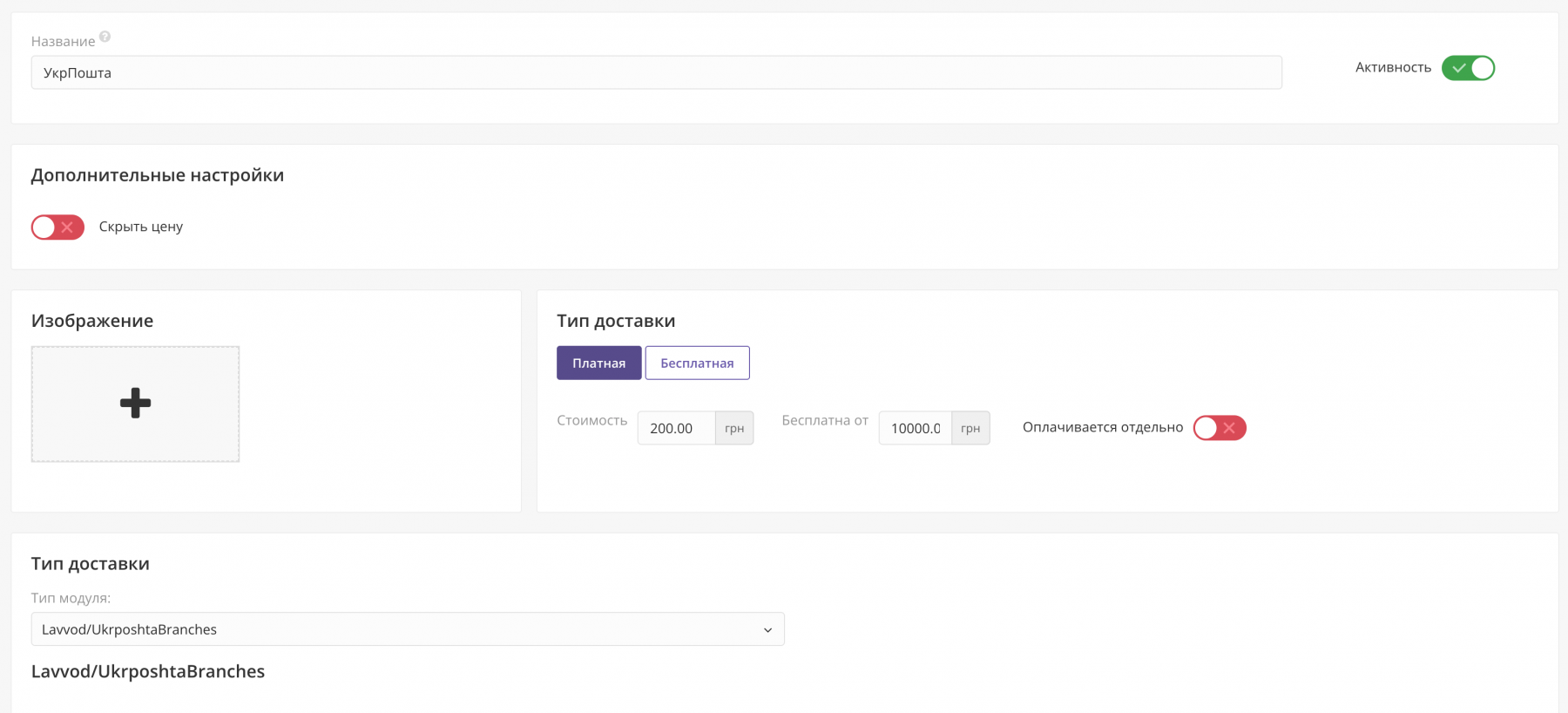
- Go to Settings → Shipping, create a shipping method, and select the UkrposhtaBranches module.
- Set the shipping price or the “free shipping from” amount.
- Check the cart: region → city/locality → branch.
Important
- the module does not create shipping waybills (TTN);
- it does not calculate live shipping rates via the Ukrposhta API;
- if the address directory is temporarily unavailable, an error message will be displayed in the cart.

-
Partner OkayCMS
-
Support is provided by a partner
-
Does not require adaptation for other templates
Recommend

The module extends the standard OkayCMS order label system and allows administrators to add colors, links, and images to order markers.

EXCEL AI is an OkayCMS module designed to automate receiving, validating, matching and importing supplier price lists in XLS, XLSX and CSV formats.

A monitoring module for OkayCMS that helps detect problems in the storefront and admin panel without manually checking log files.

The module adds AI generation, SEO optimization, content translation, product feature autofill, image search, and bulk product processing tools to OkayCMS.