
Quick actions and templates for order management
Quick Actions and Templates for Order Management — a module for OkayCMS that helps managers process orders faster, copy the required information, open external services, and prepare messages for customers.
The module adds a convenient quick-action panel to the order page. Managers can create custom buttons with icons and links, as well as template buttons containing pre-written text.
Templates support the automatic insertion of order information, including the customer’s name, order number, phone number, product list, order amount, city, Nova Poshta branch, and other details. Managers do not need to transfer this information manually — they can simply open the required template and copy the prepared text.
Main features
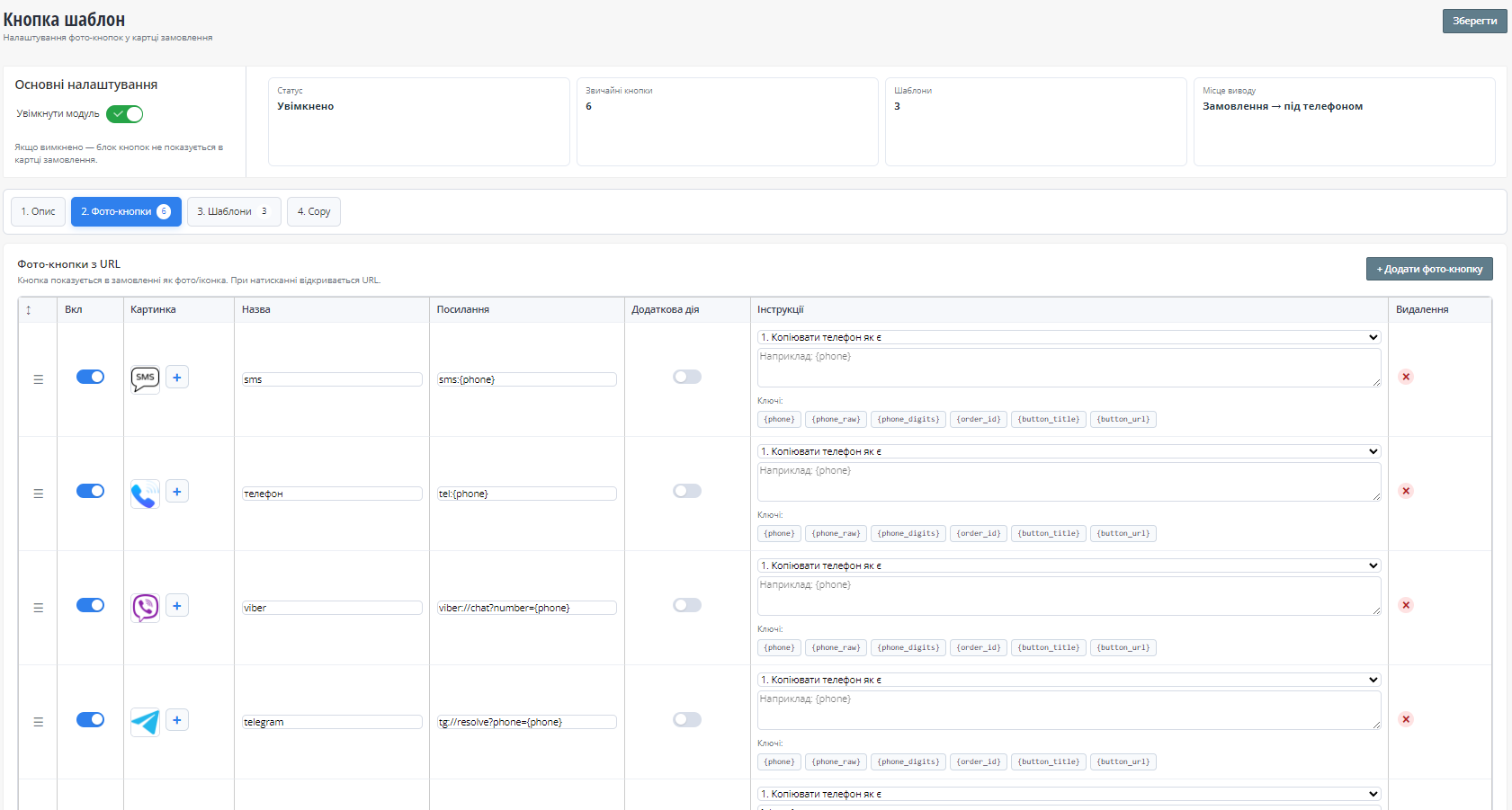
- creating buttons with custom names, images, and URLs;
- uploading button icons from a computer;
- opening external services directly from the order page;
- changing the display order of buttons;
- configuring additional actions, including data copying;
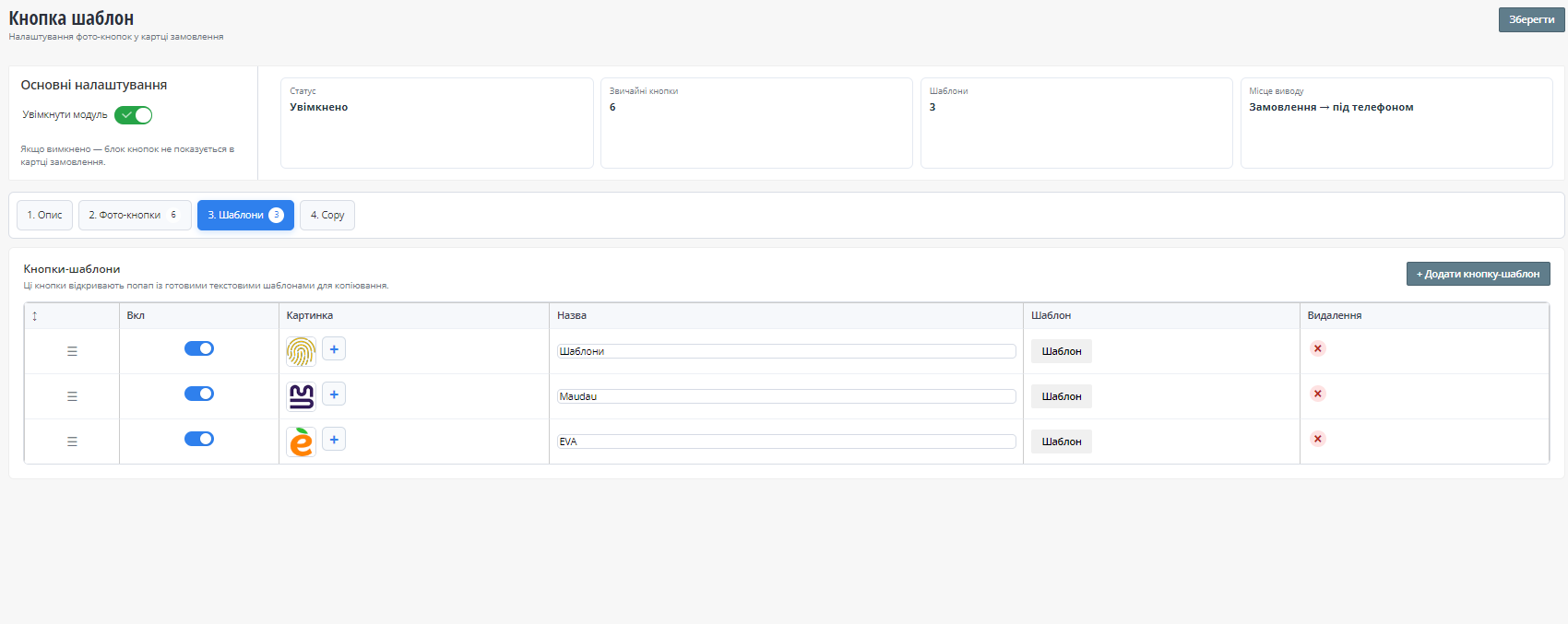
- creating buttons with ready-made text templates;
- editing templates in a pop-up window;
- creating templates using «title + text» blocks;
- automatically inserting order data into templates;
- quickly copying prepared text;
- copying product names from an order;
- copying a product name from the product page;
- a separate Copy tab for managing copying features;
- enabling and disabling the module.
Working with templates
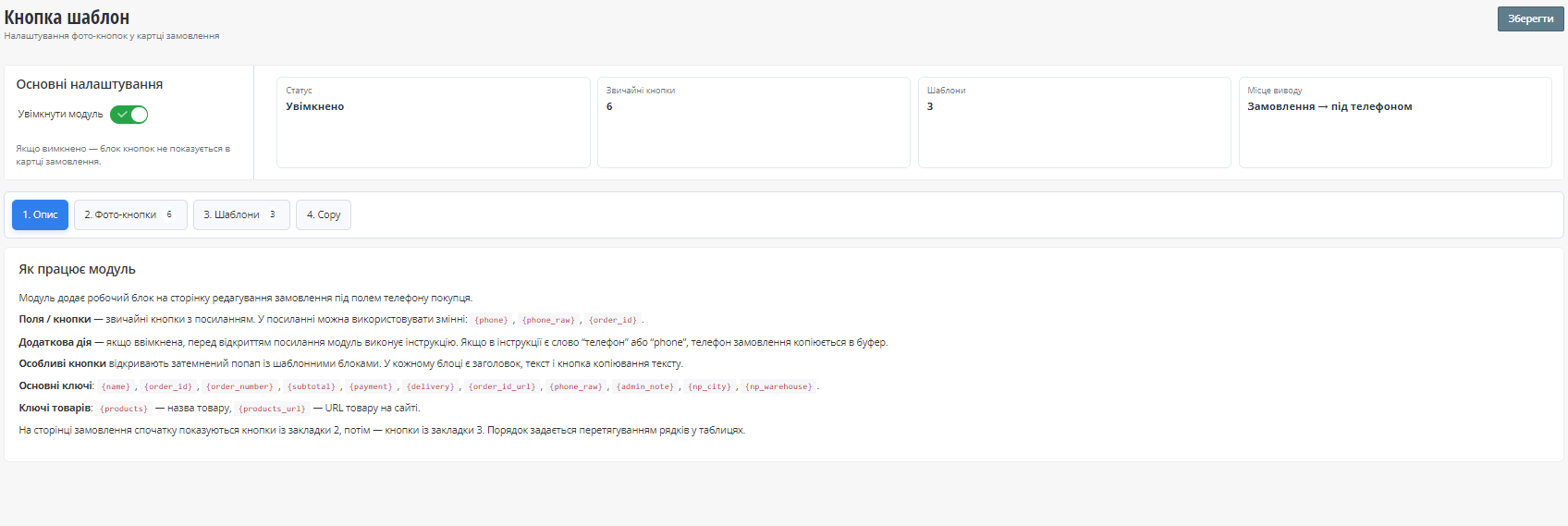
Special placeholders can be used to insert information automatically:
{name}— customer name;{order_id}— order ID;{order_number}— order number;{subtotal}— order amount;{products}— product names;{products_url}— links to products on the website;{phone_raw}— phone number in its original format;{phone_digits}— phone number containing digits only;{admin_note}— administrator’s order note;{np_city}— Nova Poshta city;{np_warehouse}— Nova Poshta branch or pickup point.
When a template is opened, the placeholders are automatically replaced with the current data from the selected order.
Who is this module for?
The module is suitable for online stores where managers regularly process orders, send messages to customers, copy contact information, or work with external services.
It reduces repetitive manual work, speeds up order processing, and helps maintain consistent communication with customers.

-
New Partner OkayCMS
-
Support is provided by a partner
-
Does not require adaptation for other templates
Recommend

Quick and secure cleanup of the OkayCMS cache and compiled templates directly from the top admin panel.

This OkayCMS module helps organize product properties, property values, and their display order. It allows store administrators to merge similar properties, reassign values, split combined values into separate values, find duplicates, and control the display order of properties in categories and product cards.

Module that automatically displays additional product blocks on the product page with relevant items from the same category.

The module allows the administrator to define the phone number format, apply the mask to selected pages and specific input fields