Filter and catalog


This OkayCMS module helps organize product properties, property values, and their display order. It allows store administrators to merge similar properties, reassign values, split combined values into separate values, find duplicates, and control the display order of properties in categories and product cards.




This module adds the ability to search for products by description, short description and product characteristics.


This module allows you to select products by adding them to the "Sales Hits" of a certain category. Using the module "Popular products in the category", the online store will be able to more successfully promote and sell the desired product to customers who are really interested in buying the product in the appropriate category.







This module allows you to hide the modules selected by the administrator from unregistered users.


Using this module, the administrator will be able to customize the display of product properties, which will be displayed relative to the specified property value. The rest of the applied values of this property will not be displayed.
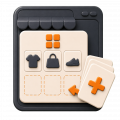
Automatically complete the first category page in OkayCMS with products from a selected category, related categories, or the entire catalog.


Display product properties in the OkayCMS catalog on image hover, helping customers evaluate products without opening individual pages.

This module displays an alphabetical index for brands on the brands page. Pressing a letter scrolls to the list of brands

This module displays the required number of recommended products for the main product.




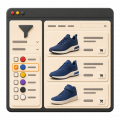
Display property values as colors in the OkayCMS catalog filter and product pages to make product selection easier for customers.


Display category names in product previews across your OkayCMS store and help customers navigate the catalog more easily.

Add an “Available on Credit” filter to the OkayCMS catalog, mark eligible products, and create indexable filtered pages with metadata.

Change product images on hover in the OkayCMS catalog so customers can view an additional photo without opening the product page.


Add link tags to category and product pages in OkayCMS for convenient navigation to sections, filters, articles, and other website pages.