
Product page

A module for managing product and store reviews with pre-moderation, customer photos and videos, helpfulness voting, SEO, Google Customer Reviews, and automation.

A module for manual and automatic generation of product review texts using OpenAI, Google Gemini, Anthropic Claude, and xAI Grok.

Run time-limited discount campaigns for categories, brands, or selected products, with automatic start and end times and a countdown timer on the storefront. No template modifications required.
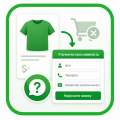
Replace the “Add to Cart” button with “Check Availability” for selected brands and categories. Customers leave their phone number instead of purchasing online. Ideal when products cannot be sold online yet, but you want to create product pages and start collecting customer inquiries.
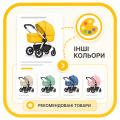
Automatically group different colors of the same model using the standard “Recommended Products” section. On the storefront, they can be displayed as “Show Other Colors” — no template modifications or manual product linking required.

This OkayCMS module helps organize product properties, property values, and their display order. It allows store administrators to merge similar properties, reassign values, split combined values into separate values, find duplicates, and control the display order of properties in categories and product cards.

Module that automatically displays additional product blocks on the product page with relevant items from the same category.







Using the module's capabilities for an additional product name, more customers will be able to find the position they need. Often, manufacturers themselves create a product with several variants of the name, and as a result, buyers search for a product by different names and often may not find them.
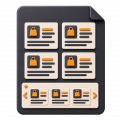
This module allows you to select products by adding them to the "Sales Hits" of a certain category. Using the module "Popular products in the category", the online store will be able to more successfully promote and sell the desired product to customers who are really interested in buying the product in the appropriate category.

The main function of the module is to use the second, alternative url of the category. Basically, the function is useful for categories that include products from another category, with a pre-defined set of filters.

With the help of this module, the owners of the online store will be able to select certain brands of goods for the client in each category.
Entering the product card, the client immediately sees one of the three available statuses of the product - in stock, pre-order or not in stock. The status is set automatically when filling in the "Quantity of goods" field in its card, in the admin panel.

Using the capabilities of this module, the administrator of the online store will be able to combine the properties of goods into groups and set an image for each of them.




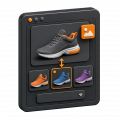
Add individual images for product variants in OkayCMS, change photos when a variant is selected, and include them in product export feeds.


The module implements the ability to add "Benefits" (a set of images and descriptions) for each product separately and then display them on the site.


The module implements the ability to set the status "Out of production" for a product

Automatically complete the recommended products section with items from the same product category in OkayCMS.

If the product is out of stock, the module displays an additional button "Inform about availability" in the product card

This module allows you to set a dimensional grid in image format for entire categories

The module allows you to select similar products for each product in its card
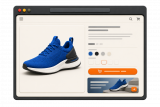
Create one or more banners with an image, title, description, and link for individual product pages in OkayCMS.

With the help of this module, the ability to rate a product is provided only to authorized users.
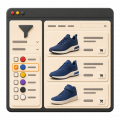
Display property values as colors in the OkayCMS catalog filter and product pages to make product selection easier for customers.



Configure wholesale discounts for products and individual variants in OkayCMS. Apply fixed or percentage discounts based on quantity or purchase amount.






Add link tags to category and product pages in OkayCMS for convenient navigation to sections, filters, articles, and other website pages.





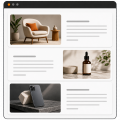
Create attractive descriptions with alternating images and text for products, categories, brands, blog posts, and pages in OkayCMS.