
Add-ons for Okay CMS 3. *

A module for managing product and store reviews with pre-moderation, customer photos and videos, helpfulness voting, SEO, Google Customer Reviews, and automation.

A module for manual and automatic generation of product review texts using OpenAI, Google Gemini, Anthropic Claude, and xAI Grok.

Run time-limited discount campaigns for categories, brands, or selected products, with automatic start and end times and a countdown timer on the storefront. No template modifications required.

A module for creating stable, SEO-friendly breadcrumb navigation in OkayCMS with schema.org/BreadcrumbList support, automatic product category selection, and appearance settings.
An OkayCMS integration module for automatically importing EVA Marketplace orders, synchronizing statuses, and sending tracking numbers through the Merchant API.

A module for manually or automatically synchronizing customer contact details from OkayCMS orders with Google Contacts through the Google People API.

A module for monitoring website speed, Core Web Vitals, and the technical quality of OkayCMS pages through Google PageSpeed Insights and Lighthouse, with check history, AI recommendations, and issue repair tools.

A monitoring module for OkayCMS that helps detect problems in the storefront and admin panel without manually checking log files.

The module adds AI generation, SEO optimization, content translation, product feature autofill, image search, and bulk product processing tools to OkayCMS.

EXCEL AI is an OkayCMS module designed to automate receiving, validating, matching and importing supplier price lists in XLS, XLSX and CSV formats.

A module for centralized integration of Google Tag Manager, GA4, Google Ads, Meta Pixel, Meta Conversions API, Microsoft Clarity, Merchant Center, and ecommerce events in OkayCMS.
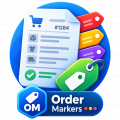
The module extends the standard OkayCMS order label system and allows administrators to add colors, links, and images to order markers.
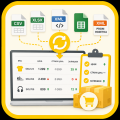
Automatically update product prices, old prices, and stock levels from supplier price lists using exact SKU matching. Supports CSV, XLSX, XML, Google Sheets, and Prom / Rozetka XML feeds.

Adds a convenient selection of region, city/locality, and Ukrposhta branch to checkout. No API key or live shipping rate calculation is required — the shipping price is taken from the OkayCMS delivery settings.

Replace the “Add to Cart” button with “Check Availability” for selected brands and categories. Customers leave their phone number instead of purchasing online. Ideal when products cannot be sold online yet, but you want to create product pages and start collecting customer inquiries.

Shippo shipping module: live rates in the cart, PDF labels, returns, tracking, and product dimensions.

Automatically group different colors of the same model using the standard “Recommended Products” section. On the storefront, they can be displayed as “Show Other Colors” — no template modifications or manual product linking required.

The module helps customers quickly find a brand by the first letter of its name and allows the store administrator to configure the page appearance without editing the store theme templates.

An OkayCMS integration module for synchronizing orders, statuses, tracking numbers, prices, and product availability with MAUDAU through the Public Merchant API.

Apply a percentage discount to all products in a category (including subcategories) or from a selected brand with one click. Your store will display the crossed-out old price alongside the new discounted price.

An OkayCMS integration module for synchronizing products, prices, stock, and orders with ROZETKA through the Seller API.


The module allows the administrator to define the phone number format, apply the mask to selected pages and specific input fields

This OkayCMS module helps organize product properties, property values, and their display order. It allows store administrators to merge similar properties, reassign values, split combined values into separate values, find duplicates, and control the display order of properties in categories and product cards.

Quick-action buttons, ready-made message templates, and automatic order data insertion for more efficient manager workflows.

Module that automatically displays additional product blocks on the product page with relevant items from the same category.

The module adds the ability to quickly create a copy of an existing order in OkayCMS

A loyalty bonus system for OkayCMS with flexible rules for earning, activating, and redeeming bonuses. The module supports bonus expiration, refunds for cancelled orders, phone-based customer registration, and a detailed history of all operations.

XML PRO automates product catalog loading and recurring updates from supplier XML feeds.

Quick and secure cleanup of the OkayCMS cache and compiled templates directly from the top admin panel.

Module that adds a cookie notice to the storefront and provides 18+ access restriction functionality for selected catalog categories.

Product photo validation, detection of problematic and unnecessary files, safe cleanup, and image optimization without overloading the server.





























This module adds the ability to search for products by description, short description and product characteristics.












Using the module's capabilities for an additional product name, more customers will be able to find the position they need. Often, manufacturers themselves create a product with several variants of the name, and as a result, buyers search for a product by different names and often may not find them.

BlackBox is the largest database where employees of online stores enter data on unscrupulous customers. The joint efforts of salespeople help prevent systematic deception by such customers.


Facebook Pixel allows you to collect information on the site, work with the audience and improve the effectiveness of advertising campaigns on the relevant social network.

This module allows you to select products by adding them to the "Sales Hits" of a certain category. Using the module "Popular products in the category", the online store will be able to more successfully promote and sell the desired product to customers who are really interested in buying the product in the appropriate category.

Using this module, online store owners will be able to quickly increase their active email address base. You just need to specify the percentage of the discount provided to new users. As soon as a person enters your site, he will display a window with information about the coupon and a field to fill out.

The main function of the module is to use the second, alternative url of the category. Basically, the function is useful for categories that include products from another category, with a pre-defined set of filters.

With the help of this module, the owners of the online store will be able to select certain brands of goods for the client in each category.


Entering the product card, the client immediately sees one of the three available statuses of the product - in stock, pre-order or not in stock. The status is set automatically when filling in the "Quantity of goods" field in its card, in the admin panel.

This module adds to the cart a new delivery method and a choice of Meest branches / parcel machines

Using the capabilities of this module, customers will be able to independently calculate the cost of delivery at the stage of ordering.






Using the capabilities of this module, the administrator of the online store will be able to combine the properties of goods into groups and set an image for each of them.





Payment module that allows you to make a payment for clients from Poland in a convenient way for them.










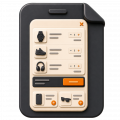
Display recommended products in the popup cart based on the items the customer has already added to their OkayCMS cart.





This module allows you to hide the modules selected by the administrator from unregistered users.


In order for the site not to look like a long, information-packed scroll, it is important to use pagination.
OkayCMS developers went even further and provided for their clients a page pagination function at the beginning of Meta data. Its main function is to modify the pagination text.



Generates a CSV product feed for uploading products to a Facebook catalog and regularly updating prices, availability, and other product data.








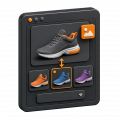
Add individual images for product variants in OkayCMS, change photos when a variant is selected, and include them in product export feeds.


Using the capabilities of the module, you can speed up the process of searching for data on the desired order in the admin panel. To do this, you need to specify the property of the order by which the search will be performed.



Using this module, the administrator will be able to customize the display of product properties, which will be displayed relative to the specified property value. The rest of the applied values of this property will not be displayed.

Automatically complete the first category page in OkayCMS with products from a selected category, related categories, or the entire catalog.

With this module you can make your site multilingual in a few clicks.

This module allows adding a pop-up window for registration, authorization, password reminders, as well as the "remember me" option on the user side of the site.


Display product properties in the OkayCMS catalog on image hover, helping customers evaluate products without opening individual pages.

This module displays an alphabetical index for brands on the brands page. Pressing a letter scrolls to the list of brands

This module sends orders to the specified Google Sheets, after changing the payment status to "paid"



This module allows you to assign orders to different managers. If the order is not assigned to any manager, then in the admin panel in the list of orders ...

A CSV feed for Google Ads is a directory of pages that you want to target, that is, those pages that are shown to a specific audience based on predefined parameters.


This module makes it possible to set in the admin panel the display color of the banner title and text.

The module implements the ability to add "Benefits" (a set of images and descriptions) for each product separately and then display them on the site.

This module displays the required number of recommended products for the main product.

The problem is that you can add a margin in the admin panel, but you cannot remove it.

This module allows you to find the city name by IP address, if you cannot identify the user, then the default city is substituted.


This module makes it possible in the admin panel in the blog category to select the pages on which posts from this category will be displayed.


This module is designed to combine the current order with your previous outstanding order.

The eSputnik service allows you to configure the automatic addition of website visitors to subscribers who subscribe to the newsletter,

This module implements the ability to set a margin for an order, depending on the amount of this order. Establishes a lower limit, from which the base markup is calculated and the step by which the markup is increased by a certain amount.


This module allows you to add fields to a specific delivery method in the basket, which the buyer will need to fill out if he chose this delivery method.

The html extension of the page indicates that this is a static destination page, not a directory or folder.

This module allows you to set discounts depending on the amount of the order.

The module implements the ability to set the status "Out of production" for a product

Automatically complete the recommended products section with items from the same product category in OkayCMS.

This module allows you to add related blocks to banners, on which you can display the necessary detail.

This module makes it possible to restrict the rights of a manager, providing an opportunity

If the product is out of stock, the module displays an additional button "Inform about availability" in the product card


This module allows you to set a dimensional grid in image format for entire categories


The module allows you to reorder a previously processed order from the user's personal account

This module allows you to create and issue an invoice for legal entities.

The module allows you to select similar products for each product in its card


Create one or more banners with an image, title, description, and link for individual product pages in OkayCMS.


With the help of this module, the ability to rate a product is provided only to authorized users.











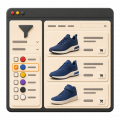
Display property values as colors in the OkayCMS catalog filter and product pages to make product selection easier for customers.


Display category names in product previews across your OkayCMS store and help customers navigate the catalog more easily.










Configure wholesale discounts for products and individual variants in OkayCMS. Apply fixed or percentage discounts based on quantity or purchase amount.




Set individual product variant prices for different customer groups in OkayCMS and update them in bulk using import and export.

Add an “Available on Credit” filter to the OkayCMS catalog, mark eligible products, and create indexable filtered pages with metadata.


Send SMS notifications about new orders to customers and store administrators via TurboSMS or SMSC.kz. Configure recipients and message content.

A module for generating a PDF payment receipt that customers can download after placing an order and use to make a bank payment.












Change product images on hover in the OkayCMS catalog so customers can view an additional photo without opening the product page.




Add link tags to category and product pages in OkayCMS for convenient navigation to sections, filters, articles, and other website pages.









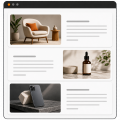
Create attractive descriptions with alternating images and text for products, categories, brands, blog posts, and pages in OkayCMS.







This module allows you to see the difference between the time of the city from which the order was made with the time of the city of the store in the order.